

Key takeaways
- Restaurant scheduling software is now essential in Canada: labour shortages, rising labour costs, and varying provincial employment standards make manual scheduling inefficient and risky.
- A strong restaurant scheduling app helps reduce labour costs with real-time labour visibility, overtime control, and staffing aligned with sales and demand.
- Key features to look for: flexible shift scheduling (FOH/BOH), shift swaps and open shifts, time tracking, POS integrations, and centralized team communication.
- Top restaurant scheduling apps in Canada (2026): Agendrix, 7shifts, and Deputy stand out for their restaurant-focused features, scalability, and strong user reviews.
In restaurants, schedules do more than assign shifts. They directly impact labour costs, employee retention, and day-to-day operations.
And the pressure is real.
80% of Canadian restaurant owners say labour shortages are their top operational challenge. Source: WifiTalents
In that context, offering good working conditions is no longer optional: it’s a competitive advantage. And for restaurants, schedule management sits right at the centre of it.
A clear, fair, and flexible schedule can be the difference between an employee who stays and one who starts looking elsewhere.
For restaurant operators across Canada, the challenge is twofold:
💰 Labour remains one of the biggest operating costs
Poor scheduling quickly leads to overstaffing, unplanned overtime, or inefficient coverage during slow periods.
💔 Team stability is harder than ever to maintain
High turnover, changing availability, and the different realities of FOH and BOH teams make scheduling complex and time-consuming.
Add to that Canada’s broader labour context (ongoing staffing shortages, a workforce that increasingly values flexibility, and the different employment standards required by each province) and manual scheduling becomes inefficient, risky, and hard to scale.
That’s exactly why restaurant-specific scheduling software has become essential.
In this article, we compare the best restaurant scheduling software in Canada. These tools are evaluated based on real operational needs: ease of use for teams, control over labour costs, multi-location management, and overall fit for Canadian restaurants, from independent operators to growing groups.
Why Scheduling Is a Key Challenge for Restaurants in Canada

In restaurants, scheduling is never static. It changes with sales volume, weather, employee availability, and unexpected absences. When schedules are not well managed, the impact is immediate, both financially and operationally.
Complex and unpredictable schedules
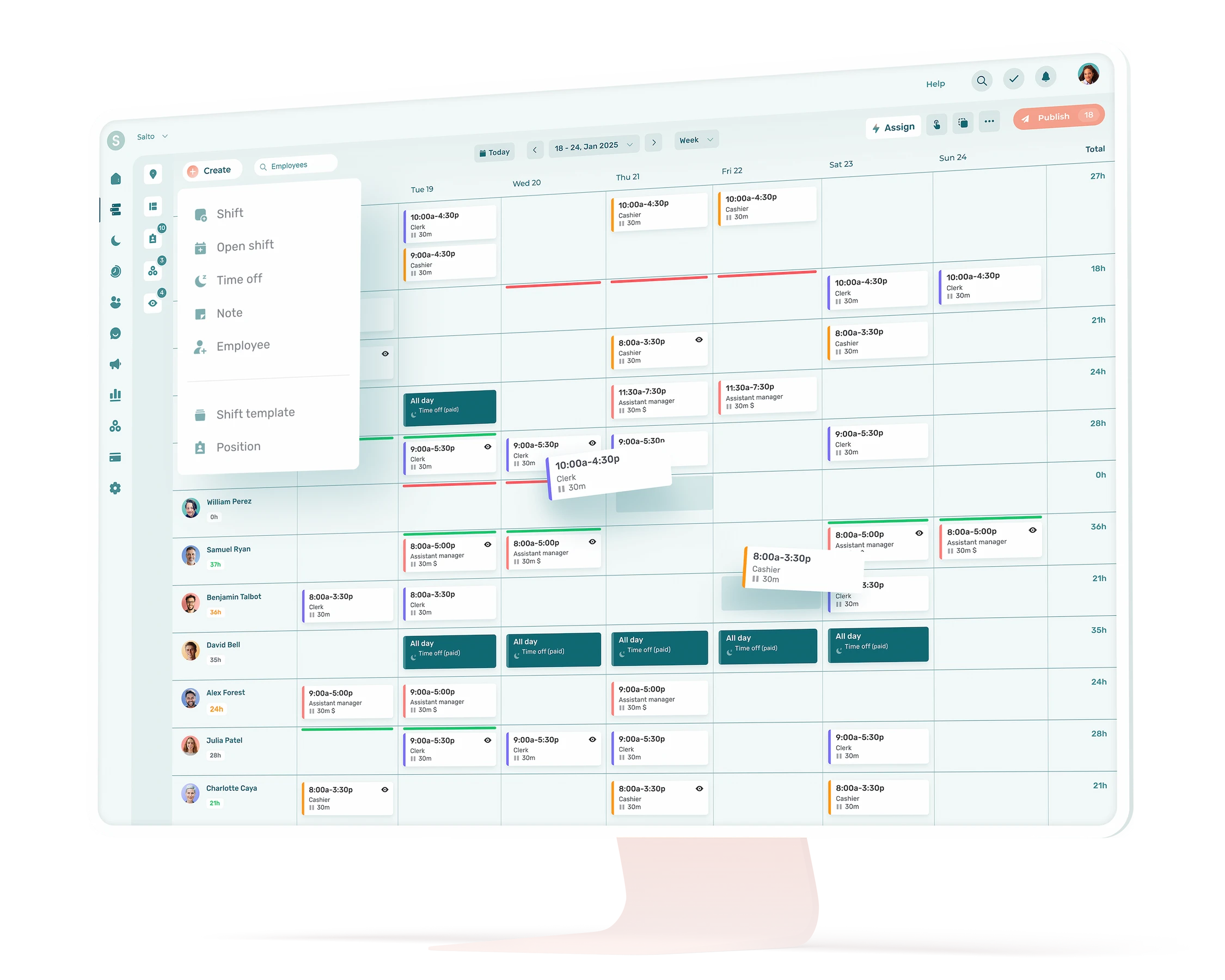
Restaurant teams do not operate on standard hours. Between FOH and BOH roles, split shifts, evenings, weekends, and peak service periods, scheduling quickly becomes complex.
Staffing needs can vary significantly from one day to the next. A Friday night service requires a very different setup than a weekday lunch, and schedules need to reflect that reality accurately.
Without the right tools, managing this level of variation becomes time-consuming and prone to errors.
Labour cost control
Labour is one of the largest operating expenses for restaurants. Scheduling plays a direct role in keeping those costs under control.
Overstaffing during slow periods increases payroll unnecessarily. Understaffing during busy periods affects service quality and puts pressure on employees, which can lead to burnout or turnover.
Effective scheduling helps align staffing levels with real demand, reduce unplanned overtime, and make labour costs more predictable.
Employees expect flexibility
Restaurant employees increasingly expect flexibility in how they work. Shift swaps, changing availability, and last-minute adjustments are now part of everyday operations.
When these requests are handled manually through texts, phone calls, or informal messages, they create confusion and extra work for managers. Clear processes and self-service tools help employees manage their schedules while reducing the administrative burden on leadership teams.
Team communication challenges
Scheduling issues are often communication issues.
Missed schedule updates, unclear changes, or lack of confirmation can quickly lead to no-shows, late arrivals, or internal frustration. Centralizing schedule-related communication helps ensure everyone has access to the same information at the same time.
This improves accountability, reduces misunderstandings, and creates a more reliable day-to-day workflow.
The Canadian context
Restaurants in Canada also operate within a specific regulatory and workforce environment. Employment standards vary by province, labour shortages remain a reality, and teams are increasingly diverse.
Scheduling tools need to support compliance, clear documentation, and consistent communication across teams. Relying on spreadsheets or paper schedules makes this harder to manage as operations grow.
That’s why choosing the right restaurant scheduling software is no longer about convenience. It’s about control, compliance, and keeping your team engaged.
Our Methodology for Evaluating Restaurant Scheduling Software in Canada

To build this comparison, we did not rely on generic rankings or vendor marketing claims. Each solution was evaluated based on criteria that reflect the real operational needs of restaurants across Canada.
The goal is simple: highlight scheduling tools that actually help restaurant operators manage teams, control labour costs, and run smoother day-to-day operations.
1. Adaptation to restaurant operations
Restaurants operate differently from offices or traditional SMBs. Scheduling tools need to support variable shifts, role-based staffing, and fast-paced environments.
We prioritized software that supports:
- Variable and recurring shifts
- FOH and BOH staffing realities
- Shift swaps and open shifts
- Employee availability management
- Labour cost visibility tied to scheduling
- Other relevant features like tip sharing and weather forecasting
This criterion ensures the tool is truly built for restaurants, not just adapted from a general workforce product.
2. Schedule complexity and multi-location management
Many Canadian restaurants operate multiple locations or plan to scale.
We assessed each platform’s ability to:
- Manage multiple locations within one account
- Share employees across locations when needed
- Prevent scheduling conflicts or overlapping shifts
- Adapt to changing weekly and seasonal scheduling needs
This criterion is especially important for groups, franchises, and growing operators.
3. Feature depth and operational coverage
Scheduling software should do more than assign shifts. It should support better decisions and reduce administrative work.
We compared tools based on:
- Scheduling automation and ease of adjustments
- Labour cost tracking and forecasting
- Time and attendance features
- Integrations with payroll and POS systems
- Team communication related to schedules
- HR management (employee records, surveys, etc.)
The focus here is on depth and usefulness, not feature quantity.
4. User feedback and customer support quality
Real-world feedback matters.
We reviewed:
- Ratings and reviews on platforms such as G2, Capterra, the App Store, and Google Play
- Recurring themes related to reliability and ease of use
- Feedback on customer support responsiveness and quality
Strong support and consistent user satisfaction are key indicators of long-term value.
5. Language availability and local usability
Canada is a bilingual market, and language plays a direct role in employee adoption and operational efficiency.
We evaluated whether:
- The interface is available in English and French
- Customer support can be provided in French when required
- The product is usable by frontline teams with varying technical comfort levels
Language accessibility directly affects rollout speed, training time, and day-to-day usage across teams.
Scoring and ranking
Each software received a final score out of 10 based on the following weighting:
- Adaptation to restaurant needs: 3 points
- Schedule complexity and multi-location management: 2 points
- Feature depth and operational coverage: 2 points
- User reviews and customer support: 2 points
- Language availability (app and support): 1 point
This weighting reflects what matters most in restaurant operations: usability on the floor, cost control, scalability, and support.
Transparency note
Agendrix is included in this comparison and is our product. All tools listed were evaluated using the same criteria and scoring framework, within a single context: restaurant scheduling in Canada.
Information accuracy
All information in this article is accurate as of February 2026. Features, pricing, and availability may evolve over time. We recommend confirming details directly with each provider before making a final decision.
5 Key Features to Look for in Restaurant Scheduling Software in Canada
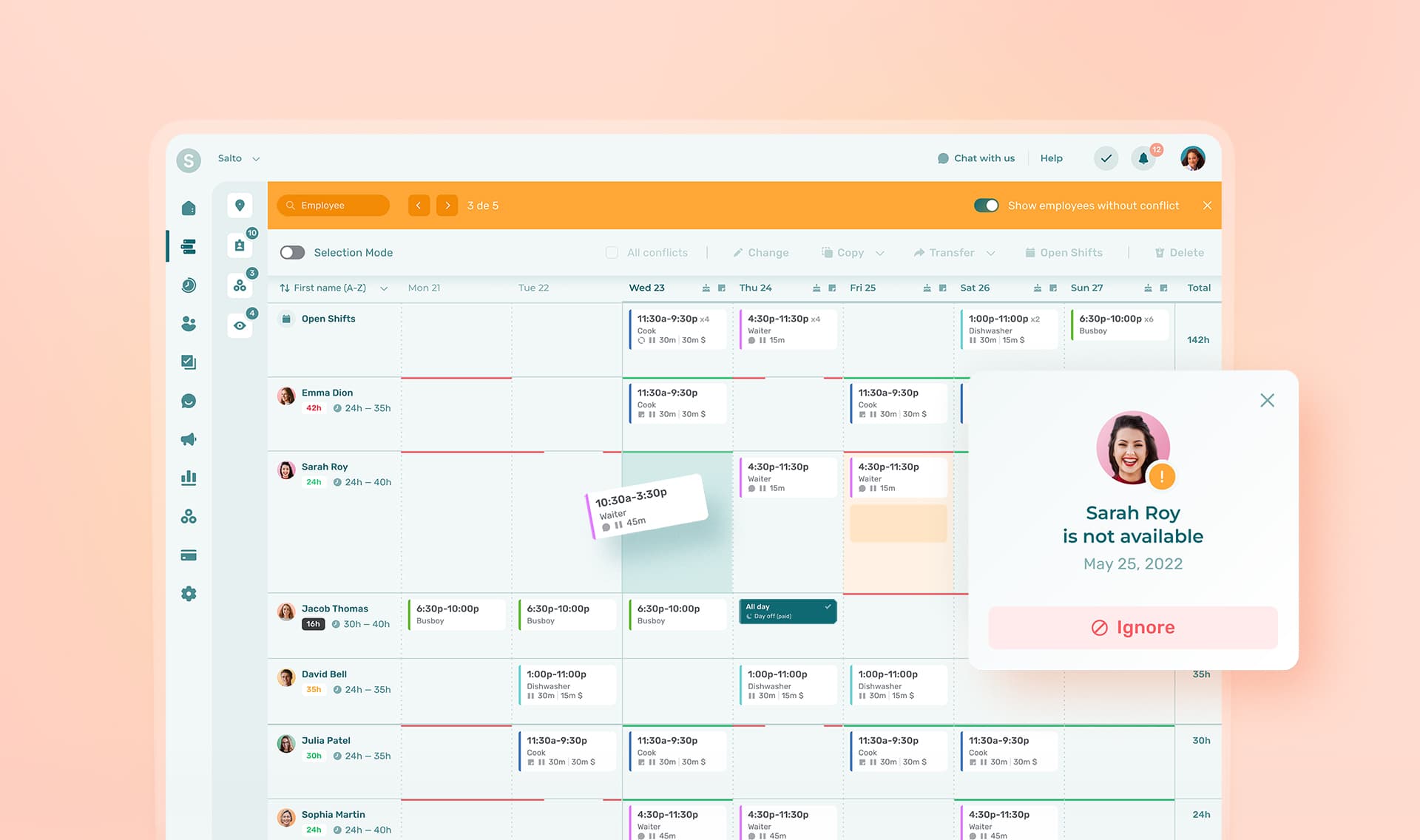
Not all scheduling tools are created equal. For Canadian restaurants, the right software needs to support day-to-day operations on the floor while helping managers control labour costs and stay compliant.
Here are the five features that matter most.
1. Flexible scheduling built for restaurant realities
A restaurant schedule is never static. Demand changes daily, and staffing needs vary by role, shift, and location.
A good scheduling tool should allow you to:
- Create and publish schedules quickly
- Adjust shifts based on employee availability
- Manage FOH and BOH roles separately
- Reuse schedule templates for recurring weeks
- Avoid conflicts and overlapping shifts
This is the foundation, restaurants can’t afford to have slow or rigid schedules. Automatic scheduling helps save time, reduces errors and ensures better shift coverage.
2. Shift swaps and open shifts
Last-minute changes are part of restaurant life. Employees get sick, availability changes, and coverage needs to happen fast.
The right software lets employees:
- Offer shifts to coworkers
- Request shift swaps without manager back-and-forth
- Claim open shifts when coverage is needed
- Receive notifications in real time
For managers, this reduces manual coordination and keeps control where it belongs, without becoming the bottleneck.
3. Labour cost visibility and forecasting
Scheduling directly impacts profitability. Without visibility into labour costs, it is easy to overschedule or trigger unnecessary overtime.
Look for tools that provide:
- Real-time labour cost estimates while building schedules
- Visibility into scheduled versus actual hours
- Forecasting based on sales data, traffic patterns, or historical trends
- Alerts when schedules exceed labour targets
This feature helps managers make smarter decisions before costs are locked in.
4. Time tracking and payroll readiness
Scheduling does not stop once a shift starts. Accurate time tracking is essential for payroll, compliance, and cost control.
Strong scheduling software should include:
- Clock-in and clock-out functionality
- Automatic timesheets
- Overtime tracking
- Easy exports or integrations with Canadian payroll systems
This reduces manual corrections, payroll errors, and disputes with employees.
5. Centralized team communication
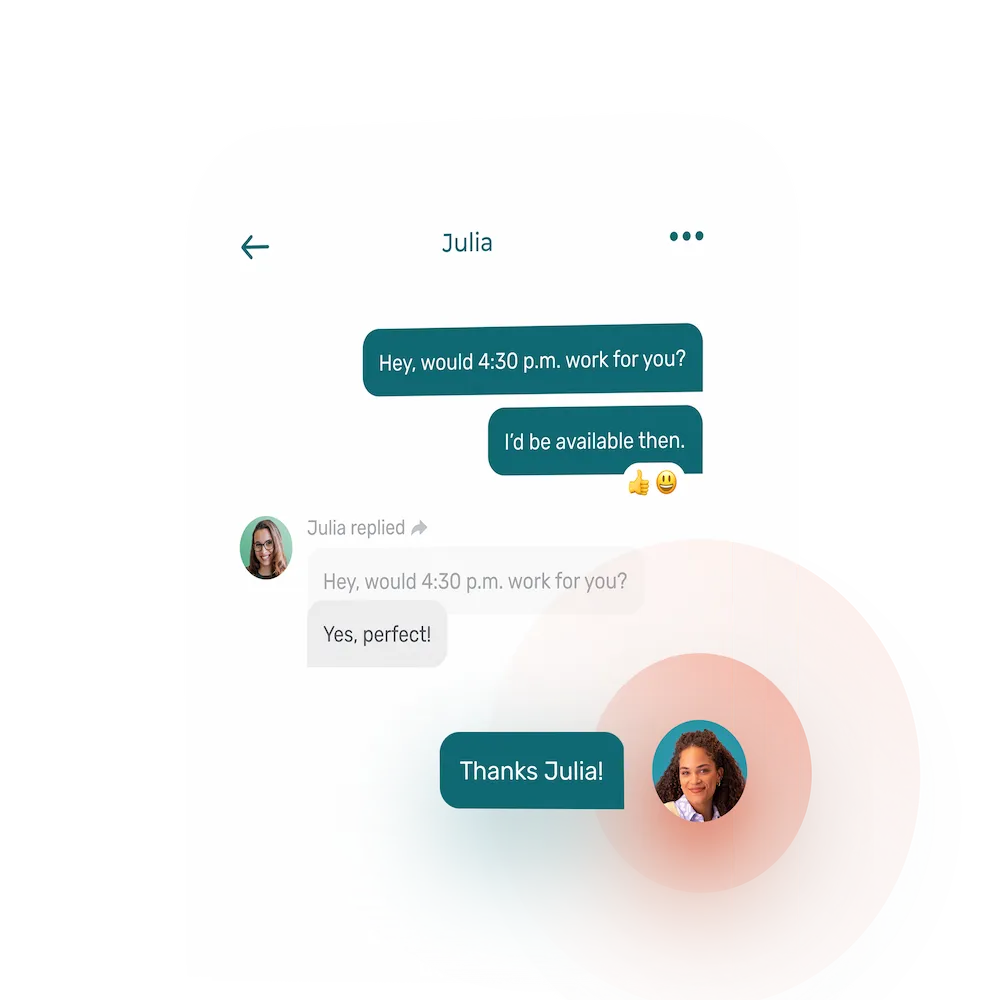
Schedules are only useful if everyone sees and understands them.
The best tools centralize communication related to work, including:
- Schedule notifications and updates
- In-app messaging
- Announcements tied to shifts or roles
- Read confirmations for important updates
- Tasks management
This replaces scattered texts, group chats, and last-minute calls, while improving clarity and accountability.
Canadian Employment Standards to Consider When Scheduling Restaurant Staff
Labour laws in Canada vary by province and territory, and they can affect how you plan schedules, manage hours, and calculate overtime. The list below highlights some key employment standards relevant to restaurant scheduling in major Canadian jurisdictions. It is not exhaustive, and you should always verify specific requirements with your local authorities.
Ontario
In Ontario, the Employment Standards Act (ESA) sets rules on hours of work, daily and weekly limits, and overtime pay. Key elements for restaurants include:
- Employees generally cannot be required to work more than 8 hours per day or 48 hours per week unless there is a written agreement.
- Employers must comply with rest periods and eating periods provisions.
For more details:
👉 Guide to Employment Standards Act (Ontario)
British Columbia
In British Columbia, the Employment Standards outlines hours of work provisions, including:
- Standard work hours are usually 8 hours per day or 40 hours per week before overtime applies.
- A 30-minute unpaid meal break is required after five hours of work.
- Employers must provide at least 32 consecutive hours free from work each week.
For more:
Quebec
In Quebec, labour standards are set by the Loi sur les normes du travail and enforced by the CNESST. Relevant points include:
- Employers must account for rules on presence at work, meal and rest periods, and weekly rest.
- Schedules should reflect minimum standards for hours and conditions of employment.
For more:
👉 Normes et conditions de travail
👉 CNESST
Alberta
Alberta’s employment standards are governed by the Employment Standards Code and related regulations. While specific hours of work and overtime rules vary, key considerations include:
- Employers must provide minimum wage, rest breaks, and overtime in compliance with provincial standards.
- Flexible scheduling practices like averaging rules may be permitted under certain conditions.
Note: Alberta has undergone significant updates to its employment standards in recent years. Always verify current requirements with the Alberta government.
For reference:
Important Reminder
This list highlights only a few key regulations that commonly affect restaurant scheduling in Canada. It is not a complete legal guide.
Employment standards can include additional requirements related to:
- Record keeping and pay statements
- Overtime calculation rules
- Minimum rest between shifts
- Meal and rest breaks beyond provincial minima
- Statutory holidays and holiday pay
Always consult the official employment standards resources in the province where your restaurant operates before finalizing schedules.

Why This Matters When Choosing Scheduling Software
Employment standards are not just a legal concern, they directly affect how restaurant schedules are built and adjusted day to day. When scheduling is done manually or with tools that are not designed for restaurant operations, it becomes much harder to stay compliant, especially when last-minute changes happen.
A well-designed scheduling tool helps restaurant operators:
- Reduce last-minute schedule changes that can create compliance risks related to minimum shift lengths, rest periods, or overtime.
- Plan staffing levels more accurately, which helps limit unexpected overtime and labour cost overruns.
- Maintain a clear history of published schedules and changes, which can be critical in case of disputes or inspections.
- Track worked hours more reliably, making it easier to calculate payroll and apply provincial labour rules correctly.
Beyond compliance, these capabilities have a direct impact on team stability. Clear schedules contribute to higher employee trust, reduced turnover, and smoother operations.
In short, the right scheduling software is not just a planning tool. It is a safeguard for compliance, a lever for cost control, and a foundation for a healthier employee experience in restaurants across Canada.
Best Restaurant Scheduling Software in Canada (2026)
The tools below are ranked based on their overall relevance for Canadian restaurants, taking into account restaurant-specific functionality, scalability, feature depth, language availability, and real user feedback.
The goal is not to name a one-size-fits-all winner, but to highlight the scheduling solutions that are best aligned with the operational realities of restaurants in Canada.
1. Agendrix (9.3 / 10) 🇨🇦
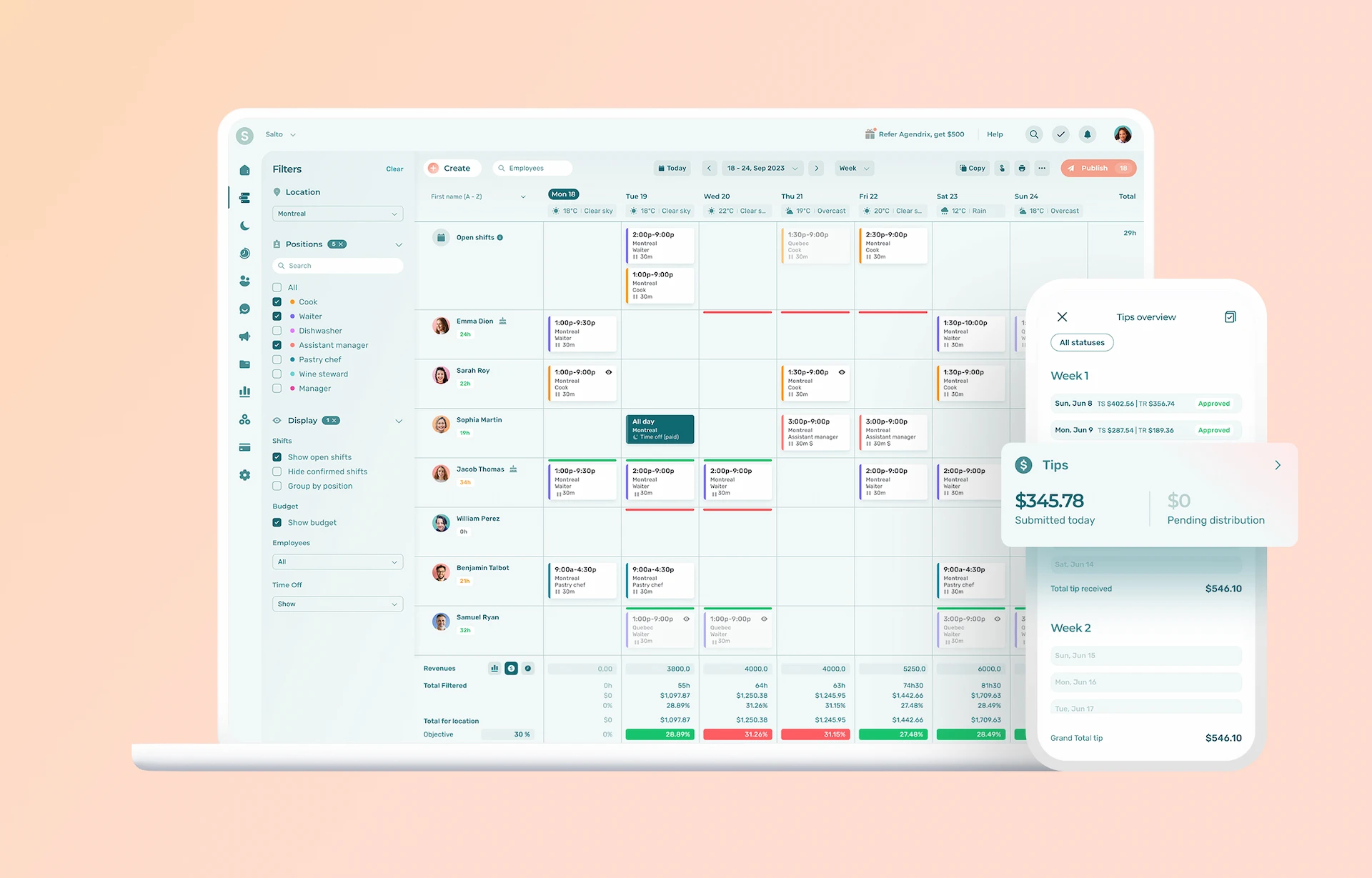
Agendrix is a workforce management and scheduling platform built for hourly teams, with a strong focus on restaurants, hospitality, retail, and service-based businesses. Developed in Canada, the solution is fully available in English and French, including customer support.
Strengths
- Built and developed in Canada
- Fully available in English and French (app and customer support)
- Designed specifically for hourly and shift-based teams
- Strong adoption across Canadian restaurants
- Excellent employee experience on mobile
- Scales well from single locations to multi-location groups
- Highly rated customer support, known for responsiveness and reliability
Key features for restaurants
- Fast schedule creation, editing (drag and drop), and publishing
- Automated schedules based on availability and roles
- Real-time labour cost visibility during scheduling
- Time and attendance, digital timesheets, and payroll exports
- Tip sharing and distribution tools
- Open shifts and shift swaps between employees
- Labour costs calculator and weather forecast to support staffing decisions
- Centralized team communication linked to schedules
- Multi-location management with employee sharing across sites
- Off-season plan to reduce costs without losing contact with staff
- Extended HR features such as employee records, e-signatures, onboarding, surveys, and recognition
- POS integrations, including Lightspeed
Points to consider
- Some advanced features require initial configuration to fully unlock their value
Best suited for
- Independent restaurants
- Restaurant groups and franchises
- Multi-location operators
- Small, medium, and large teams
- Restaurants with complex, changing schedules
User ratings
- G2: 4.7 / 5
- Capterra: 4.8 / 5
- App Store: 4.7 / 5
- Google Play: 4.6 / 5
Pricing
- Essential: $2.93 CAD per user, per month
- Plus: $4.73 CAD per user, per month
- Time and Attendance: add-on $2.03 CAD per user, per month
- Enterprise: custom pricing
- Free trial: up to 21 days
What Agendrix customers say
“A few competitors have tried to win me over with better pricing, onboarding support, and more. But I quickly realized they just don’t compare to Agendrix,” – Julie, Fromagerie Victoria.
“It took just about a week to onboard everyone, and the benefits were obvious,” Mario, Thursday’s Club.
“Just copying a week’s schedule and adjusting the shifts in a few clicks saves me so much time. I used to spend an hour making the schedule, now it takes 15 minutes,” Mathis, Pizza Salvatore.
Why it’s the best choice for restaurants
Agendrix is built around the day-to-day reality of Canadian restaurants. Variable schedules, FOH and BOH coordination, frequent changes, and constant communication are all part of the product’s core design. The platform is easy to adopt for employees, intuitive for managers, and powerful enough to support growing operations without adding unnecessary complexity.
2. 7shifts (8.6 / 10) 🇨🇦
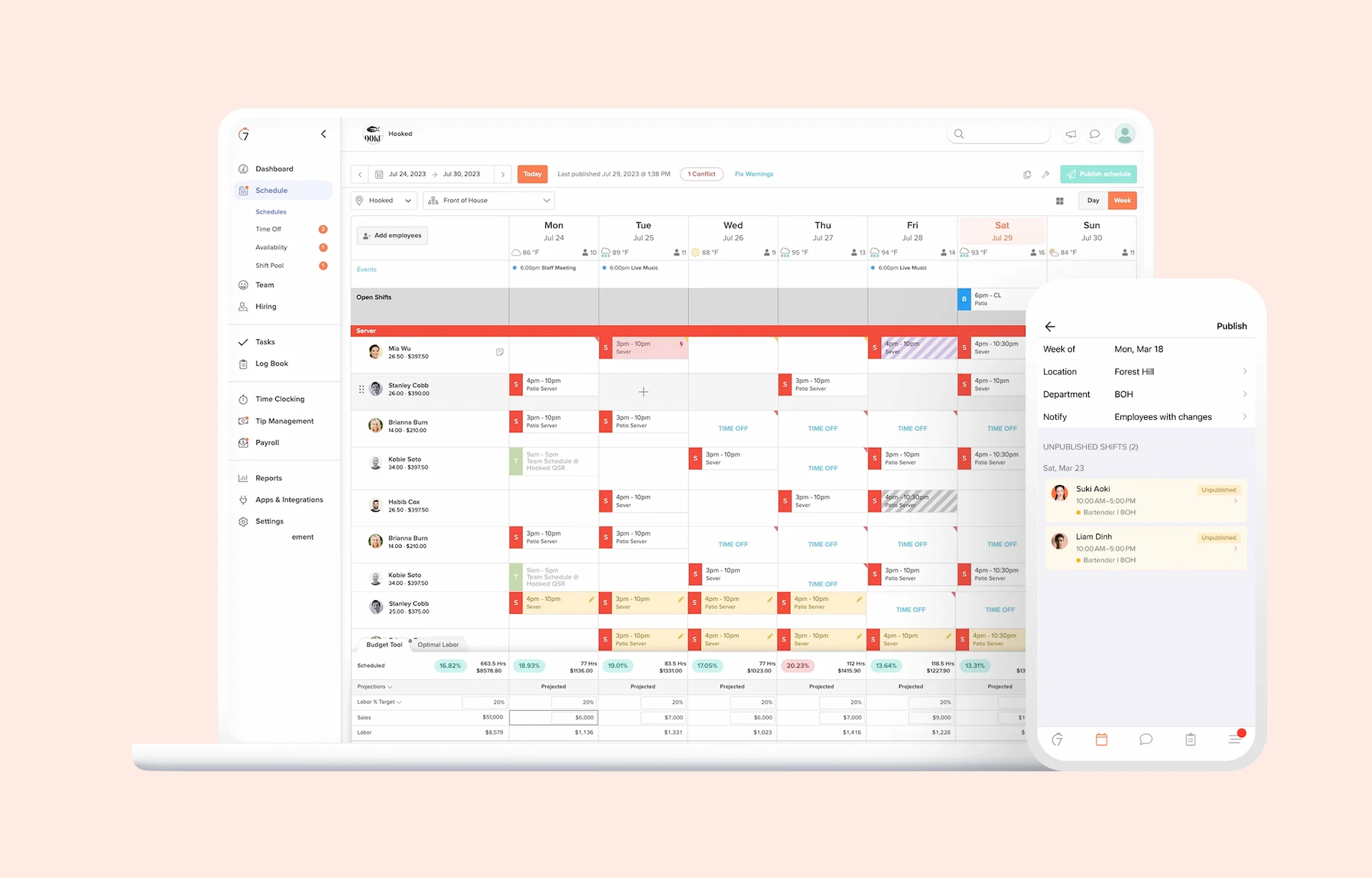
7shifts is a restaurant scheduling and workforce management platform widely used in the United States. Built specifically for restaurants, it focuses on scheduling efficiency, labour cost control, and POS-driven insights, making it especially popular with multi-location operators and restaurant groups.
Strengths
- Built in Canada, specifically for restaurant operations
- Strong adoption across North America
- Robust scheduling and labour management features
- Well-regarded mobile app for frontline staff
- Strong POS and payroll integrations
- Scales well for chains and multi-location groups
Key features for restaurants
- Schedule creation and shift management
- Open shifts and shift swaps
- Employee availability and time-off requests
- Labour cost tracking and forecasting
- Team communication tools (announcements, messaging)
- POS integrations to align staffing with sales data
- Reporting and analytics for operational performance
Things to consider
- Some advanced features require higher-tier plans or add-ons
- Can feel complex for small, independent restaurants with simple needs
- Interface and customer support are primarily in English
- Limited support for fully bilingual teams in Canada
Best suited for
- Independent restaurants with higher staffing complexity
- Restaurant groups and chains
- Multi-location operators
- Restaurants already using POS systems with strong 7shifts integrations
User ratings
- G2: 4.5 / 5
- Capterra: 4.7 / 5
- App Store: 4.8 / 5
- Google Play: 4.5 / 5
Pricing
- Comp: free with (limited features, typically up to ~30 employees)
- Entrée: 39.99 CAD / month / location
- The Works: 79.99 CAD / month / location
- Gourmet: 134.99 CAD / month / location
- Free trial: 14 days
Why it’s a strong choice for restaurants
7shifts stands out for restaurants that need powerful scheduling tied to labour data and POS performance. It is a strong operational tool for growing teams and multi-location businesses, provided English-only workflows are not a barrier for staff adoption.
Curious how it stacks up against Agendrix? Explore our in-depth Agendrix vs. 7shifts comparison.
3. Deputy (8.0 / 10)
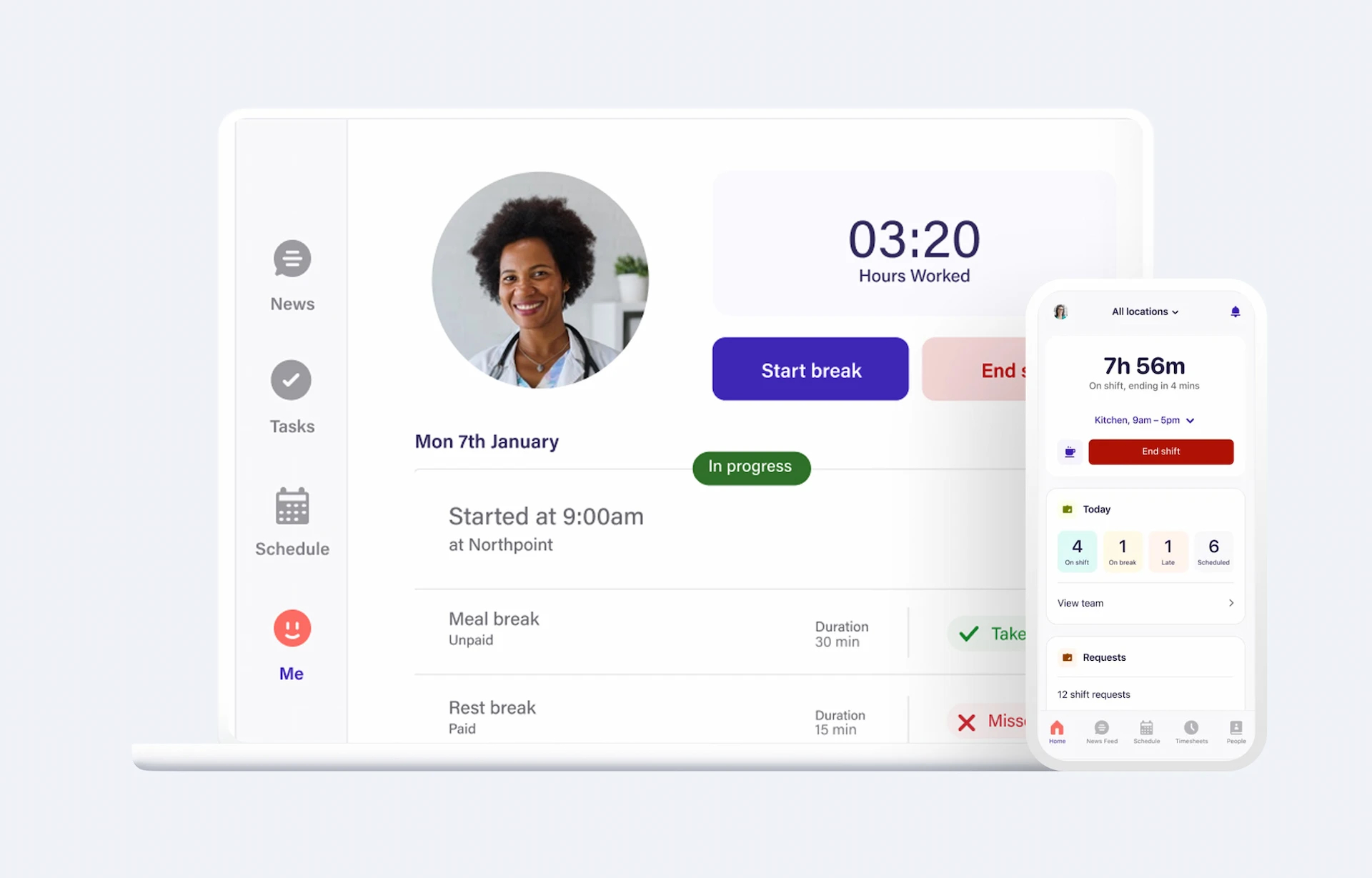
Deputy is a workforce management platform used across many industries, including hospitality and restaurants. It’s particularly strong in scheduling, time tracking, and compliance, and scales well for multi-location operations. While originally not designed exclusively for restaurants, it has become a versatile option for Canadian operators looking for an all-around workforce tool that includes scheduling.
Strengths
- Broad adoption internationally and in Canada
- Good core scheduling features with time and attendance
- Strong multi-location and enterprise capabilities
- Compliance and reporting features
- Works well in mixed environments
Key features for restaurants
- Schedule creation and management (with drag-and-drop)
- Employee availability and time-off requests
- Time and attendance tracking (clock-in/clock-out)
- Overtime and compliance alerts
- Exportable timecards and payroll integrations
- Reporting on labour costs and scheduling patterns
- Alerts when scheduled hours could violate rules
Things to consider
- Not built exclusively for restaurants, so some workflows are less refined than dedicated tools
- Steeper learning curve for users that are not tech savvy
- Interface and support are primarily in English, with limited French support
- Some advanced restaurant features (like tip management or POS-specific integrations) are not native
Best suited for
- Restaurants with complex scheduling and compliance needs
- Multi-location or enterprise operators
- Restaurants that also need unified time tracking and reporting
- Teams that want a stronger payroll integration experience
User ratings
- G2: 4.6 / 5
- Capterra: 4.6 / 5
- App Store: 4.7 / 5
- Google Play: 4.7 / 5
Pricing
- Lite: 5.00 USD / user / month
- Core: 6.50 USD / user / month
- Pro: 9.00 USD / user / month
- Free trial: Available
Why it’s a strong choice for restaurants
Deputy strikes a balance between deep scheduling capabilities and broader workforce management tools. It is particularly valuable for restaurants dealing with multi-location scheduling, compliance, and labour reporting.
Wondering how it measures up to Agendrix? Take a look at our complete Agendrix vs. Deputy breakdown.
4. HotSchedules (7.4 / 10)
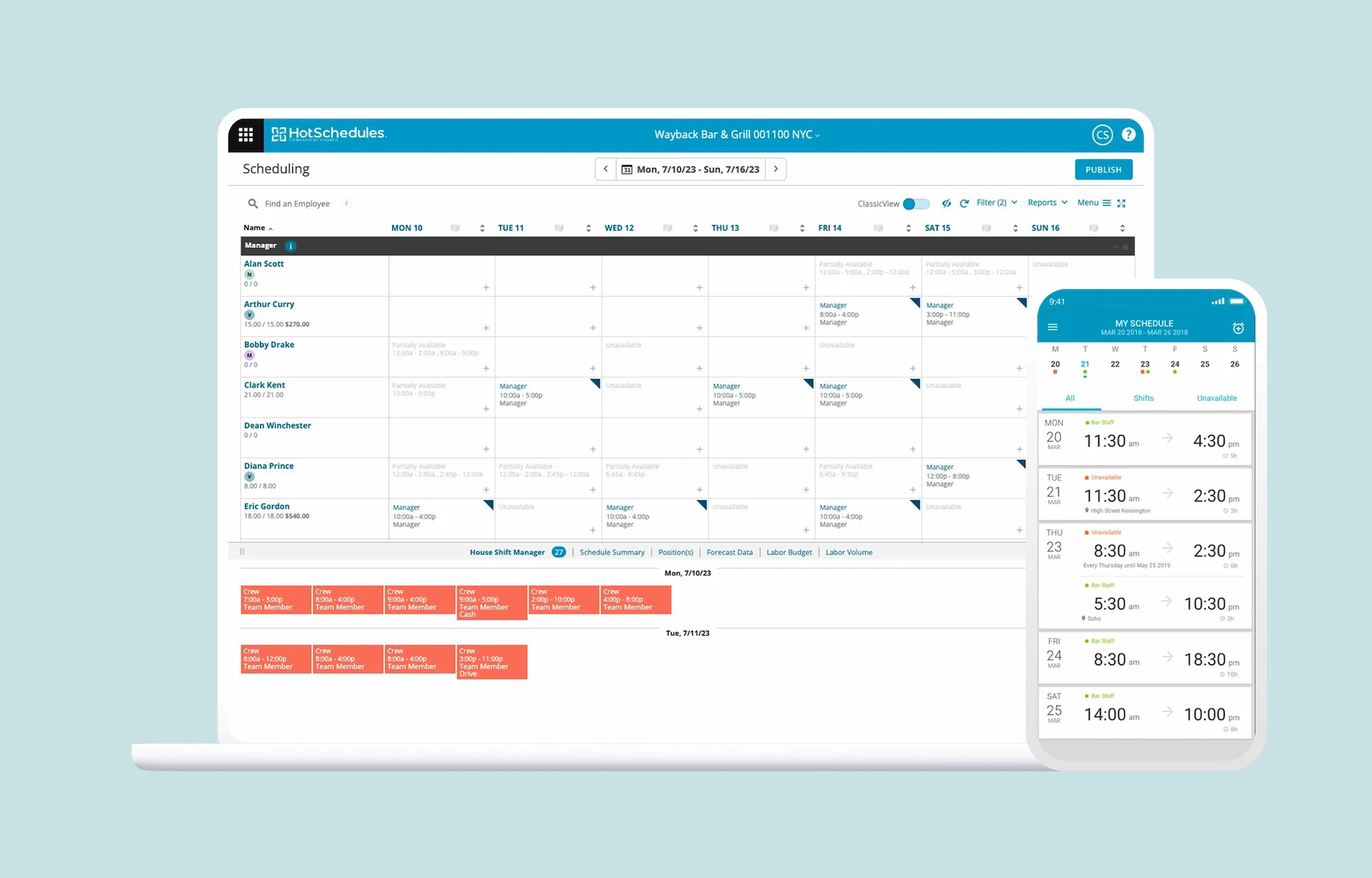
HotSchedules is a workforce management and scheduling platform widely used by restaurant chains and multi-location operators in North America. Now part of the Fourth ecosystem, it is especially prevalent in larger restaurant groups with complex operations.
Strengths
- Strong adoption in large restaurant chains
- Designed specifically for restaurant operations
- Handles complex scheduling rules and high-volume environments well
- Tools for labour forecasting and compliance
- Scales well across multiple locations
Key restaurant features
- Advanced shift scheduling for FOH and BOH teams
- Employee availability, shift swaps, and open shifts
- Labour forecasting based on historical data and sales
- Time and attendance with compliance-focused controls
- Multi-location management with centralized oversight
- Integrations within the Fourth platform (labour, inventory, HR)
Points to consider
- Interface can feel dated compared to newer tools
- Setup and configuration are heavier than SMB-focused solutions
- Available only in English (app and support)
- Pricing and feature access often geared toward larger organizations
Best suited for
- Medium to large restaurant groups
- Chains and franchises with complex scheduling needs
- Operators prioritizing control, forecasting, and scalability over simplicity
User ratings
- G2: 4.3 / 5
- Capterra: 4.4 / 5
- App Store: 4.6 / 5
- Google Play: 2.7 / 5
Pricing
- App purchase: $2.99
- Monthly user pricing: not publicly listed
- Free trial: available
Why it’s a good choice for restaurants
HotSchedules is a proven solution for restaurant operators managing complexity at scale. While it may be heavier than what many independent restaurants need, it remains a good choice for large teams, multi-unit operations, and brands that require strict scheduling controls and labour oversight.
5. Push Operations (7.3 / 10) 🇨🇦
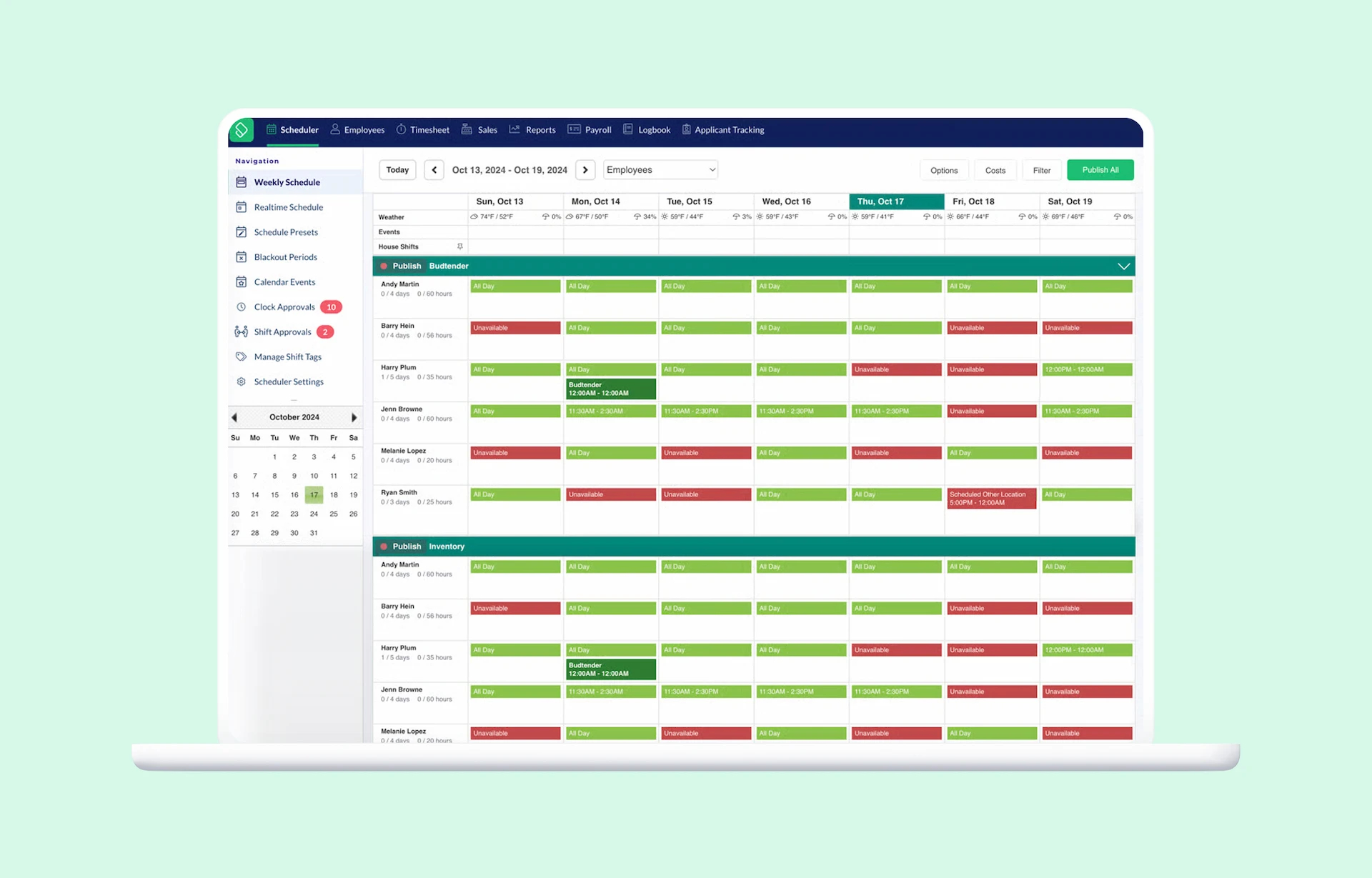
Push Operations is a hospitality-focused Canadian workforce management platform designed primarily for multi-location restaurant groups. It combines scheduling with payroll and operations tooling, positioning itself closer to an “ops stack” than a pure scheduling product.
Strengths
- Built specifically for hospitality and restaurant groups
- Payroll and workforce operations foundation
- Supports multi-location structures and centralized management
- Designed with Canadian operators in mind
- App available in English and French
Key restaurant features
- Employee scheduling and shift management
- Availability management and time-off requests
- Time and attendance tracking
- Payroll processing and workforce data centralization
- Employee communication and document management
- Role-based access for managers and operators
Points to consider
- Scheduling is not the core strength of the platform
- Labour cost optimization and forecasting are more limited
- Support is primarily English, despite a bilingual app
- Better suited to operators looking for an all-in-one ops solution
Best suited for
- Multi-location restaurant groups
- Operators looking to centralize scheduling, payroll, and HR workflows
- Teams prioritizing operational consolidation over advanced scheduling depth
User ratings
Public reviews are limited on most platforms.
- G2: 4.4 / 5
- Capterra: 4.6 / 5
- App Store: 3.2 / 5
- Google Play: 2.5 / 5
Pricing
- Starter: $6 CAD per user per month
- Other plans: scale from starter, no pricing available publicly
- Free trial: available
Why it’s a good choice for restaurants
Push Operations scores well thanks to its hospitality focus and strong operational stack. However, because scheduling is not its primary strength, and because flexibility is more limited than in restaurant-first scheduling tools, it lands mid-pack in this comparison.
6. Homebase (6.7 / 10)
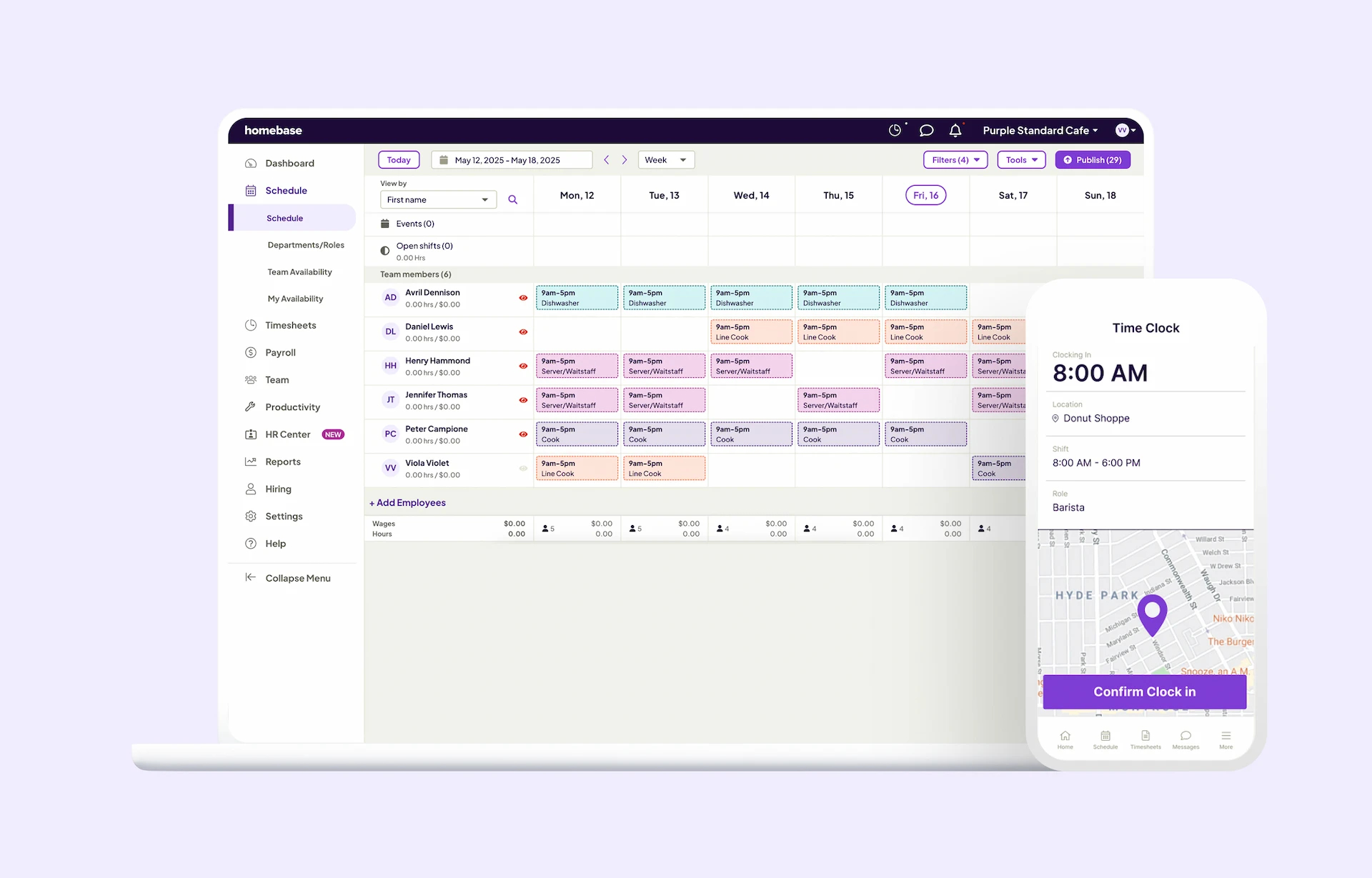
Homebase is a workforce management platform widely used by small and medium-sized restaurants across Canada. It combines scheduling, time tracking, and basic labour insights in a single tool, with a strong focus on ease of use and fast setup.
Strengths
- Popular among independent restaurants and small teams
- Simple scheduling and time tracking in one platform
- Quick onboarding with minimal configuration
- Large user base and strong brand recognition in North America
- Generally positive user reviews across app stores
Key restaurant features
- Employee scheduling and shift management
- Availability management and time-off requests
- Time clock and basic time tracking
- Shift swaps and open shifts
- Team messaging and schedule notifications
- Basic labour cost visibility
Points to consider
- Designed primarily for SMBs, not restaurants
- Limited multi-location logic and employee sharing
- Labour cost analysis and forecasting remain basic
- App and customer support are English-only
- Less depth for complex restaurant scheduling needs
Best for
- Independent restaurants
- Small teams with relatively simple schedules
- Operators looking for a quick, low-friction setup
- Restaurants prioritizing simplicity over advanced optimization
User ratings
- G2: 4.4 / 5
- Capterra: 4.6 / 5
- App Store: 4.7 / 5
- Google Play: 4 / 5
Pricing
- Basic: Free 1 location, up to 10 users
- Essentials: $30 USD per location per month
- Plus: $70 USD per location per month
- All-in-One: $120 USD per location per month
- Free trial available
Why it’s a good choice for restaurants
Homebase earns its place thanks to widespread adoption and ease of use, especially among independent restaurants. However, its limited scheduling sophistication, English-only experience, and weaker support for multi-location operations prevent it from ranking higher. It is a solid entry-level option, but not ideal for growing or complex restaurant operations.
Want a side-by-side look at Homebase and Agendrix? Check out our detailed comparison guide.
7. Sling (6.5 / 10)
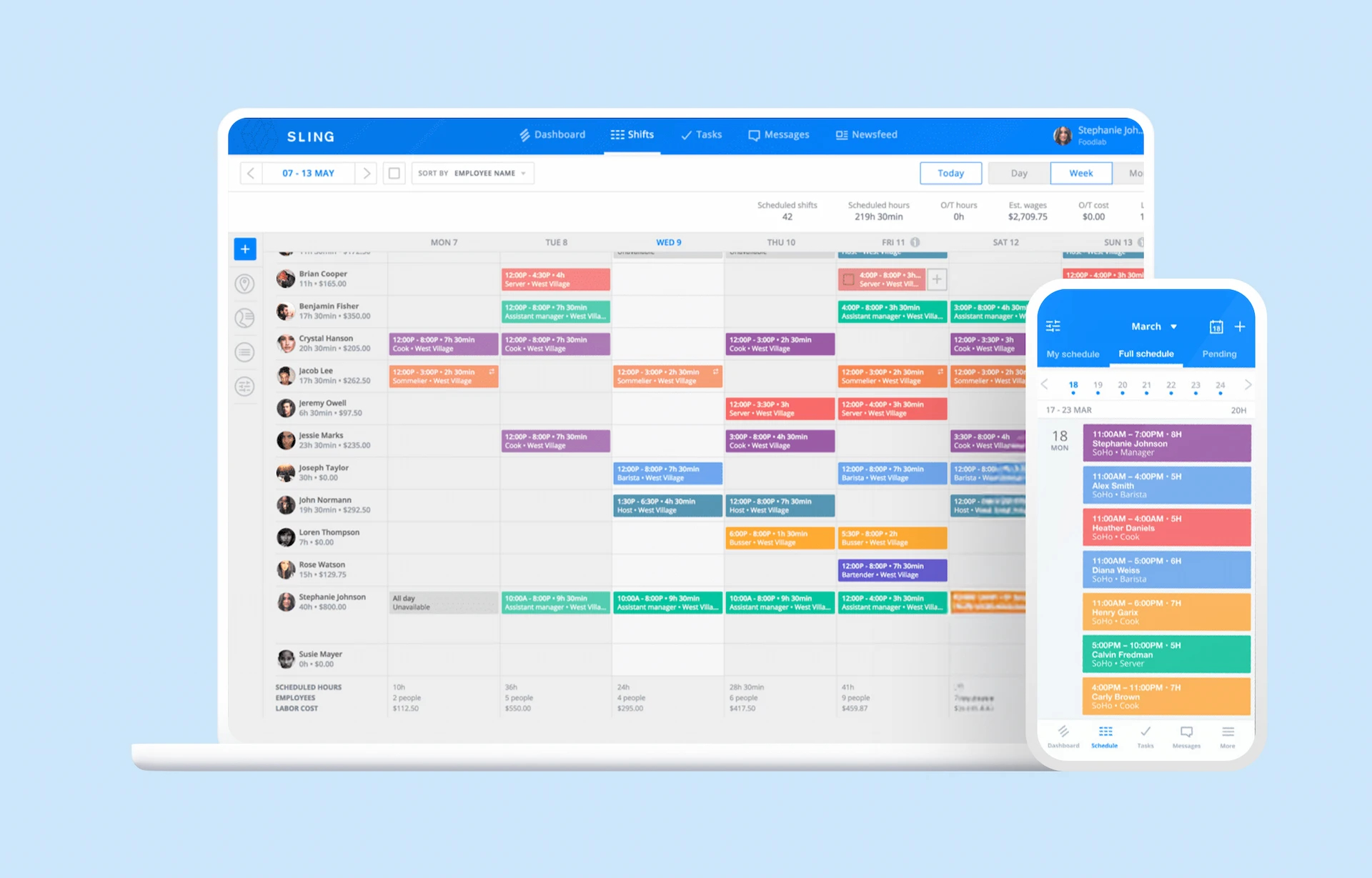
Sling is a scheduling and team communication tool commonly used by restaurants across Canada, particularly among small to mid-sized operators. It focuses on basic scheduling, shift communication, and availability management, without heavy operational or labour optimization features.
Strengths
- Widely used in restaurants and hospitality environments
- Simple scheduling and shift communication tools
- Easy for employees to adopt with minimal training
- Affordable entry point compared to more complex platforms
- Stable product with consistent updates
Key restaurant features
- Employee scheduling and shift planning
- Availability management and time-off requests
- Shift swaps and open shifts
- Team messaging and schedule notifications
Points to consider
- Not designed specifically for restaurant operations
- Limited labour cost tracking and forecasting
- Weak support for complex scheduling logic
- Multi-location management is basic
- App and customer support are English-only
Best suited for
- Independent restaurants
- Small to mid-sized teams
- Restaurants with relatively simple scheduling needs
- Operators prioritizing affordability and simplicity
User ratings
- G2: 4.4 / 5
- Capterra: 4.6 / 5
- App Store: 4.7 / 5
- Google Play: 4.5 / 5
Pricing
- Free plan: basic scheduling + messaging (up to 30 users)
- Premium: $2 USD per user per month
- Business: $4 USD per user per month
- Free trial: available
Why it’s a strong choice for restaurants
Sling is a dependable option for restaurants that want a straightforward scheduling and communication tool without unnecessary complexity. While it lacks advanced labour optimization and restaurant-specific features, it performs well for basic scheduling needs and remains a practical choice for smaller operations.
8. When I Work (6.4 / 10)
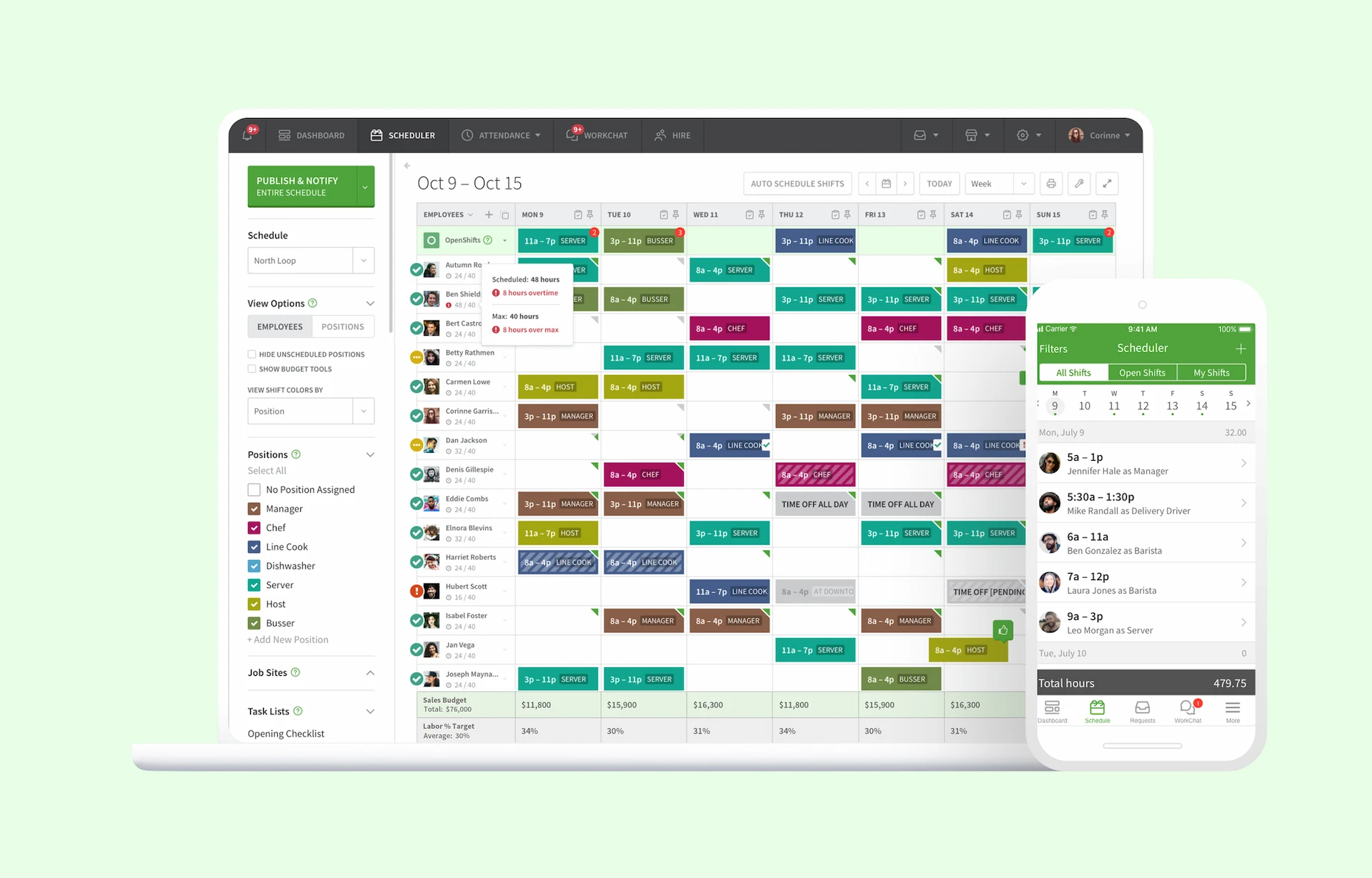
When I Work is a general workforce scheduling and communication app used by many Canadian restaurants, especially smaller teams. It focuses on simple scheduling, shift swaps, and employee communication, rather than advanced restaurant operations or labour optimization.
Strengths
- Very easy to set up and use
- Reliable shift swap and notification system
- Quick onboarding for managers and staff
- Suitable for teams with basic scheduling needs
Key restaurant features
- Employee scheduling and shift assignments
- Shift swaps and open shifts
- Availability management
- Schedule notifications and reminders
- Basic time tracking (plan dependent)
- Team messaging
Points to consider
- General-purpose tool, not built specifically for restaurants
- Limited labour cost tracking and forecasting
- No native tip management
- No advanced scheduling optimization
- App and customer support are English-only
Best suited for
- Small independent restaurants
- Teams with simple, predictable schedules
- Operators looking for a low-friction scheduling tool
- Restaurants without complex labour or cost-control needs
User ratings
- G2: 4.4 / 5
- Capterra: 4.5 / 5
- App Store: 4.7 / 5
- Google Play: 4.7 / 5
Pricing
- Single Location or Schedule: $2.50 USD per user/month
- Multiple Locations and Schedule: $5.00 USD per user/month
- Free trial: 14 days
Why it’s a strong choice for restaurants
When I Work is a good entry-level scheduling solution for restaurants that value simplicity above all else. It works well for basic scheduling and team communication, but restaurants with growing complexity or tighter labour control requirements may outgrow it quickly.
Thinking about choosing between When I Work and Agendrix? Read our full comparison to see the differences.
Also consider
These tools are used by some Canadian restaurants and can be relevant in specific contexts, but they do not make the top ranking due to narrower use cases, ecosystem dependencies, or limited scheduling depth compared to the leading solutions.
TouchBistro Labor Tools
Best suited for restaurants already using TouchBistro POS. The labor tools work well for basic scheduling and labour cost visibility tied to sales, but they are not designed as a standalone scheduling platform and offer less flexibility for complex or multi-location operations.
Schedulefly
A simple scheduling tool popular with independent restaurants and smaller teams. Schedulefly focuses on ease of use and reliability rather than advanced labour analytics, automation, or multi-location management, which limits its scalability.
How to Choose the Right Restaurant Scheduling Software in Canada


There is no one perfect tool for every restaurant. The right scheduling software depends on your team size, number of locations, types of shifts, and the complexity of your labour needs. Here are the key factors restaurant operators in Canada should consider before making a choice.
The size of your restaurant and team
The needs of a small independent restaurant are not the same as those of a multi-unit group.
- Small teams: Choose a tool that is easy to deploy, simple to manage, and quick for employees to adopt. You don’t need overly complex forecasting or analytics right away.
- Medium to large teams: You’ll benefit from stronger scheduling automation, labour visibility, and robust time-and-attendance tracking.
The larger your team, the more important it is that the tool can handle multiple roles, complex shift patterns, and a higher volume of requests without becoming hard to administer.
Number of locations or restaurants
If you operate more than one location, your scheduling needs will change significantly.
Make sure the software can:
- Manage multiple locations from a single dashboard
- Share employees across locations when needed
- Provide operators with a clear, consolidated view of all schedules
- Allow segmentation of communications to avoid unnecessary noise
These features are especially helpful for franchises and restaurant groups that need standardized workflows and consolidated reporting across multiple sites.
Complexity of your schedules
Not all schedules are created equal.
Consider whether your restaurant requires:
- Split shifts
- Coverage for FOH and BOH roles
- Night, weekend, and holiday shifts with varying demand and staff availability
- Last-minute changes that require quick communication
The more complex your scheduling needs, the more you’ll benefit from features like automation, conflict detection, and built-in rules that prevent overlapping or illegal shifts.
Labour cost management
Scheduling is not just about assigning staff. It directly affects your bottom line.
Good scheduling software should help you:
- Visualize labour costs in real time as you build schedules
- Adjust staffing according to expected demand
- Avoid unplanned overtime and idle time
- Tie schedules to sales data where possible
This level of insight helps you control labour costs without reducing service quality.
Employee expectations and autonomy
Today’s workforce expects flexibility and self-service when it comes to their schedules.
A good scheduling tool should allow employees to:
- View and confirm their shifts on mobile
- Request time off without manual intervention
- Offer or swap shifts with colleagues
- Receive notifications for schedule changes
Tools that empower employees reduce administrative burden on managers and improve team satisfaction.
Compliance with Canadian labour standards
Different provinces have different employment standards, and scheduling often plays a role in compliance.
Ensure your software can help you:
- Track hours accurately
- Avoid conflicts with provincial overtime rules
- Maintain records that support compliance audits
This is not legal advice, but a reminder that good scheduling software should support your compliance efforts.
Ease of use and adoption
Adoption is critical. A great scheduling tool does not help you if your team doesn’t use it.
When evaluating options, consider:
- How intuitive the interface is
- Whether training is required (and how much)
- How easy it is for employees to view and manage their own schedules
- Whether mobile apps are available and reliable
The faster your team can adopt the tool, the faster you’ll see value.
Language and local support
Canada is a bilingual and diverse market.
Make sure the software:
- Offers a user interface in English and, where needed, French
- Same applies to customer support
- Understands local needs and nuances (holidays, time tracking rules, etc.)
Language accessibility improves adoption and reduces the risk of miscommunication.
Integrations that matter in restaurants
A scheduling tool is more powerful when it fits into your broader tech ecosystem.
Important integrations include:
- Point of Sale (POS): helps align staffing with sales and traffic patterns
- Payroll systems: avoids duplicate data entry and errors
- Time and attendance systems: ensures accurate tracking of hours worked
A seamless ecosystem reduces manual work and errors.

Bottom line
The best restaurant scheduling software for your business in Canada will fit your team size, location complexity, scheduling needs, labour cost goals, and employee expectations. Think of scheduling as an operational lever: the better the tool you choose, the more predictable your labour costs, the happier your team, and the smoother your operations.
As this comparison shows, not all scheduling tools are created equal. Some are built specifically for restaurant operations, while others are more general workforce tools that may require compromises. The right choice always depends on your reality, but the priorities remain the same: ease of use, labour visibility, employee flexibility, scalability, and reliable support.
For Canadian restaurants, Agendrix stands out as the most complete and well-adapted solution. Its strong restaurant focus, depth of features, highly rated customer support, and bilingual availability make it a solid choice for operators who want to simplify scheduling without adding operational complexity.
No matter which tool you choose, the goal is the same: spend less time managing schedules and more time running a better restaurant. The right software should help you plan smarter, reduce avoidable costs, and create a more predictable, respectful experience for your team.
If it does that, it is doing its job.
What is the best restaurant scheduling software in Canada?
The best restaurant scheduling software in Canada depends on your operation, but Agendrix ranks highest overall based on restaurant-specific features, bilingual availability, labour cost control, and customer support tailored to Canadian operators.
Can restaurant scheduling software reduce labour costs?
Yes. Restaurant scheduling software helps reduce labour costs by aligning staffing with demand, limiting overtime, and providing real-time visibility into labour spend before schedules are finalized.
Is scheduling software worth it for small restaurants?
Yes. Even small and independent restaurants benefit from scheduling software by saving time, reducing scheduling errors, improving communication, and minimizing last-minute staffing issues.
Do restaurants in Canada need scheduling software in English and French?
Not always legally required outside Quebec, but bilingual scheduling software improves employee adoption, training speed, and operational clarity across Canada, especially in diverse or multi-province teams.
What features should restaurant scheduling software include?
Essential restaurant scheduling features include:
Shift scheduling and editing
- Employee availability tracking
- Shift swaps and open shifts
- Labour cost visibility
- Mobile access for staff
- Schedule-related team communication
Advanced tools may also offer POS integrations, forecasting, and multi-location management.
What integrations are most important for restaurant scheduling software?
The most important integrations for Canadian restaurants typically include:
- POS systems, to align schedules with sales and traffic
- Payroll software, to reduce manual data entry and errors
- Time and attendance tools, to support compliance and accurate pay
These integrations help reduce admin work and improve cost control.
Does scheduling software help with labour law compliance in Canada?
Scheduling software can support compliance by tracking hours, overtime, and schedule changes, but restaurants must always follow provincial labour laws and confirm requirements with local authorities.
Which scheduling software works best for multi-location restaurants in Canada?
Multi-location restaurants benefit most from scheduling software that supports employee sharing across locations, centralized schedule management, and real-time labour cost tracking across sites. Tools like Agendrix and 7shifts are commonly used for this purpose.