The 6 Best Expense Management Software Options for Canadian Businesses in 2026


Key takeaways
- Most expense management software is not built for teams that work away from a desk. If your staff incurs costs in the field, between shifts, or across multiple locations, you need a mobile-first tool with a structured submission and approval workflow, not just a receipt scanner attached to accounting software.
- Payroll integration is the real differentiator. Capturing a receipt is table stakes. What separates tools is whether approved expenses land in your payroll export automatically, or whether you are doing a separate import step every pay period.
- Not all tools are built for the Canadian market. CRA mileage rates, CAD support, and direct integration with Canadian payroll providers (Nethris, Employer D, Powerpay, ADP, Payworks) are details that matter and that several global platforms handle poorly or not at all.
- The best fit depends on what you already use. If you manage schedules and timesheets in a workforce management app, a standalone expense tool adds friction and another login. If your finances run through QuickBooks or Xero, an accounting-integrated option may serve you better.
Chasing receipts by text and reconciling expense spreadsheets before payroll cutoff is no way to run a Canadian SMB with a field team. The right expense management software replaces that scramble with a mobile workflow that flows straight into your payroll export.
The market for expense management software has matured quickly. The options now range from standalone expense tracking software to modules embedded in broader HR and workforce management platforms.
93% of small and mid-sized businesses see strong value in unified platforms to manage their finances, as it streamlines and simplifies operations. (BILL 2025 State of Financial Automation report)
For teams still stitching together disconnected tools, the gap between what they use and what they need is widening.
This guide compares six expense management software options worth considering for Canadian SMBs in 2026. Each tool was evaluated against a consistent six-criterion rubric designed for shift-based teams with Canadian payroll requirements. Scores, methodology, and transparency notes are included below.
What Makes Expense Management Complex for Canadian Field Teams
Employees Are Not at a Desk When Costs Happen
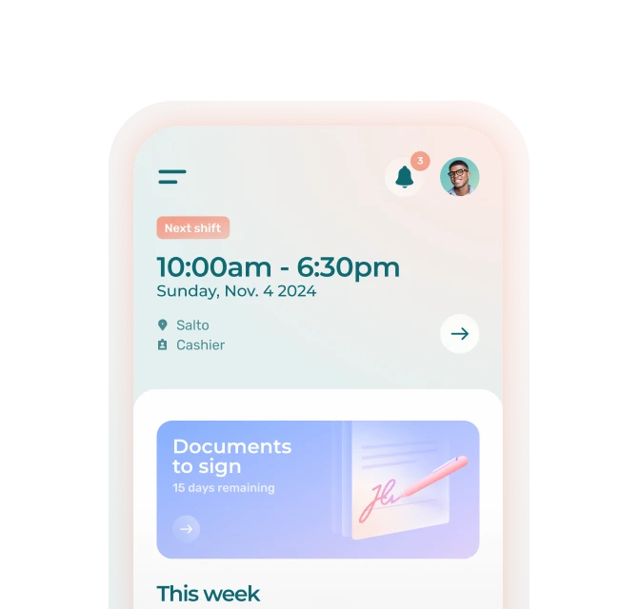
A home care worker logging kilometres between client visits, a retail associate covering a supply run, or a field technician buying parts while on the go, none of them are in front of a computer when the expense occurs. If the submission process requires logging into a desktop tool or filling out a form later from memory, receipts get lost and requests do not get submitted.
The best tools for field teams are mobile-first: the submission takes place on the employee’s phone, immediately after the cost is incurred, with minimal friction. That means receipt scanning with auto-fill, not a blank form.
Reimbursements Have to Land in the Right Pay Period
For hourly and shift-based teams, payroll runs on a tight cycle. An expense submitted after the payroll cutoff means a delayed reimbursement, which creates frustration for the employee and more back-and-forth for the manager. Approved amounts need to reach the payroll export without extra steps or manual re-entry.
This is where standalone expense tracking software often falls short. They capture the receipt and generate a report, but getting that data into your payroll system requires a separate export, a manual import, or an integration that does not always work cleanly with Canadian providers.
Multiple Locations and Positions Add Approval Complexity
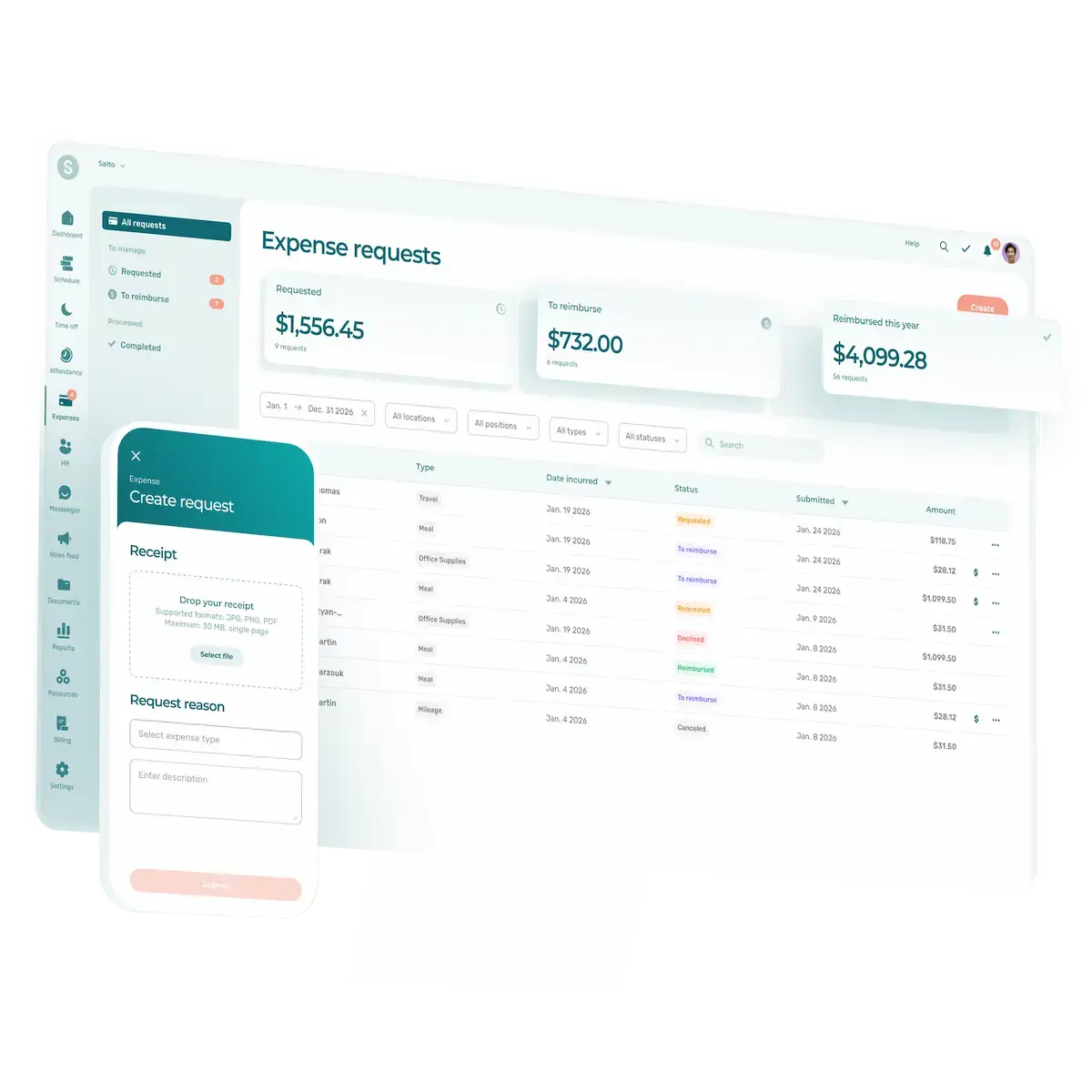
A manager overseeing staff across three locations does not want to receive expense requests through different channels or track approvals in a separate inbox. A centralized queue, clear status visibility (submitted, approved, reimbursed), and automatic notifications are not optional at that scale.
What to Look for in Expense Management Software
Mobile Receipt Capture and Auto-Fill
Look for:
- A mobile app that lets employees photograph a receipt and have the form pre-populated (amount, date, merchant)
- Support for multiple expense types: mileage, business meals, supplies, tools, travel, etc.
- Offline capture capability for employees in areas with unreliable connectivity (a plus, not a dealbreaker for most teams)
Approval Workflow and Status Tracking
Look for:
- A centralized manager view of all pending requests across the team
- Clear status stages visible to both employees and managers (submitted, approved, reimbursed)
- Automatic notifications to employees when a request is acted on
Payroll and Accounting Integration
Look for:
- Direct export to Canadian payroll systems: Nethris, Powerpay, ADP Workforce Now, QuickBooks, Payworks, Sage 50, Acomba, Employer D
- Approved expenses included in the same payroll export as hours worked, without a separate file or import step
- No duplicate data entry between your expense tool and payroll system
Canadian Compliance and Currency Support
Look for:
- CAD currency support
- Billing in CAD to avoid currency conversion fees and unpredictable costs
- Canada Revenue Agency (CRA) prescribed mileage rate support for kilometre-based reimbursements
- Data residency options in Canada if your organization has specific requirements
Ease of Use for Non-Technical Staff
Look for:
- A submission flow that takes under two minutes, even for a first-time user
- No separate login for employees who already use the platform for scheduling or timesheets
- Clear manager-facing configuration for expense types, approval chains, and export settings
How We Evaluated These Tools
Methodology
Each tool was evaluated against six criteria, scored out of a total of 100 points. The criteria and weights were selected to reflect the priorities of shift-based SMBs in Canada: teams where employees incur costs in the field, managers run payroll on tight cycles, and the ability to connect expense data to payroll is operationally meaningful.
Scoring Criteria
- Mobile submission experience (20 points). Does the tool offer a genuinely mobile-first submission flow? Assessed on: receipt scanning with auto-fill, speed of submission, offline support, and clarity of the experience for a non-technical first-time user.
- Approval workflow and status tracking (20 points). Does the manager have a clear, centralized view of all requests and their current status? Assessed on: queue design, status visibility for both manager and employee, notification behavior, and ease of acting on requests.
- Payroll integration for Canadian providers (20 points). Does the tool connect directly to Canadian payroll providers, and how does that connection work in practice? Assessed on: number of Canadian payroll integrations supported, whether expenses export alongside hours in the same file, and the presence of manual steps in the process. Partial credit for indirect integrations (e.g., via QuickBooks or Xero as an intermediary).
- Canadian market fit (15 points). Is the tool built or adapted for Canadian businesses? Assessed on: CAD support, CAD billing, CRA mileage rate support, Canadian data residency options, bilingual availability of app and support (EN/FR), and active presence among Canadian SMBs.
- Ease of use and setup (15 points). How quickly can a manager configure the tool and have a team submitting requests? Assessed on: onboarding complexity, admin configuration requirements, and whether employees need training to submit their first request.
- Pricing and value for SMBs (10 points). Is the tool accessible for a Canadian SMB with 10 to 150 employees? Assessed on: pricing transparency, per-user cost, free tier availability, and value relative to feature set.
Scoring and Transparency Notes
Scores are based on publicly available product information, vendor documentation, and third-party review platforms (G2, Capterra, GetApp). Where feature availability could not be confirmed, the tool was scored conservatively on that criterion.
This article was written by Agendrix, a workforce management software company based in Sherbrooke, Quebec. Agendrix is included in this comparison as a reviewed option. We have made every effort to represent all tools fairly and accurately based on publicly available information.
Information accuracy date: April 2026. Pricing and features may have changed. Verify current details on each vendor’s website before making a decision.
The 6 Best Expense Management Software Options for Canadian SMBs
1. Agendrix 🇨🇦
Best for
Canadian SMBs with field-based or shift-based teams who manage scheduling and timesheets in Agendrix, or who want to consolidate scheduling, timesheets, and expense reimbursement in a single app.
Overview
Agendrix is a workforce management app used by more than 13,000 businesses for employee scheduling, time and attendance tracking, and HR management. Its expense management module was launched in 2026 and is designed for teams where employees regularly incur work-related costs outside the office: field technicians, home care workers, and retail staff on supply runs.
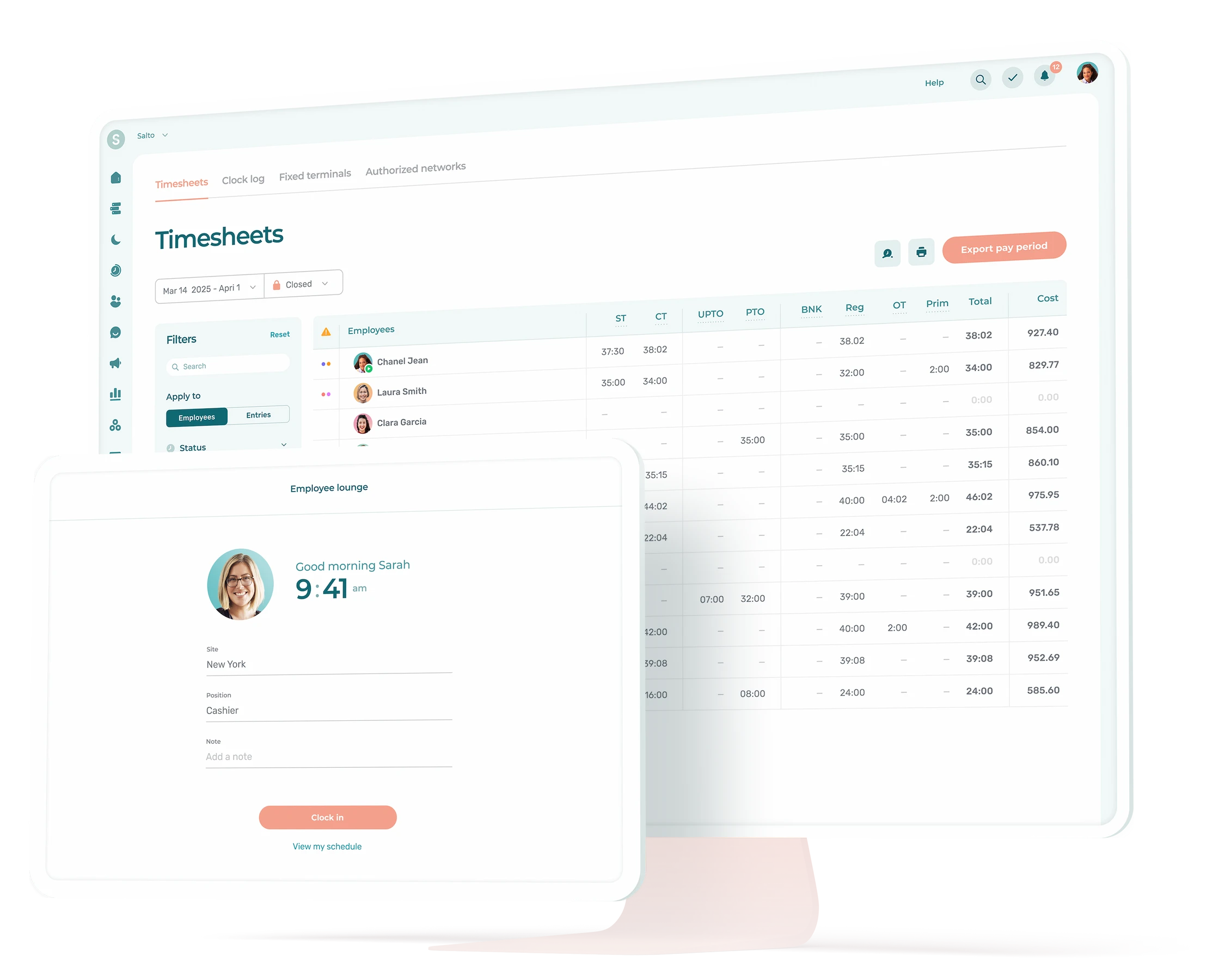
Expense management is not a standalone product. It lives in the same app employees already use to view their schedule and clock in. There is no separate login, no new tool to learn, and no additional import step to connect expenses to the payroll run. When a manager approves a request, the amount is included in the next payroll export alongside hours, overtime, and premiums.
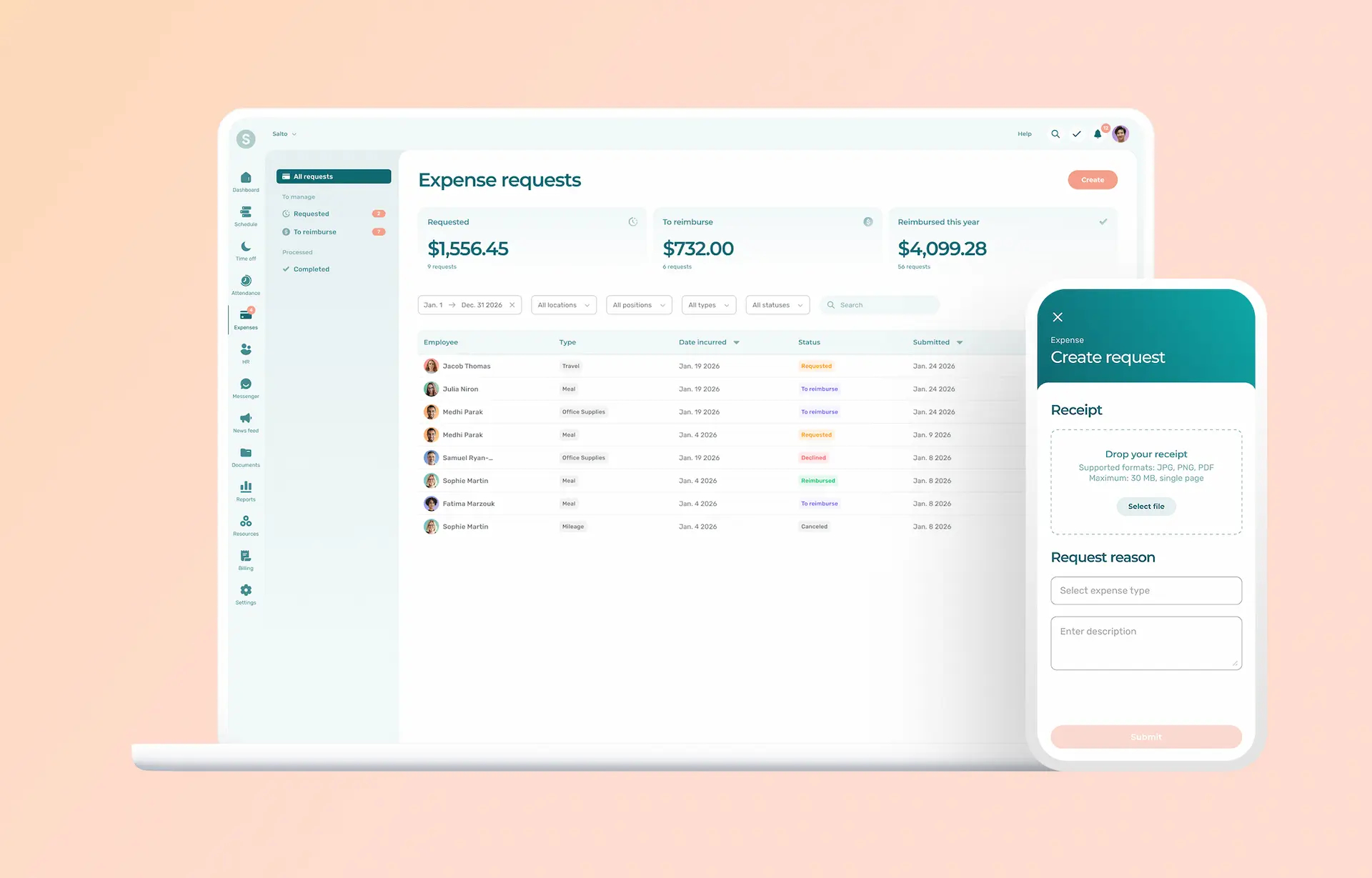
The submission flow is built for the field: employees photograph a receipt, the form auto-fills with amount, date, and merchant name, they confirm the details, select an expense type, add an optional note, and submit. Managers see all pending requests in a single queue, sorted by submission date, and can approve, decline, or mark as paid with one action.
Pros
- Single app for your entire workforce operation. Expenses, scheduling, timesheets, time clock, and HR documents, all in one place. No tool-switching, no duplicate logins for employees.
- Direct payroll export to Canadian providers. Approved expenses export alongside hours to Nethris, Employer D, Powerpay, ADP Workforce Now, QuickBooks, Payworks, Sage 50, and Acomba. No intermediate step.
- Mobile-first submission with receipt auto-fill. Employees photograph a receipt and the form populates automatically. The entire submission takes under two minutes for a first-time user.
- Built in Canada, for Canadian teams. CAD support, Canadian payroll integrations, bilingual app and customer support, and a product team that understands the operational context of Canadian SMBs.
Cons
- Expense management is only available as an add-on. Organizations that only need expense management without scheduling or time tracking do not benefit from having additional modules.
- Newer entrant in the expense category. The module launched in 2026. Compared to tools like Expensify with years of iteration, some edge case features (complex multi-currency scenarios, corporate card reconciliation) are not yet part of the product.
Pricing
Agendrix plans start at $3.25/user/month (Essential plan). Expense management is a flat-rate add-on at $59/month (or $53.10/month on annual billing), applied to the account regardless of team size.
Score: 89 🍁
- Mobile submission experience: 18/20
- Approval workflow and status tracking: 19/20
- Payroll integration for Canadian providers: 20/20
- Canadian market fit: 15/15
- Ease of use and setup: 12/15
- Pricing and value for SMBs: 5/10
Where Agendrix Stands Out
- The only tool on this list that puts expenses, scheduling, timesheets, and payroll export in the same app employees already use every shift
- Approved expenses reach payroll alongside hours, with no separate import or reconciliation step
- Built in Canada, with Canadian payroll integrations and bilingual support as defaults, not afterthoughts
- Strongest fit for shift-based and field-based teams that want to eliminate tool-switching entirely
2. Expensify
Best for
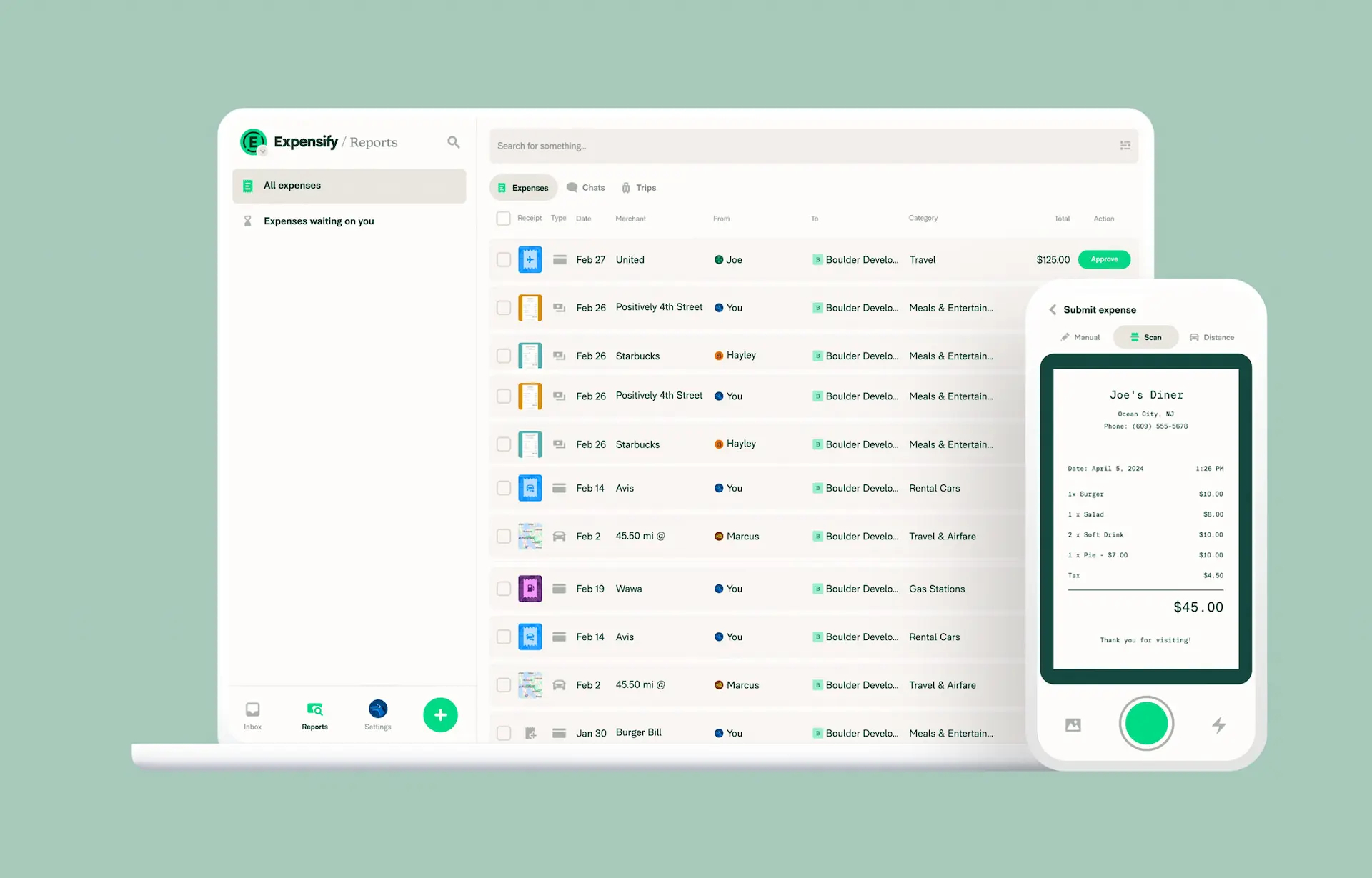
Small and mid-sized teams that primarily need mobile receipt capture and reimbursement reporting, and already use QuickBooks or Xero for accounting.
Overview
Expensify is one of the most widely recognized expense management platforms available to Canadian SMBs. Its SmartScan technology photographs a receipt and extracts the key data automatically, feeding it into an expense report. Approvals happen via push notification and email, and the platform integrates with accounting tools including QuickBooks, Xero, NetSuite, and Sage.
The platform is mature, well-reviewed, and mobile-first, with offline receipt capture that queues photos until the device reconnects. The tradeoff for Canadian SMBs is payroll integration: Expensify is built around accounting software connections, not direct payroll provider exports. Approved expenses require a separate export and import step to reach your payroll system, which adds manual work for managers running tight payroll cycles.
Pros
- Mature, well-reviewed mobile receipt scanning (SmartScan), with offline capture support
- Broad accounting integrations (QuickBooks, Xero, NetSuite, Sage)
- Accessible pricing with a free tier for basic use, and billing only for active users
- Large user community with extensive third-party documentation
Cons
- No direct integration with Canadian payroll providers (Nethris, Powerpay, ADP, Payworks). Expenses reach payroll only through an accounting intermediary like QuickBooks or Xero.
- Billed in USD only. Canadian customers pay in U.S. dollars, which adds currency conversion costs and makes monthly expenses less predictable.
- Data is hosted in the United States, with no Canadian data residency option. This may be a consideration for organizations subject to Quebec’s Law 25 or with specific data sovereignty requirements.
- No scheduling or timesheets integration; adds a separate tool to the manager’s stack.
Pricing
Collect plan at $5 USD/user/month. Control plan at $9 USD/user/month (with annual billing and minimum 50% Expensify Card adoption; rates increase without card bundling). Only active users are billed. All pricing is in USD.
Score: 72 🍁
- Mobile submission experience: 18/20
- Approval workflow and status tracking: 16/20
- Payroll integration for Canadian providers: 7/20
- Canadian market fit: 9/15
- Ease of use and setup: 14/15
- Pricing and value for SMBs: 8/10
Where Expensify Stands Out
- The most mature and widely adopted receipt scanning experience on this list, with years of iteration behind SmartScan
- A practical choice for teams that already run their finances through QuickBooks or Xero and want expense data flowing into accounting without friction
- The largest user community, which means extensive third-party documentation, templates, and workarounds available online
- Best standalone expense tool for teams that do not need workforce management integration
3. Zoho Expense
Best for
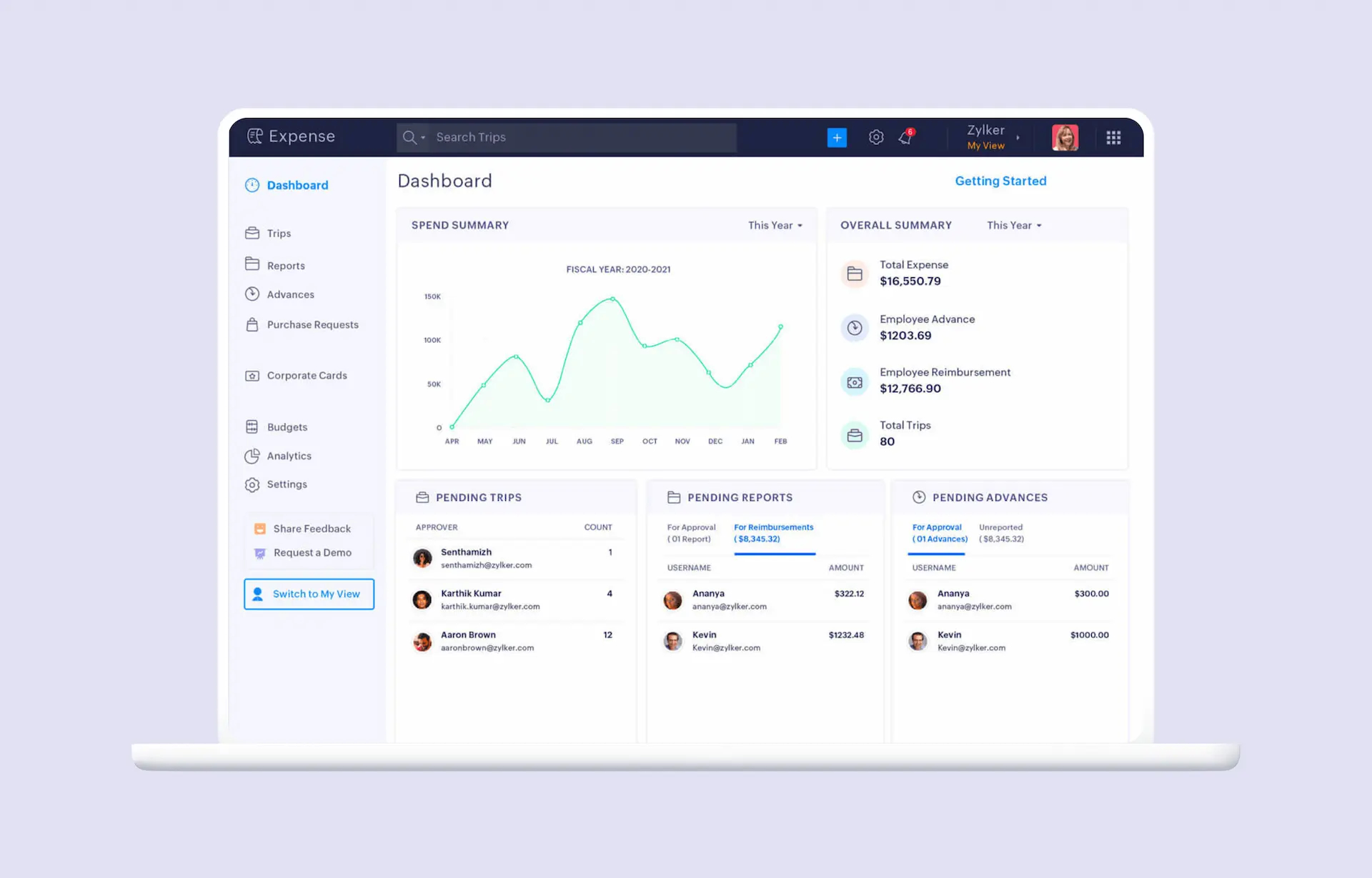
SMBs already using the Zoho ecosystem (Zoho Books, Zoho People), or teams that need customizable multi-level approval workflows and per diem tracking (Premium plan) at a lower price point.
Overview
Zoho Expense is part of the broader Zoho business suite and offers mobile receipt scanning, configurable multi-level approval workflows, mileage tracking with GPS auto-capture, per diem management, and spend policy enforcement. Organizations already using other Zoho products benefit from built-in data flow across the suite.
For Canadian SMBs not already in the Zoho ecosystem, the setup requires more configuration than simpler tools. Zoho Expense connects to QuickBooks Online and Xero for accounting. Zoho Payroll launched a Canadian edition in 2025, but the native expense-to-payroll reimbursement sync is not yet documented for Canadian accounts. No direct integrations exist with standalone Canadian payroll providers like Nethris, Powerpay, or Payworks. The approval workflow depth is a genuine strength for organizations with complex hierarchies; for a team of 20 with a single approval layer, much of that configuration goes unused.
Pros
- Configurable multi-level approval workflows (advanced approval management on Premium plan)
- Per diem and mileage tracking built in, with GPS auto-capture available in Canada
- Competitive pricing with a usable free tier (up to 3 users) and an active-user billing model that only charges for employees who submit in a given month
- Strong Zoho suite integration for existing Zoho customers
- Canadian data centers in Montreal and Toronto, the strongest data residency story among the international tools on this list
Cons
- No direct integration with standalone Canadian payroll providers (Nethris, Powerpay, Payworks). Zoho Payroll Canada exists but the expense-to-payroll sync is not yet confirmed for Canadian accounts.
- Setup and configuration complexity higher than SMB-focused tools. Multiple reviews note a steep admin learning curve and limited built-in help documentation.
- Best value is limited to organizations already in the Zoho ecosystem
Pricing
Free plan for up to 3 users and 20 receipts autoscans. Standard plan at $4 CAD/active user/month (billed annually) and 20 receipts autoscans per user. Premium plan at $7 CAD/active user/month (billed annually). Enterprise plan available by quote. Zoho charges only for active users who create expenses or reports in a given month.
Score: 68 🍁
- Mobile submission experience: 16/20
- Approval workflow and status tracking: 16/20
- Payroll integration for Canadian providers: 6/20
- Canadian market fit: 11/15
- Ease of use and setup: 10/15
- Pricing and value for SMBs: 9/10
Where Zoho Expense Stands Out
- The deepest approval workflow configuration of any tool on this list, including multi-level approvals, delegation, and spend policy enforcement
- Best value per dollar for teams that need structured expense management at scale, with the lowest per-user paid pricing on this list at $3 USD/user/month
- A natural extension for organizations already operating inside the Zoho ecosystem, where data flows between Expense, Books, and People without manual exports
- Per diem automation on the Premium plan fills a niche that most SMB-focused tools do not cover
- The only international tool on this list with confirmed Canadian data centers (Montreal and Toronto)
4. Sage HR
Best for
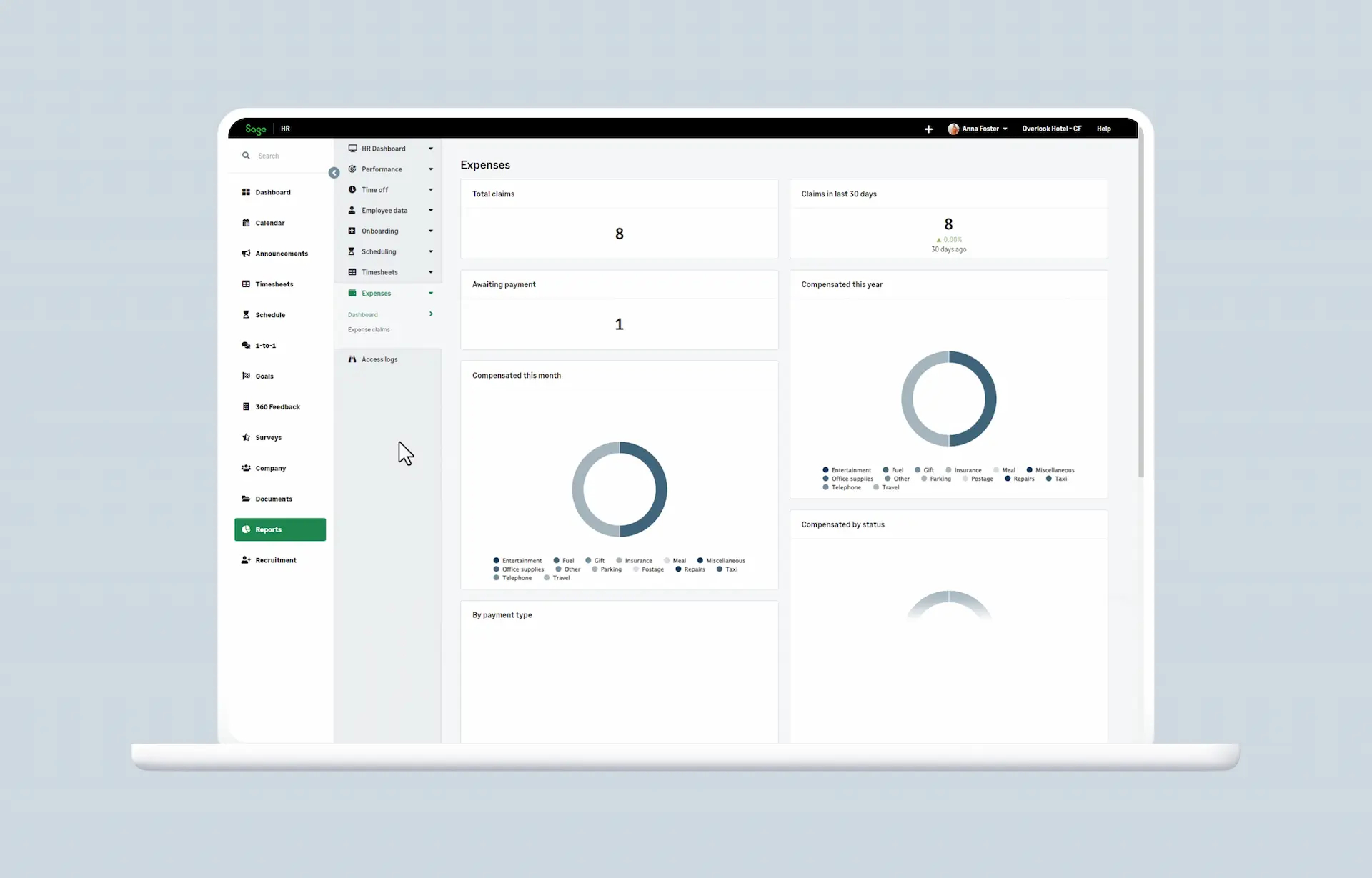
Mid-sized organizations (50 or more employees) already using Sage products for payroll, who want scheduling, HR, and expense management in a single Sage-connected platform.
Overview
Sage HR is a modular HR platform that offers leave management, scheduling, time tracking, and expense management as configurable add-on modules. The expense module allows employees to photograph receipts and submit from the mobile app, and managers review and approve through a centralized dashboard. For Canadian businesses already using Sage for payroll, the integration between Sage HR and Sage payroll is a meaningful advantage.
Note: Sage HR’s expense module is distinct from “Sage Expense Management” (powered by Fyle), which is a separate, standalone product. This review covers the Sage HR expense module specifically.
The platform is best suited for organizations of 50 or more employees. The configuration and onboarding process reflect that scope: it is more involved than simpler SMB-focused tools, and the cost scales accordingly. For smaller Canadian teams that do not already use Sage products, the setup complexity and pricing may not be proportionate to the workflow benefit.
Pros
- Scheduling, time tracking, and expense management in one platform
- Direct Sage payroll integration for existing Sage customers (Sage 50 Canada, Sage Payroll Canada)
- Mobile receipt submission included
- Configurable for multi-location organizations
- Modular pricing lets teams add only the modules they need incrementally
Cons
- Designed and priced for mid-market teams; less accessible for SMBs under 50 employees
- Setup and onboarding require more time and configuration than lighter tools
- Full value requires an existing Sage payroll relationship. No integrations with Nethris, Powerpay, ADP Canada, or Payworks.
- Expense module is considered basic compared to purpose-built expense tools. Multiple reviewers note limited functionality and long-outstanding feature gaps.
- No CRA mileage rate automation documented. French UI is available but Canadian-French localization quality is unclear.
Pricing
Sage HR uses modular, per-employee pricing. Core HR + Leave Management starts at $7.50 CAD/employee/month. Expenses module is an additional $2.25 CAD/employee/month add-on. Sage Payroll Canada starts at $23.50 CAD base + $3.50 CAD/employee/month.
Score: 56 🍁
- Mobile submission experience: 13/20
- Approval workflow and status tracking: 12/20
- Payroll integration for Canadian providers: 11/20
- Canadian market fit: 9/15
- Ease of use and setup: 7/15
- Pricing and value for SMBs: 4/10
Where Sage HR Stands Out
- The most logical choice for organizations already running Sage payroll, where adding the HR expense module keeps everything in one vendor ecosystem
- Modular design lets mid-sized teams add expenses alongside leave management, scheduling, and time tracking incrementally
- Multi-location configurability that lighter SMB tools do not offer
- A pragmatic fit for businesses approaching 50 or more employees that need to consolidate HR operations without jumping to an enterprise platform
5. QuickBooks Online
Best for
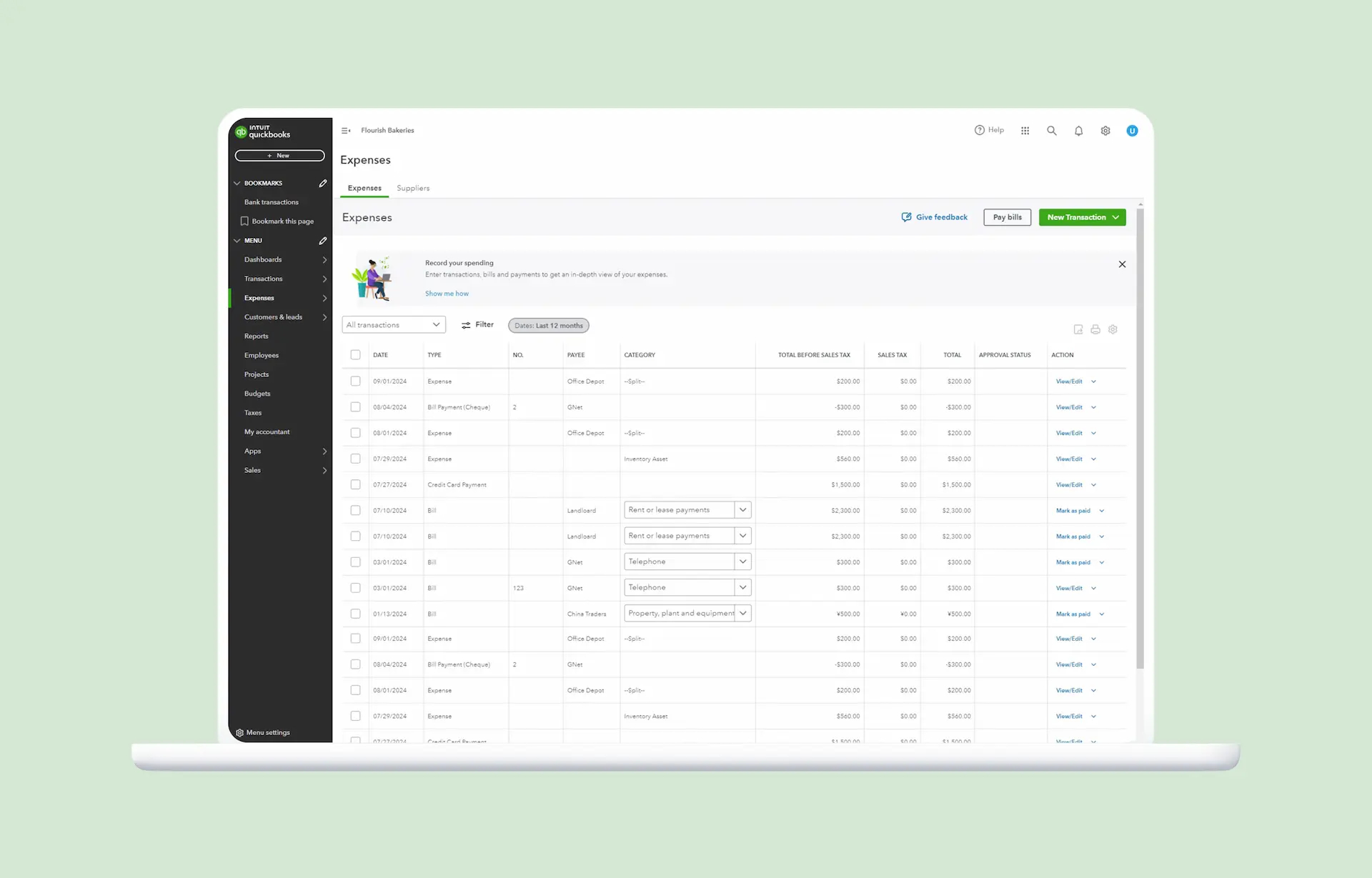
Small business owners who manage their own expenses and want them connected directly to their bookkeeping. QuickBooks also offers an Employee Expense Claims feature on its Advanced plan, but for teams with multiple employees submitting separate reimbursement requests, purpose-built expense tools offer more depth at a lower cost.
Overview
QuickBooks is the most widely used accounting platform among Canadian small businesses, and its basic expense tracking features (receipt capture, categorization, reporting) are included in all paid plans. However, the ability for employees to submit expenses and for managers to approve them is only available on the Advanced plan.
On EasyStart, Essentials, and Plus, there is no employee-facing submission portal, no dedicated approval queue for managers, and no status tracking visible to the person who submitted the expense. The Advanced plan adds Employee Expense Claims with a single-level approval workflow, but multi-level approvals require a third-party add-on like ApprovalMax. For an owner-operator managing their own receipts, any QuickBooks plan works well. For a manager whose team members need to submit, track, and receive reimbursement confirmation on their own requests, only Advanced covers that use case.
QuickBooks Payroll Canada is available as a separate add-on across all provinces and territories. Expenses do not flow automatically into a payroll run. The process is manual: approved claims create a bill, the admin runs a report by employee, then adds a reimbursement pay type to the next payroll. There is no one-click approve-and-reimburse-via-payroll workflow.
Pros
- Basic expense tracking (receipt capture, categorization, reporting) included in all QuickBooks plans at no extra cost
- Excellent connection to bookkeeping, invoicing, and financial reporting
- The most widely recognized accounting platform among Canadian accountants and bookkeepers, which simplifies year-end collaboration
- Mobile receipt capture and GPS mileage tracking available
- Native GST/HST/QST support and CAD billing
- QuickBooks Payroll Canada available in all provinces and territories
Cons
- Employee Expense Claims (submission and approval workflow) is only available on the Advanced plan at $220 CAD/month. On lower plans, there is no employee submission portal and no manager approval queue.
- Expense-to-payroll flow is manual. Approved claims do not land in payroll automatically; they require a separate report and manual entry as a reimbursement pay type.
- Status tracking for the submitter is limited, a long-standing open feature request in the QuickBooks community.
- Not connected to shift scheduling, timesheets, or Canadian payroll provider exports outside the QuickBooks ecosystem.
Pricing
QuickBooks Online in Canada: EasyStart at $30 CAD/month (1 user), Plus at $110 CAD/month (5 users), Advanced at $220 CAD/month (25 users). Expense capture is included in all plans. Employee Expense Claims (team submission and approval) requires Advanced. QuickBooks Payroll Canada is a separate add-on starting at $30 CAD base + $5/employee.
Score: 55 🍁
- Mobile submission experience: 11/20
- Approval workflow and status tracking: 7/20
- Payroll integration for Canadian providers: 10/20
- Canadian market fit: 14/15
- Ease of use and setup: 10/15
- Pricing and value for SMBs: 3/10
Where QuickBooks Stands Out
- The lowest-friction option for owner-operators who want expense tracking directly connected to their bookkeeping without adding another tool
- The most widely recognized accounting platform among Canadian accountants and bookkeepers, which simplifies year-end collaboration
- Strongest Canadian market familiarity of any tool on this list, with native GST/HST/QST support and CAD billing
- QuickBooks Payroll Canada covers all provinces and territories, keeping accounting and payroll in one ecosystem
6. Wave
Best for
Sole proprietors and micro-businesses (1 to 5 people) who need simple expense logging connected to their bookkeeping, with no requirement for employee-facing submission or approval workflows.
Overview
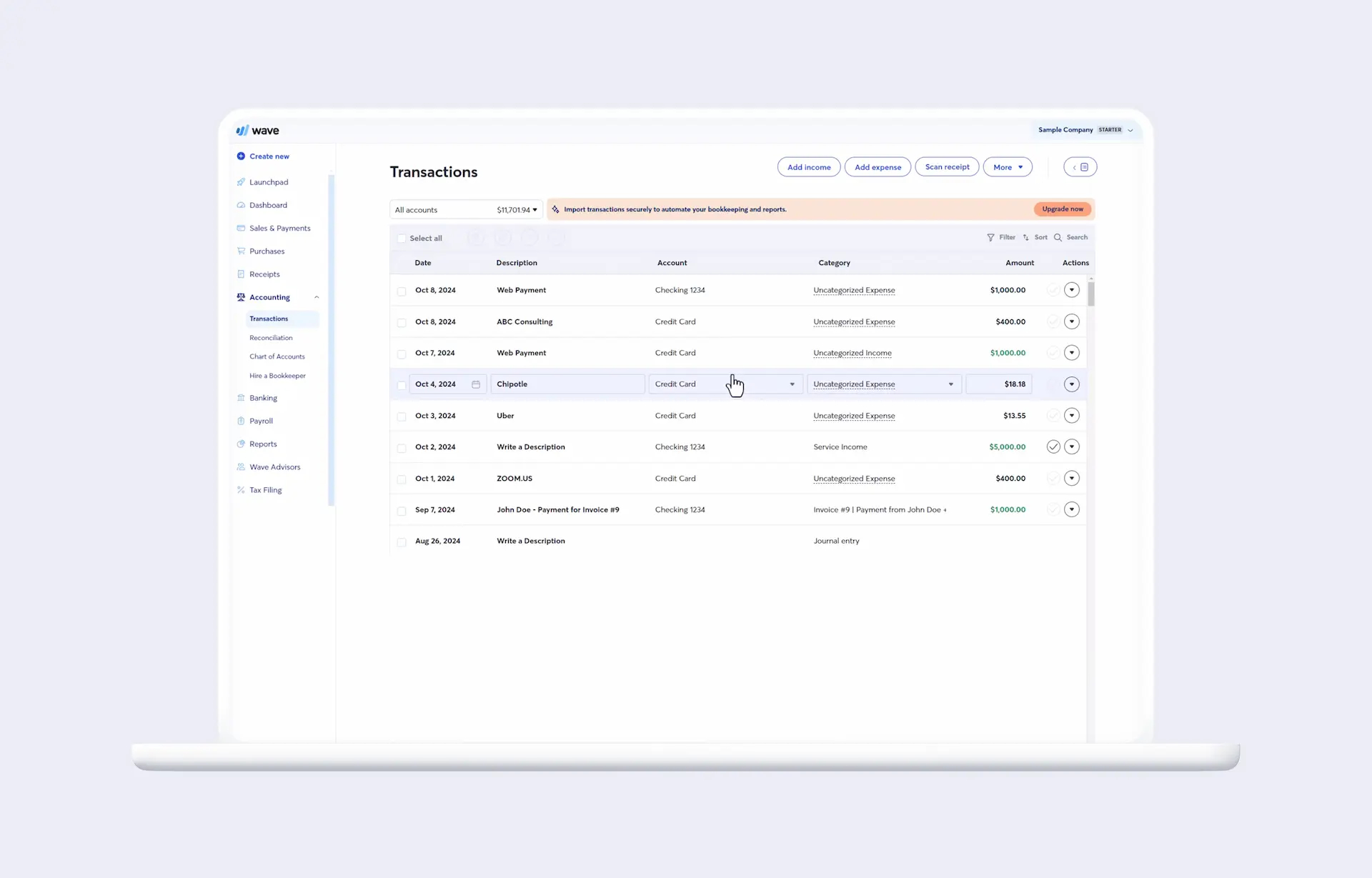
Wave is a Toronto-based financial software company offering accounting, invoicing, and expense tracking tools. The Starter plan is free and covers basic bookkeeping, but receipt scanning requires either the Pro plan ($25 CAD/month). Wave’s mobile app allows users to photograph receipts, categorize expenses, and generate reports.
Wave is not a purpose-built expense management tool for teams with multiple employees submitting reimbursement requests. It lacks an employee-facing submission workflow, an approval queue, and status tracking from submitted to paid. User roles (Account Owner, Admin, Editor, Viewer, Payroll Manager) do not include a submitter role. For a sole proprietor or a very small team where the owner reviews all transactions directly, it functions as a lightweight expense log connected to bookkeeping.
Pros
- Free Starter plan for basic accounting and bookkeeping
- Canadian-built and Canadian-focused
- Simple interface accessible to non-accountants
- Good connection to Wave’s broader bookkeeping and invoicing tools
- Wave Payroll Canada handles CRA remittances, T4s, and direct deposit
Cons
- No employee-facing submission workflow, no approval queue, and no status tracking
- Receipt scanning is not free. Requires Pro plan ($25 CAD/month)
- Not suitable for teams with multiple expense submitters
- English only. No French interface or support, making it a non-starter for bilingual or Quebec-based teams
- Quebec payroll remains unavailable
- Data is hosted in the United States. No Canadian data residency option
Pricing
Starter plan is free (basic accounting, no receipt scanning). Pro plan at $25 CAD/month (includes receipt scanning) or $250 CAD/year on annual billing. Wave Payroll is a separate add-on at $25 CAD/month base plus $6 CAD/employee/month. Wave Payroll is available in all Canadian provinces and territories except Quebec.
Score: 44 🍁
- Mobile submission experience: 9/20
- Approval workflow and status tracking: 3/20
- Payroll integration for Canadian providers: 8/20
- Canadian market fit: 10/15
- Ease of use and setup: 9/15
- Pricing and value for SMBs: 5/10
Where Wave Stands Out
- The simplest onboarding experience for sole proprietors and micro-businesses that need to start tracking expenses immediately
- Canadian-built and Canadian-focused, with Wave Payroll covering most provinces
- A practical free starting point for very small teams where the owner manages all expenses directly and does not need a team submission workflow
- The lowest total cost for owner-operators who only need basic receipt logging connected to bookkeeping
Which Tool Is Right for Your Team?
The right tool depends less on the scores and more on what your team already uses and what workflow gap you are solving.
Choose Agendrix if your team submits expenses in the field between shifts, and you want those reimbursements to land in the same payroll export as their hours, without touching a second app or running a separate import. Particularly strong for Canadian SMBs already managing scheduling and timesheets in Agendrix.
Choose Expensify if you run a small team, already use QuickBooks or Xero for accounting, and need a well-established mobile receipt tool without the overhead of a full workforce management platform.
Choose Zoho Expense if you are already in the Zoho ecosystem, need multi-level approval workflows, or want per diem tracking at a lower price point than most of the alternatives.
Choose Sage HR if you are a mid-sized organization (50 or more employees) already running payroll through Sage, and want to consolidate HR and expenses in one Sage-connected platform.
Choose QuickBooks if expense management is a secondary concern and your primary need is connecting your own receipts directly to your bookkeeping. Best for owners managing their own expenses. Teams that need employee submission and approval should note this requires the Advanced plan at $220 CAD/month.
Choose Wave if you are a sole proprietor or micro-business that needs simple, low-cost expense logging connected to bookkeeping, and has no need for employee submission or approval workflows.
Expense Management Works Best When It Connects to Payroll
Submitting a receipt is the easy part. The real challenge for Canadian SMBs with hourly and field-based teams is making sure approved expenses actually reach the right pay period, without a separate export, a manual import, or a reconciliation step that nobody has time for.
The tools in this guide cover a wide range of approaches, from free bookkeeping-connected expense logging to full workforce management platforms with built-in payroll export. The right choice depends on your team structure, what you already use, and how tightly you need expenses connected to payroll.
If your team works shifts, incurs costs in the field, and runs payroll on a tight cycle, the shortest path between a receipt and a reimbursement is a single app that handles scheduling, timesheets, and expenses in one place, with approved amounts flowing directly into your payroll export.
What is expense management software?
Expense management software gives employees a structured way to submit work-related expenses for reimbursement, and gives managers the tools to review, approve, track, and pay those requests. It replaces manual processes like paper forms, email receipt chains, and shared spreadsheets with a mobile-first, trackable workflow connected to payroll or accounting.
What is the best expense management software for small businesses in Canada?
For Canadian SMBs with field or shift-based teams, Agendrix is the strongest option because it connects expense reimbursement directly to scheduling, timesheets, and payroll export in one app. For teams that primarily need a standalone receipt capture tool and already use QuickBooks or Xero, Expensify is a well-established alternative. Wave is the best free option for sole proprietors and micro-businesses.
What is the best free expense management software?
Wave offers a free Starter plan for basic bookkeeping and expense categorization, though receipt scanning requires a paid plan or add-on. It is best suited to very small teams where the owner manages their own expenses. Expensify also has a free plan for basic use with up to 25 SmartScans per month.
Does expense management software work with Canadian payroll?
Not all tools connect directly to Canadian payroll systems. Agendrix integrates natively with Nethris, Employer D, Powerpay, ADP Workforce Now, QuickBooks, Payworks, Sage 50, and Acomba, and includes approved expenses in the same payroll export as hours and premiums. Expensify and Zoho Expense connect to QuickBooks and Xero, which can then feed into Canadian payroll, but require an additional step. Sage HR integrates with Sage payroll products.
How does employee expense reimbursement software work?
The typical flow: the employee photographs a receipt using the app’s mobile camera, the system extracts the key details automatically (amount, date, merchant), the employee confirms and submits the request, the manager receives a notification and approves or declines from a centralized queue, and the approved amount is marked as paid once reimbursed. In tools connected to payroll, that amount is included in the next pay run automatically.
What is travel and expense management software?
Travel and expense management software handles both the logistics of business travel (booking flights, hotels, car rentals) and the submission and reimbursement of associated costs. Tools like SAP Concur and Expensify offer travel management features. For Canadian SMBs where the primary need is field expenses and mileage reimbursement rather than corporate travel booking, a dedicated expense management module is typically a better fit than a full travel and expense platform.
What is the difference between expense management software and accounting software?
Accounting software (QuickBooks, Xero, Wave) manages a business’s overall financial records: income, expenses, invoicing, and reporting. Expense management software is specifically built for the employee reimbursement workflow: mobile submission, manager approval, status tracking, and payroll or accounting export. Many accounting platforms include basic expense capture, but they are not built around a multi-user submission and approval workflow.
How much does expense management software cost in Canada?
Costs vary widely. Wave’s Starter plan is free for basic bookkeeping, but is $25 CAD/month for receipt scanning ($250 CAD for annual billing). Expensify has a free plan and paid plans starting at $5 USD/user/month. Zoho Expense starts at $4 CAD/active user/month (annual billing). Agendrix’s base platform starts at $3.25 CAD/user/month, with expense management as a flat-rate add-on at $59 CAD/month (or $53.10 on annual billing). Sage HR is priced for mid-market organizations with modular per-employee pricing starting at $7.50 CAD/employee for Core HR plus $2.25 CAD/employee for the expenses add-on.
Can expense management software track mileage for CRA reimbursement?
Most tools include a mileage expense type where employees log kilometres driven. The reimbursement rate is typically configured by the admin. For Canadian businesses, the relevant rate is the CRA prescribed automobile allowance rate ($0.73/km for the first 5,000 km and $0.67/km thereafter in 2026). Zoho Expense supports the tiered 5,000 km rule on request. Most other tools require the admin to enter and update the rate manually.
Is Agendrix expense management available in French?
Yes. Agendrix is a bilingual platform and is available in both English and French across all features, including the expense management module. This makes it particularly well-suited to bilingual Canadian workplaces and Quebec-based organizations.