

Key takeaways
- The best shift scheduling app for your business depends on your team size, industry, and operational complexity, not just feature lists.
- Self-service tools (shift swaps, availability updates, time-off requests) reduce the back-and-forth that eats up managers’ time.
- Compliance features and payroll integration aren’t nice-to-haves: they protect you from costly errors and legal headaches.
- Pricing models vary widely. Factor in scalability, hidden costs, and what’s actually included in each tier before deciding.
- Beyond scheduling, look for tools that centralize communication, HR records, and team management in one place.
Choosing a shift scheduling app for your team? Here are 8 factors every SMB manager should evaluate before committing, from core features and ease of use to compliance, pricing, and beyond.
Efficient shift scheduling is the backbone of any business that runs on hourly staff. Using a shift scheduling app streamlines the process, ensures the right people are in the right place at the right time, and reduces the administrative drag that comes with managing complex, ever-changing schedules.
From retail stores and restaurants to healthcare facilities and seniors’ residences, managing shift workers comes with a unique set of daily challenges. 😅
Over 64% of small businesses were still relying on spreadsheets and paperwork to manage their employee admin as of early 2025. (Breathe HR)
That includes scheduling, and means a huge number of managers are still building schedules by hand: chasing down availability over text and updating Excel files every time someone swaps a shift. The right shift scheduling tool changes all of that.
The challenge? The market is crowded. Here’s how to find the app that actually fits your operation.
How to Choose the Best Shift Scheduling App for Your Business

Finding the right shift scheduling app starts with understanding your business’s unique needs. While most tools on the market cover the basics, the best choice for you depends on factors like your team size, your industry, and how complex your scheduling really is.
Here are 8 key factors to evaluate.
1. Team Size and Structure
Start by thinking about the size of your workforce and how your teams are organized. A small business with a single location may need a simple, intuitive work scheduling app that lets you build schedules quickly and communicate changes easily. Core features like shift swapping and availability management are often enough to streamline operations and cut down on admin.
Businesses with multiple locations, departments, or layers of management typically need more robust tools. Features like role-based permissions, location-specific schedules, and consolidated reporting become essential to maintain clarity across the operation.
Think about where you are now and where you’re headed. A tool that fits perfectly with 15 staff can become a bottleneck at 50.
2. Must-have Features
Before you start comparing pricing pages, get clear on which features are non-negotiable for your team.
A solid shift scheduling tool should cover the basics:
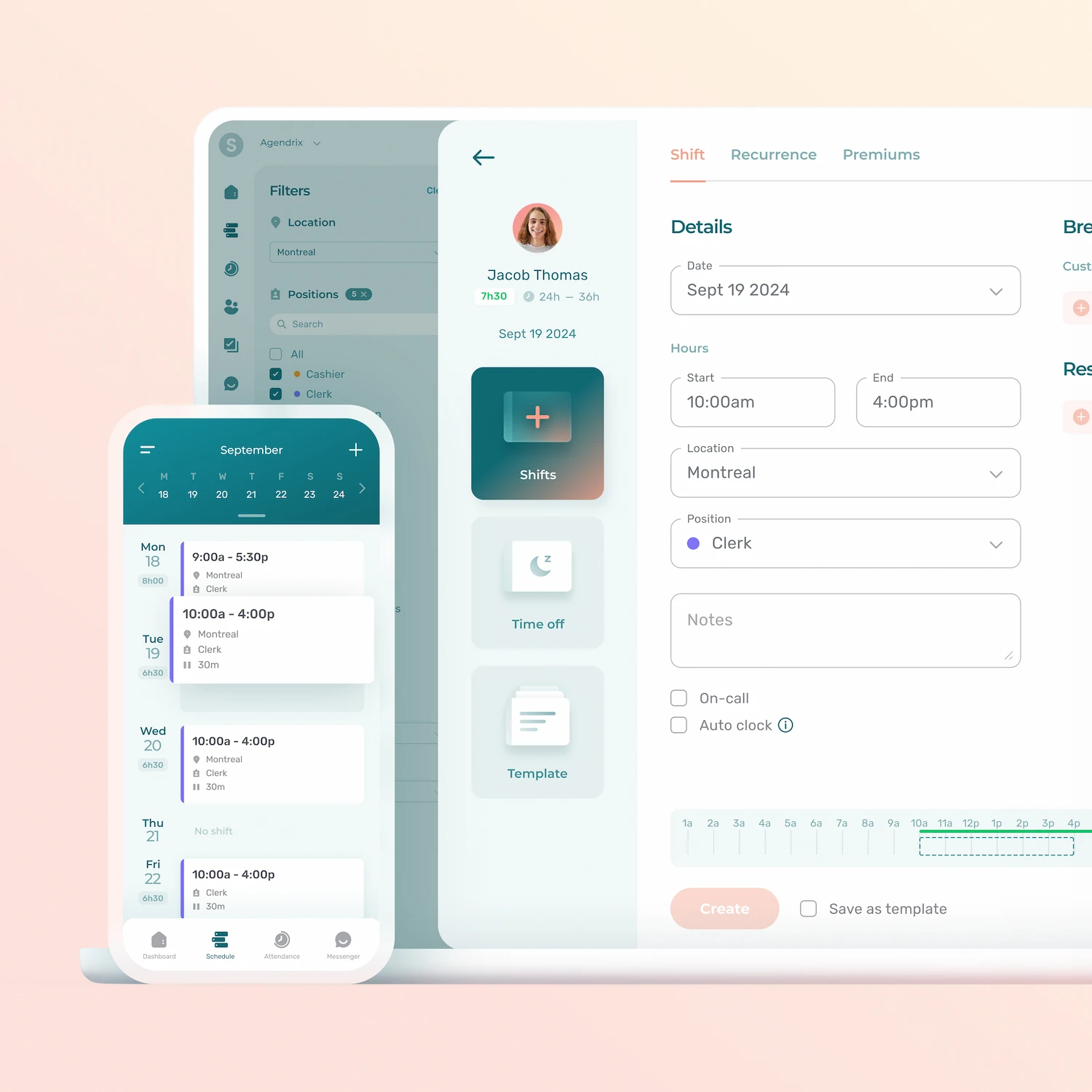
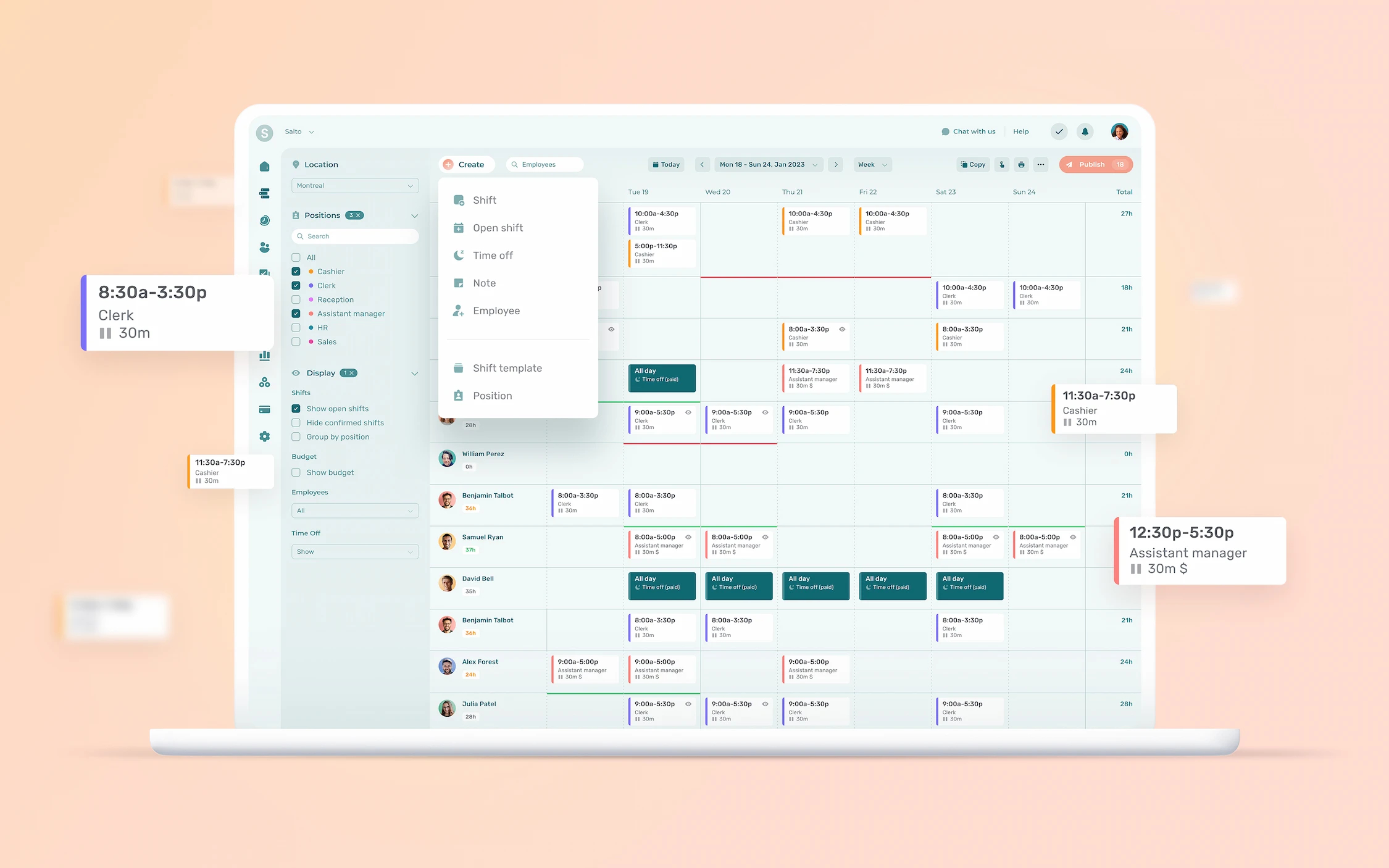
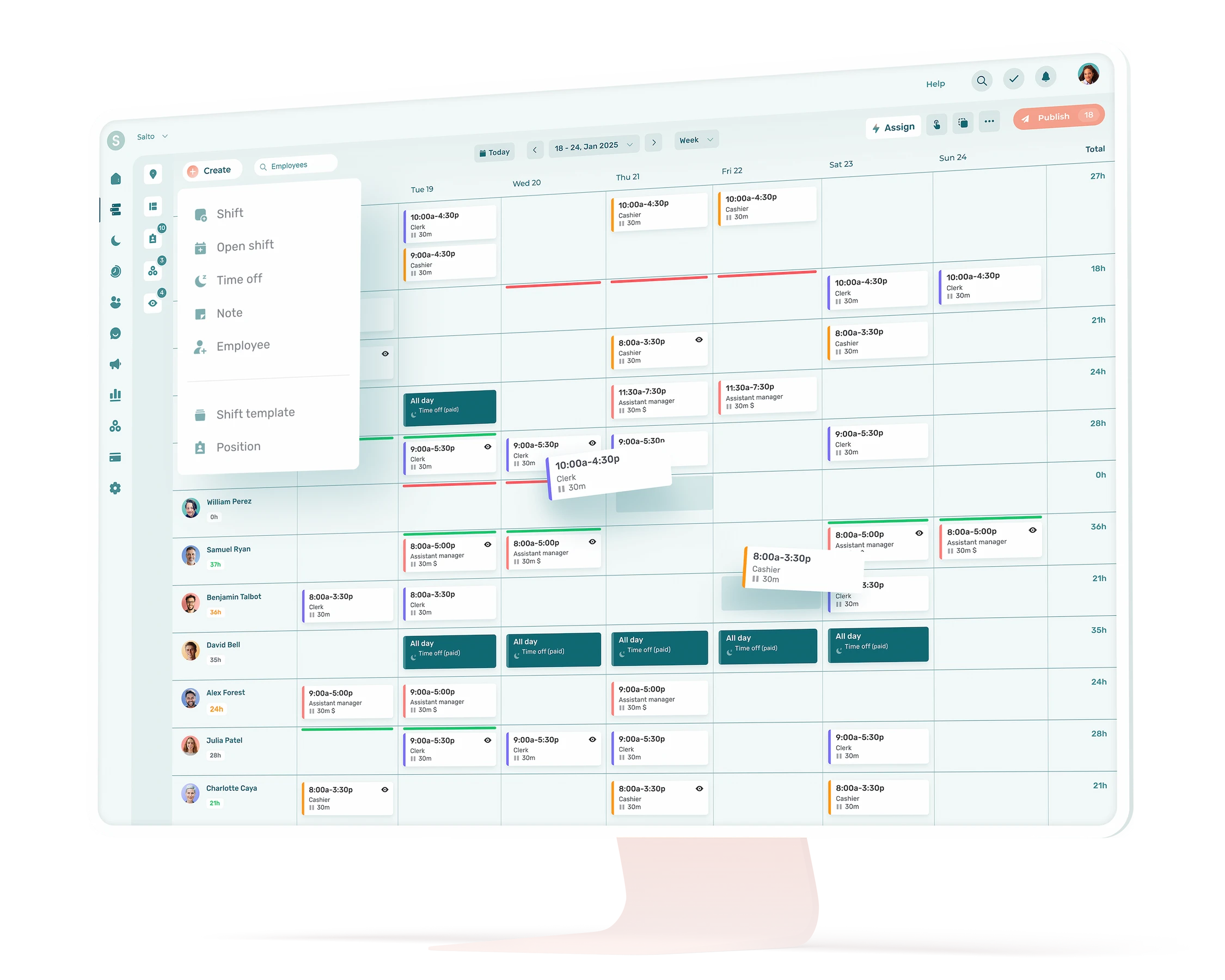
- Drag-and-drop schedule building for fast, visual shift assignment
- Availability and time-off management so staff can submit requests directly in the app
- Shift swapping with (or without) manager approval to reduce last-minute scrambles
- Mobile access so workers can view their schedules from anywhere
- Shift reminders and change notifications to cut down on no-shows and missed updates
- Conflict detection to flag overlapping shifts, overtime, or understaffing before they become problems
- Reusable schedule templates to speed up week-over-week planning
Some work scheduling tools go further with features that can genuinely change how your team operates, including:
- Weather forecasts displayed alongside the schedule, useful for outdoor operations or businesses where foot traffic is weather-dependent
- Tip pooling for restaurants, hospitality and retail businesses that need to distribute tips fairly across a shift
- Expense tracking for teams where staff incur reimbursable costs on the job
- AI-powered auto-scheduling that drafts shifts based on availability, hours targets, and labor rules
- Read receipts so managers know staff have seen the published schedule
Even our employees who are reluctant to use technology quickly adopted Agendrix. It pleases all our staff, from 15 to 74 years old, Lara, Manager at RONA

3. Ease of Use
The most feature-rich app in the world is worthless if your team won’t actually use them. Look for a work scheduling tool with a clean, intuitive interface that both managers and shift workers can pick up quickly, with minimal training.
Pay attention to the mobile experience in particular. Most hourly workers won’t log into a desktop to check their schedule. They’ll tap their phone. The app needs to be just as functional on mobile as it is on desktop.
A few signals that an app is genuinely easy to use:
- Setup takes hours, not days
- Workers can view shifts, submit requests, and swap shifts without needing a tutorial
- Managers can build and publish a schedule in minutes
- Notifications are clear and actionable
4. Staff Self-service
Self-service features eliminate unnecessary back-and-forth and reduce errors that come from manual tracking or forgotten verbal requests. When staff can request time off, update their availability, or initiate a shift swap directly through the app, managers spend less time playing phone tag and more time running the business.
Beyond the time savings, giving your team more control over their schedule tends to improve satisfaction and accountability. Workers who have input into when they work are generally more engaged and more reliable. That means fewer last-minute callouts and fewer gaps to fill.
5. Compliance and Payroll Integration
Labor laws and scheduling regulations vary widely depending on your province and industry. Businesses in healthcare, hospitality, and retail often face specific rules around breaks, overtime, minimum rest periods between shifts, and advance notice requirements. A shift scheduling app with built-in compliance features, like alerts for rest period violations or automatic overtime flagging, helps you stay on the right side of employment standards without having to memorize every rule yourself.
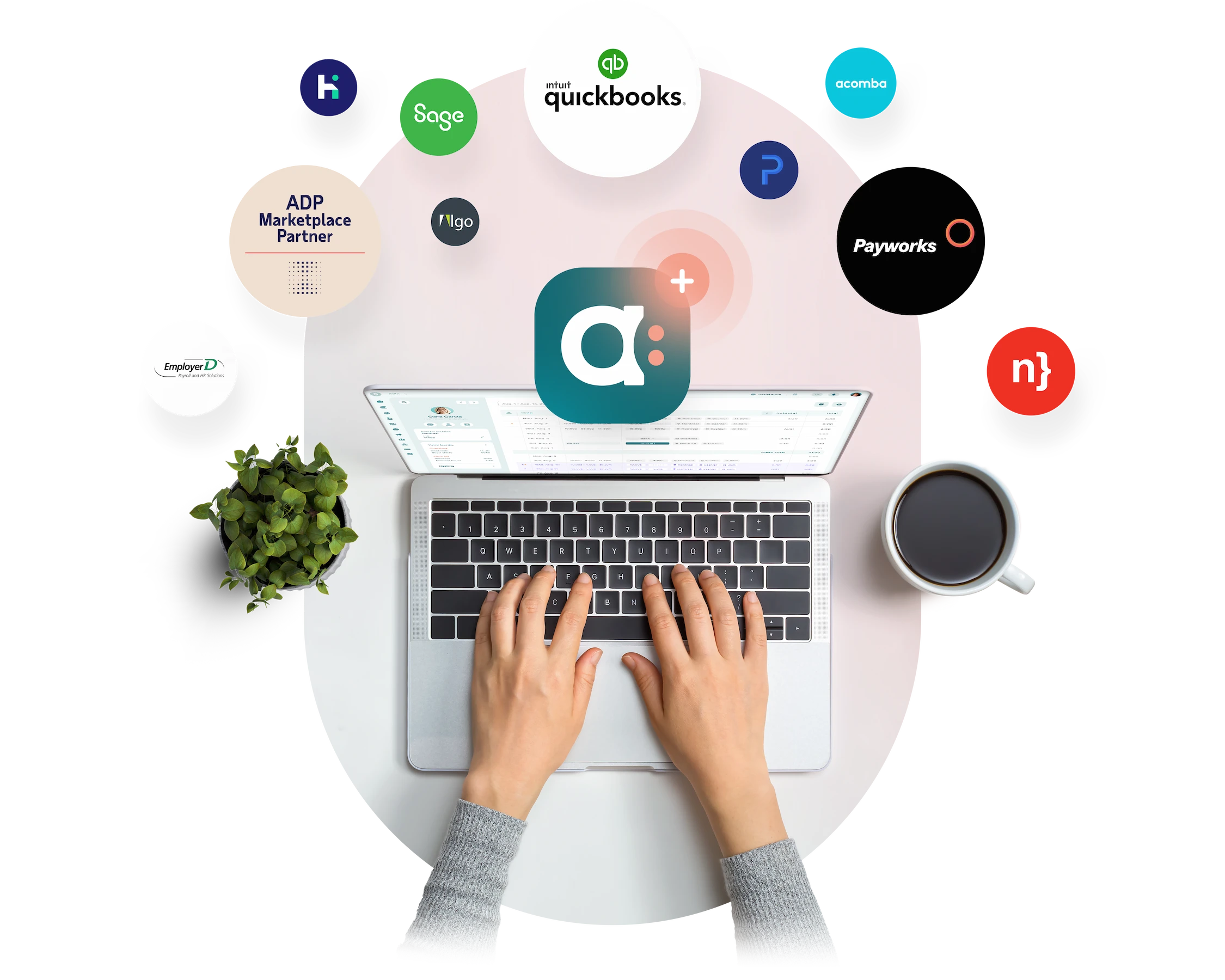
Payroll integration is just as important. A work scheduling tool that syncs timesheets directly with your payroll provider eliminates manual data entry, reduces the risk of mistakes, and saves real time at the end of every pay period. Look for apps with native integrations or clean exports to the payroll system you already use.
6. Support and Localization
No matter how user-friendly a shift scheduling tool is, you’ll eventually run into a question or a problem. When that happens, you want access to fast, knowledgeable support from actual people, not just a help center and a chatbot.
Look for providers that offer multiple support channels (chat, phone, email) and reasonable response times. For Canadian businesses, having a support team that operates in your time zone and understands the local regulatory context is a real advantage.
For teams operating in Quebec or other bilingual contexts, full support for both English and French is non-negotiable. That means the app interface, notifications, and communications all need to work in both languages. It’s not just a convenience: it directly affects adoption, and poor adoption means the tool doesn’t deliver its value.
7. Pricing and Scalability
Free plans can be tempting, especially for small teams, but they often come with real limitations: capped user counts, restricted reporting and features, missing integrations, or no access to support. Get clear on what you’ll actually need before assuming a free tier will work.
Pricing models vary significantly across shift scheduling apps. Some charge per user per month, others per location, and others use tiered plans based on which features you need. Each model has trade-offs depending on how your business is structured.
Things to evaluate before committing:
- How the app charges (per user, per location, or flat monthly fee)
- What’s included in each plan tier vs. what’s an add-on
- Whether pricing scales reasonably as your team grows
- Whether the tool handles seasonal fluctuations (some allow account pausing)
- Total cost of ownership, not just the base subscription price
A work scheduling tool that fits your budget today should also make sense 18 months from now when your team is bigger. Don’t optimize only for your current situation, especially if you plan on scaling.
8. HR and Team Management Features Beyond Scheduling
Scheduling is the core function, but many shift-based businesses benefit from tools that go further. All-in-one platforms that include HR and team management features help centralize day-to-day operations, reduce reliance on additional apps, and keep everything in one place.
Features worth looking for:
- Built-in messaging (individual, group, and business-wide) for real-time team communication
- Digital HR records including roles, certifications, onboarding documents, and notes
- Onboarding tools and training documentation for new hires
- Pulse surveys to monitor team morale and gather staff feedback
- Staff recognition features to highlight wins and keep engagement high
- Task assignments to delegate and track operational duties during shifts
The more you can centralize in a single work scheduling app, the less time your managers spend switching between tools and the more visibility you have across your operation.
The Best Shift Scheduling Apps for Hourly Teams
Once you’ve defined what you need, it’s time to compare your options. Here’s a quick overview of the top shift scheduling apps on the market right now.
For a full breakdown with detailed feature comparisons, pricing, and pros and cons for each tool, check out our full guide: Best Shift Scheduling Apps for Hourly Teams.
- Agendrix: Built specifically for Canadian SMBs, Agendrix covers scheduling, time tracking, team messaging, HR records, and payroll prep in one bilingual platform. Trusted by 13,000+ businesses across retail, healthcare, hospitality, and more.
- When I Work: A good option for teams that want straightforward scheduling with time tracking and team messaging. Popular with restaurants and retail.
- Deputy: Strong compliance features and good multi-location support. Well-suited for businesses with complex award or labor rule requirements.
- 7shifts: Built for the restaurant industry, with scheduling, tip management, and labor forecasting baked in.
- Homebase: A budget-friendly option for small teams, with a free plan that covers basic scheduling and time tracking.
- Sling: Covers scheduling, time tracking, and team messaging with a clean interface and good labor cost tools.
- Connecteam: A flexible platform for deskless teams, with strong communication and operations features alongside scheduling.
Find the Best App for Your Team
Choosing a shift scheduling app isn’t about finding the one with the longest feature list. It’s about finding the one that actually fits how your team works today, and that can grow with you as your business does.
Start with the factors that matter most for your operation: team size, compliance needs, payroll integration, and ease of use. From there, narrow down your shortlist and take advantage of free trials to see how the tool performs in your real context, not just in a demo.
What is a shift scheduling app?
A shift scheduling app is a digital tool that helps managers build, publish, and manage work schedules for hourly or shift-based teams. Most apps also include features like time tracking, availability management, shift swapping, and payroll integration, replacing spreadsheets and manual processes.
What features should I look for in a shift scheduling app?
At a minimum, look for drag-and-drop scheduling, mobile access for staff, availability and time-off management, shift swapping with approval, conflict detection, and payroll integration. Depending on your industry, features like compliance alerts, labor cost tracking, and built-in communication tools may also be important.
Are shift scheduling apps suitable for small businesses?
Yes. Most shift scheduling tools are designed to scale, and many offer plans specifically for small teams. Even a 5-person operation can save several hours a week by replacing manual scheduling with a dedicated app.
What's the difference between a shift scheduling app and a full HRIS?
A shift scheduling app focuses on creating and managing work schedules. A full HRIS (Human Resources Information System) covers a broader range of HR functions, including payroll, benefits, and employee records. Some scheduling tools, like Agendrix, bridge the gap by including HR and communication features alongside scheduling.
Do shift scheduling apps help with labor law compliance in Canada?
Many do. Look for apps that include built-in alerts for overtime, minimum rest periods between shifts, and advance scheduling notice requirements. Rules vary by province and industry, so the more configurable the compliance features, the better.
Can shift workers use scheduling apps on their phones?
Yes, and they should. Most modern shift scheduling apps have dedicated iOS and Android apps that let workers view their schedules, submit availability, request time off, and swap shifts from their phones. Mobile usability is one of the most important factors to evaluate when choosing a tool.