Payroll Automation for Canadian Small Businesses: How to Cut Pay-Run Time in Half


Key takeaways
- Most Canadian SMBs lose hours to payroll prep, not payroll itself. The bottleneck is collecting and validating hours before they ever reach the payroll provider.
- A scheduling-to-payroll workflow eliminates the retype the timesheet step. Hours flow from the schedule, through approved timesheets, into the payroll system in one motion.
- Direct integrations beat compatible with most payroll systems. Agendrix exports directly to Nethris, ADP Workforce Now, Ceridian Powerpay, Employer D, Payworks, and others used in Canada.
- Real customer data: managers using Agendrix report saving 53% of the time spent managing and processing worked hours. The savings come from removing duplicate data entry and reducing the back-and-forth that follows every error.
- The setup is lighter than most owners expect. Most teams are running their first automated pay period within a week of activation.
For most Canadian small businesses, payroll automation is the difference between a Sunday night spent retyping hours into Excel and one spent doing anything else. The shortcut isn’t a new payroll provider, it’s a cleaner workflow.
Most owners we talk to don’t dread payroll because the calculations are hard. They dread it because the inputs are messy. Paper schedules, an Excel timesheet, three group texts about a missed shift, a manager retyping hours into a payroll portal at 9 p.m. on a Sunday. That’s the part automation actually fixes.
Canadian small business owners lose roughly 32 working days a year to administrative compliance, and payroll prep is one of the recurring offenders for businesses running hourly teams. Source: Canadian Federation of Independent Business’s 2026 Red Tape Report Card
If you’re new to the topic, our pillar guide to payroll automation covers what it is, the eight benefits, and the seven challenges in full. This article zeroes in on what the transformation actually looks like for a Canadian SMB with hourly employees: the old workflow, the new one, the tool stack that connects scheduling to a payroll provider, and what changes once those pieces are in place.

The old workflow most canadian SMBs are still running
Walk into a typical Canadian small business on payroll day and you won’t find anyone short on tools. You’ll spot a scheduling app, a time tracker, a payroll portal, and a manager copying data between them by hand. The tools work. The handoffs don’t.
This is the part of payroll that doesn’t get talked about. The calculations, deductions, and remittances are handled by software. The problem is everything that happens before that: the data lives in three or four places that don’t talk to each other, and a person has to be the bridge.
In a typical setup, this prep can stretch to four or five hours per pay period. Over a year, that’s days of manager time before a single dollar reaches the CRA. And every retyped number is a chance for an error that gets caught two weeks later.
Manual payroll prep doesn’t fail because managers are sloppy. It fails because the same number gets handled five times before it reaches the payroll provider.
The fix isn’t switching payroll software. The fix is removing the steps between the schedule and the payroll system.
A real operations story: from 6 hours to 90 minutes
To make this concrete, here’s a composite story drawn from common patterns we see across Agendrix customers. Priya works with an external bookkeeper; in-house payroll setups follow the same workflow with one fewer hand-off.
Priya runs a physiotherapy clinic in Mississauga with 12 employees, a mix of full-time therapists and part-time receptionists. Pay periods are biweekly, with the bookkeeper’s payroll cutoff every other Tuesday for Friday pay. Until last spring, her payroll routine looked like this:
Sunday evening, ahead of Tuesday’s payroll cutoff:
- Open the Google Sheet schedule and reconcile it against text messages about shift swaps and sick days.
- Export the punch clock app’s CSV. Match it against the schedule. Spot three discrepancies, text two employees to confirm.
- Type final hours (regular, overtime, stat holiday) into the Excel timesheet template the bookkeeper uses.
- Email the spreadsheet and a folder of reimbursement receipts to the bookkeeper.
- Tuesday morning, the bookkeeper retypes everything into the payroll provider’s portal.
- Two earning codes don’t match. Email volley. Fix. Resubmit before the cutoff.
Total time across Priya and the bookkeeper: about six hours per pay period.
After moving to a scheduling-to-payroll workflow with Agendrix and her existing payroll provider, the routine looks like this:
Monday morning, ahead of Tuesday’s cutoff:
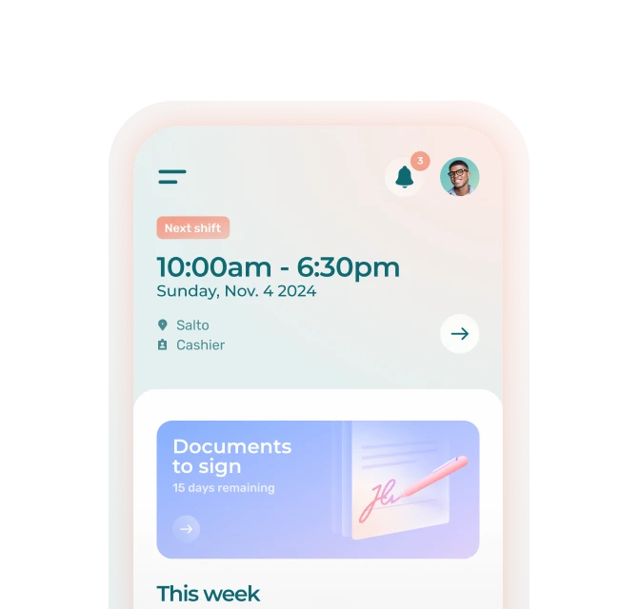
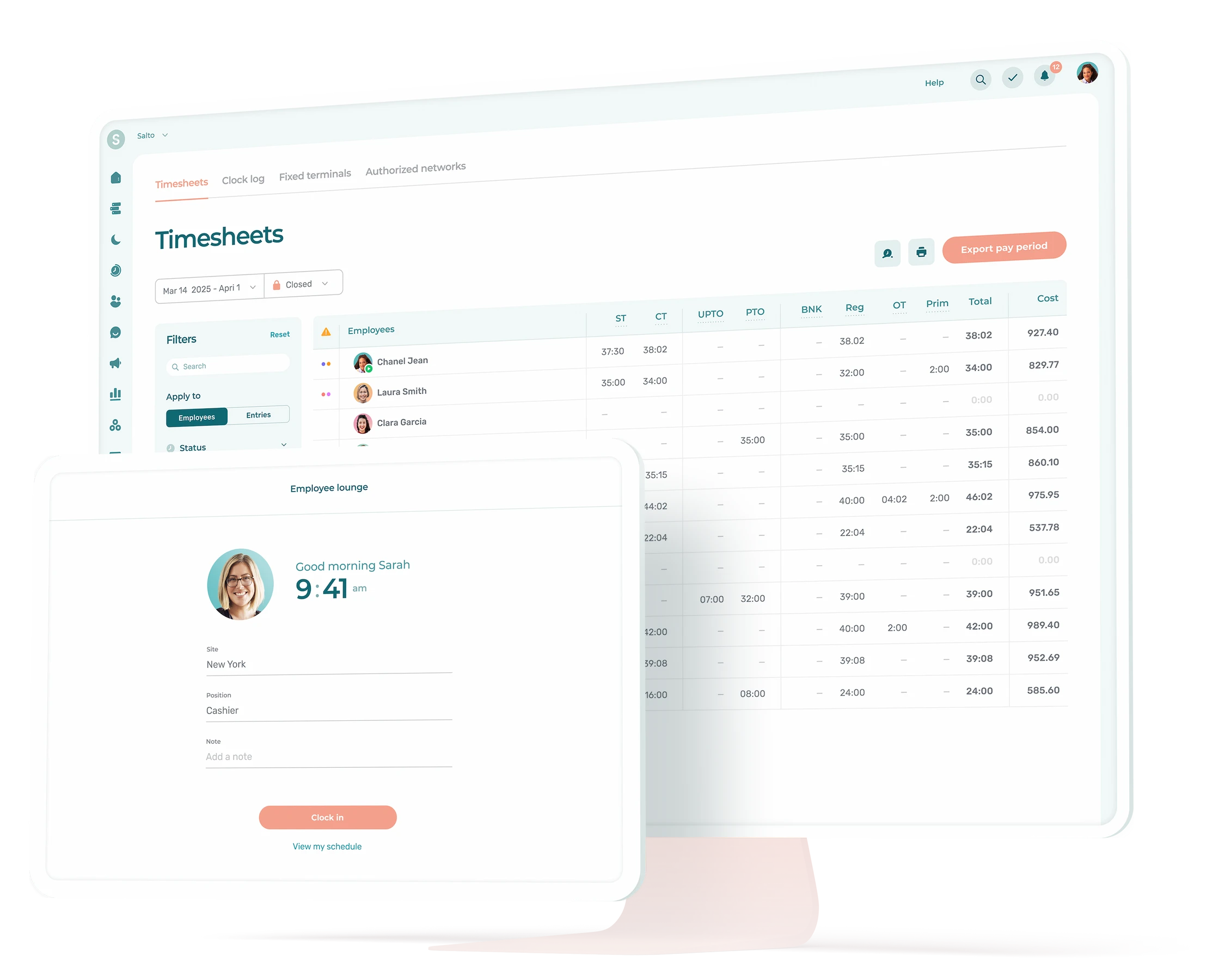
- Open Agendrix. Timesheets are already filled in because employees clocked in and out from the front desk tablet throughout the period.
- Review the period. Two flags: a therapist who clocked out 12 minutes late, a missed punch on a Friday shift. Approve one, fix the other in 30 seconds.
- Click Export to payroll. A clean file lands in the payroll provider, mapped to the right earning codes.
- Bookkeeper runs payroll Tuesday morning. No back and forth.
Total time: about 90 minutes across both, with Priya’s share around 20 minutes.
Two pay periods later, Priya did the math. She was getting back four to five hours every two weeks: more than 100 hours a year of clinic time she could spend on patients, hiring, or going home before 8 p.m. on a Sunday.
The scheduling-to-payroll workflow, step by step

The workflow that gets you from Priya’s “before” to her “after” has five steps. None of them are fancy, but the order matters.
1. Schedule in one place
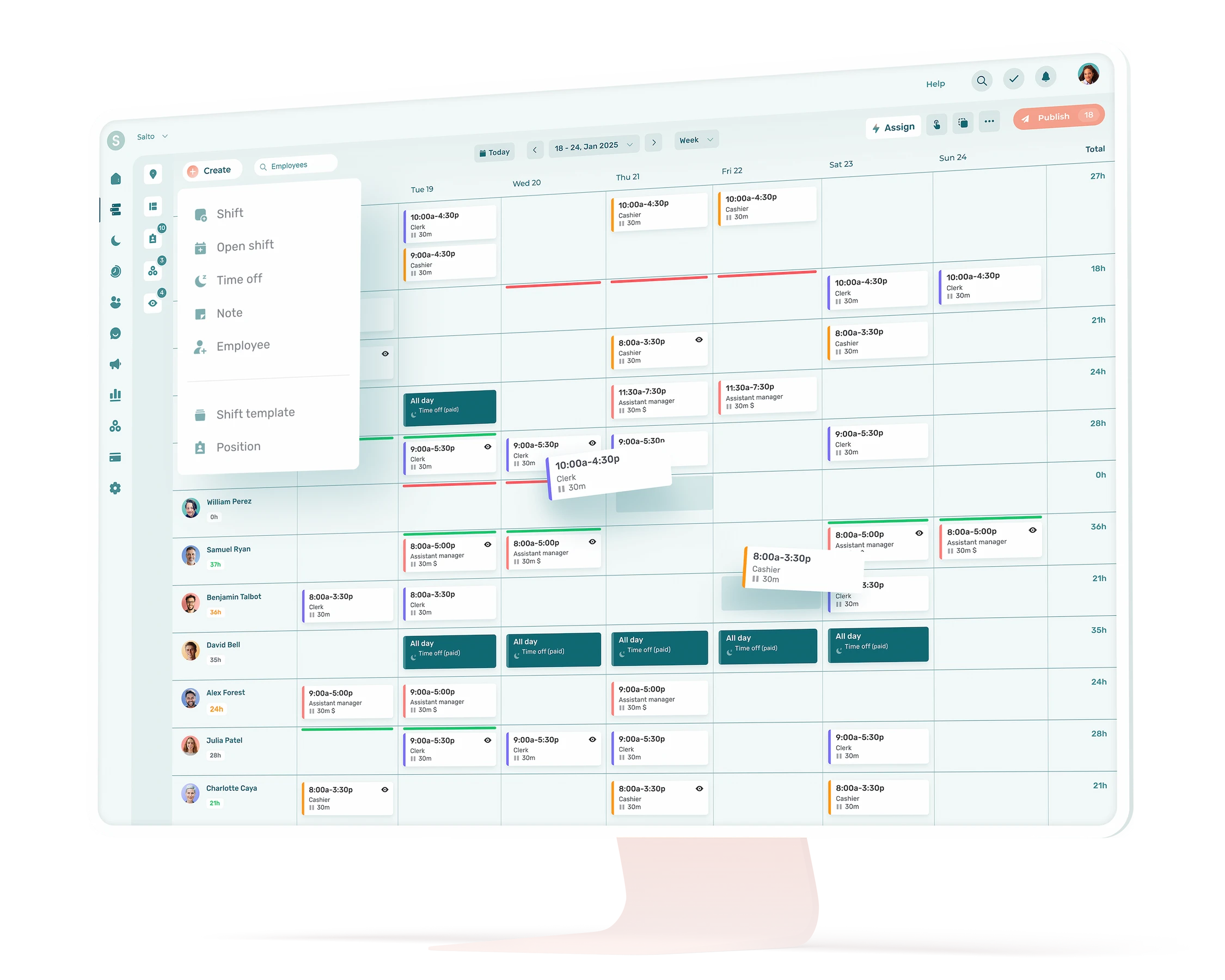
The schedule lives in employee scheduling software instead of Excel or a printed grid. Shifts, positions, and locations are assigned, and employees see their hours on their phones.
2. Employees clock in on a real device
Whether it’s a front-desk tablet, a personal phone with geolocation (or not), or a landline check-in for mobile workers, every shift gets a real clock-in and clock-out timestamp. No more “I think I started around 9:15.”
3. Timesheets fill themselves
Clocked hours flow into automated timesheets. Breaks, overtime, and premiums apply automatically based on the rules you set up once. The manager isn’t typing anything; they’re reviewing.
4. Manager approves in one pass
Discrepancies are flagged (early clock-ins, missed punches, overtime that crossed a threshold). The manager handles exceptions, not the whole timesheet. For a 10-person team, this is usually 15 to 30 minutes per pay period.
5. Export directly to the payroll provider
Approved hours get exported as a file (or sync via API for some providers) directly to the payroll system. Earning codes are pre-mapped, so regular, overtime, training, and time-off hours land in the correct columns.
The point isn’t that any one of these steps is groundbreaking. It’s that the schedule, the timesheet, and the payroll export share the same underlying data instead of being three separate documents. That shared data is what kills the 6-hour pay-run prep.
The tool stack: Agendrix and a Canadian payroll provider
Most Canadian SMBs already have a payroll provider they like, or one their accountant prefers. Payroll automation isn’t about replacing it, it’s about feeding it cleaner inputs.
Direct Agendrix integrations cover most providers Canadian SMBs use, including Nethris, ADP Workforce Now, Ceridian Powerpay, Employer D, Payworks, Acomba, and QuickBooks. For others like Wagepoint, Agendrix acts as the control layer, generating clean, approved timesheet exports that drop into the provider’s import flow. For a deeper comparison, our team put together a guide to the best payroll software for Canadian small businesses.
Agendrix prepares the data; the payroll provider writes the cheques.

Where the time savings actually come from
Saying “automation saves time” is easy. The harder question is where, exactly, the hours come from. Four places:
1. Removing duplicate data entry. This is the biggest one. In a manual workflow, the same shift gets written down on the schedule, retyped into Excel, and retyped again into the payroll portal. Three copies, three chances to introduce a typo. Direct exports collapse this to one source of truth.
2. Catching errors before payroll, not after. When clocked hours flow into approved timesheets in real time, exceptions surface mid-pay-period. A missed punch on Tuesday gets fixed Wednesday, not discovered three weeks later when an employee asks why their cheque is short.
3. Eliminating the back-and-forth between the manager and the bookkeeper. Most payroll delays aren’t the payroll calculation itself; they’re the email chains that happen when something doesn’t add up. A clean export removes the questions before they get asked.
4. Reducing payroll corrections. Every reversed entry, off-cycle cheque, or amended ROE costs time on both sides. Cleaner inputs mean fewer corrections downstream.
As we’ve seen earlier, a team with 10 to 15 people on biweekly pay can realistically go from six hours of prep to 90 minutes.
What to look for in a payroll-prep + payroll setup
If you’re evaluating tools, the question worth asking isn’t “does this software automate payroll?” Almost everything claims that. The better question is: “Where does this tool sit in the workflow, and what does it expect from the tools on either side?”
Five things to check:
- Native integration with your payroll provider. Direct export beats CSV upload, which beats manual re-entry. Confirm the provider name is on the integration list, not just compatible with most payroll systems.
- Hours arrive sorted by type. Overtime, statutory holiday hours, training time, and premiums each need to land in their own category in the payroll system, not get lumped in with regular hours. If everything dumps in as regular hours, someone still has to sort it out before the pay run, and you’re back to manual work.
- Approval workflow with exception flagging. You want the system telling you what to look at, not making you read every line.
- Real time clock-ins, not honor-system entry. Clocked hours from a kiosk, a phone, or a landline are auditable. Self-reported hours in a spreadsheet aren’t.
- Bilingual support if you operate in Quebec. RL-1s, CNESST remittances, and bilingual employee communications matter. Tools that retrofit French as an afterthought show their seams quickly.
The Time and Attendance module at Agendrix exists exactly for this layer, and it’s where the integration with your payroll provider is configured.
Stop Treating Payroll Like a Necessary Evil
Payroll prep is one of those tasks owners accept as the cost of having employees. It doesn’t have to be. The Canadian SMBs that have made the switch don’t talk about feeling more productive; they talk about getting their Sundays back. That’s the version of automation worth chasing.
What does payroll automation look like for a Canadian small business?
For most Canadian SMBs with hourly teams, payroll automation isn’t about replacing the payroll provider; it’s about feeding it cleaner data. Scheduled and clocked hours flow into approved timesheets and export directly to the payroll system, with no manual re-entry.
How much time does payroll automation actually save?
In a 2023 Agendrix survey of 669 managers, customers reported saving 53% of the time spent on time and attendance management after switching to a scheduling-to-payroll workflow.
Do I need to switch payroll providers to automate?
No. Most Canadian SMBs already have a payroll provider that handles remittances and tax filings well. The gain comes from feeding that provider cleaner inputs. Agendrix integrates with most major Canadian payroll systems, including Nethris, ADP Workforce Now, Ceridian Powerpay, Employer D, Payworks, Acomba, and QuickBooks.
What's the difference between payroll software and payroll preparation software?
Payroll software runs the actual pay cycle: calculations, deductions, direct deposit, T4s, RL-1s. Payroll preparation software handles everything that happens before the pay run, including scheduling, time and attendance, timesheet approval, and the export to the payroll system. SMBs with hourly teams typically need both.
Will payroll automation work for a business with mostly hourly employees?
Yes, and that’s actually where the gains are biggest. Hourly teams generate the most timesheet data, the most exceptions (sick days, swaps, overtime), and the highest risk of payroll errors. Automating the timesheet to payroll handoff removes the part of the process where most of those errors get introduced.
How long does it take to set up?
Most Canadian SMBs are running their first automated pay period within a week of activation. The longest step is usually mapping earning codes between Agendrix and the payroll provider, which is a one-time setup. After that, every pay period uses the same configuration.
Is payroll automation compliant with CRA and Revenu Québec requirements?
Compliance lives with your payroll provider, not with the prep tool. Agendrix exports approved hours; the payroll system applies CPP, QPP, EI, QPIP, and the appropriate provincial deductions, then handles remittances. Choosing a payroll provider with strong Canadian compliance (Nethris, ADP, Ceridian, Employer D, and others) is what keeps you on the right side of the CRA and Revenu Québec.