Key takeaways
- The first task to test with AI isn’t the most complex one. It’s the most repetitive part of your week.
- You learn AI one use at a time. You don’t have to understand everything or automate everything at once to get off to a good start.
- The right use depends on your industry. A restaurant, a pharmacy, and a construction site don’t save time in the same places.
- You’ll know it’s working when you can put a number on the time saved on a specific task, instead of going on a gut feeling.
AI is everywhere now, and HR is no exception. But between closing up the store and building next week’s schedule, it’s hard to know where to begin. This guide gets you started one task at a time.
Close to 45% of Canadian small businesses already use generative AI in their operations, and those that do save, on average, more than twice the time they put in each day (CFIB, 2026).
The hard part is no longer being convinced. It’s picking the right first task to do with AI, because a bad start is all it takes to give up on the whole thing. Here’s the order to work through.
You don’t have to master everything to begin
If AI feels a little intimidating, or if you feel like everyone got a head start while you were busy running your team, that’s normal. Most managers who get into it start exactly where you are.
The good news: you don’t learn AI the way you cram for an exam. You don’t need to understand what’s happening under the hood, and you don’t need a three-year plan. One thing is enough: a well-chosen task you try this week. Once you’ve got that one down, the next comes on its own.
This guide follows that logic exactly: one principle to grasp, then a well-chosen first task, then a way to check that it’s working before you move to the next.
AI is only as good as the context you give it

Before you pick a task, know this: if AI sometimes nails the answer and sometimes spits out nonsense, it’s because it only knows what you feed it. It knows nothing about your business, your roles, or the way you do things. Give it clear context and you get solid work back. Give it vague context and it fills the gaps by guessing, and it guesses badly.
This is where the state of your data comes in. When your information is scattered (schedules in an Excel file, hours in a notebook, staff records in a cabinet in the basement), you have to rebuild that picture by hand every single time, and anything you forget turns into a mistake. When it’s already in one place, everything is ready: AI works from the real thing and you do less typing.
🚩 An important nuance: giving context doesn’t mean dumping everything into AI. Sensitive information or data that can help identify a person (social insurance numbers, a voided cheque, an employee’s allergies) has no place in a prompt. More on this below: it’s one of the two ground rules to know before you start.
You don’t need everything to be perfect to begin. But pulling your data together is the simplest lever there is for getting AI to work from something concrete instead of guessing. And if you want to work through a real scenario, swap in fake names first.
The three-question test
Which task should you hand to AI first? Instead of guessing, run each of your HR tasks through three questions. The one that answers yes to all three is your starting point. Often, it isn’t the one that comes to mind first.
Question one: do I do it often?
A task you do once a month isn’t worth optimizing first, even if it’s a pain. The time you spend getting the hang of the tool will outweigh the time you save. A weekly task, on the other hand, pays back your learning by the second or third time. Look for repetition, not the exception.
Question two: does it take time without requiring a decision from me?
This is the question that separates good use from bad. Writing a job posting, rephrasing a procedure, cleaning up a memo: lots of time, few decisions, and AI excels. Settling a dispute between two employees, deciding on a promotion, evaluating performance: these are on you, they call for judgment, and AI has no business there.
The rule is simple. If the task comes down to judging a person, it isn’t a task for AI. If it comes down to producing text or organizing information, you’ve found the right one.
Question three: can I measure how long it takes me today?
This one almost always gets forgotten, and it’s the most important. Without a starting point, you’ll never know whether AI is saving you anything at all. Pick a task you can time the way you do it right now, before any help from AI. That number is what will tell you, later, whether AI actually changes anything.
🎯 The task that ticks all three boxes is almost always writing or an onboarding plan. It’s frequent, it takes time, it doesn’t call for a heavy decision, and the payoff is easy to measure.
Two ground rules before you dive in
You’ve got your task. Before handing it to AI, keep two limits in mind. These aren’t brakes: they separate smart use from needless risk.
Never let AI replace your judgment. Screening applications to save time, fine. Letting AI decide who to hire or fire, or run an employee’s performance review, never. It’s not just an ethics question: in front of an employee, a union, or a tribunal, “AI decided it” isn’t an acceptable answer. The responsibility stays yours, fully.
Keep all personal data out of your prompts. No names, no numbers, no SINs, no addresses. Nothing that identifies a person. Keep the context general and add the sensitive details yourself, offline. In Quebec, Law 25 governs this kind of information; elsewhere in Canada, it’s the Personal Information Protection and Electronic Documents Act (PIPEDA). Either way, protecting it is your responsibility, not the tool’s.
Where to start, by industry

What to write first depends on your sector. Here’s where the time is, industry by industry.
| Industry | What to write first | Why this one |
|---|---|---|
| Restaurants | Opening and closing procedures, team communications | High turnover, lots of shifts, instructions you repeat endlessly |
| Retail | Job postings and onboarding plans | Frequent hiring, especially during peak and seasonal stretches |
| Health and seniors’ residences | Memos and protocol updates | Strict compliance, communications that have to stay clear and consistent |
| Construction | Site summaries and follow-ups | Scattered information, mobile crews, follow-ups that slip through the cracks |
| Services and offices | Policy drafts and internal documentation | Lots to write, little time to formalize it |
| Every industry | Translating job postings, documentation, task lists | Bilingual teams: all that’s left is to review, no need to write everything twice |
| Every industry | Social media posts, draft replies to customer reviews | Plenty of time for a low-stakes decision: a first draft does most of the work |
Take a retail store in the thick of the holiday rush, hiring for several roles in a matter of weeks: sales associates, cashiers, warehouse clerks. Writing each posting used to take about thirty minutes: start from an old one, adjust the role and the tone, double-check you didn’t miss anything. With a generated first draft you then adjust, you’re down to five minutes, and the posting is clearer than before. Over a full hiring season, the minutes saved on each role add up to hours.
In a restaurant, it’s the closing list you generate once, properly, instead of re-explaining it to every new hire. In a seniors’ residence, it’s the memo explaining a new protocol, written in a steady tone even on a night when everyone’s slammed.
That leaves the question of how to phrase your request so AI gives you something usable. Our guide to using AI at work offers fourteen copy-paste prompts, already tailored to the reality of shift work teams. This guide tells you what to prioritize; that one gives you the how.
Give AI clean context, in a few minutes
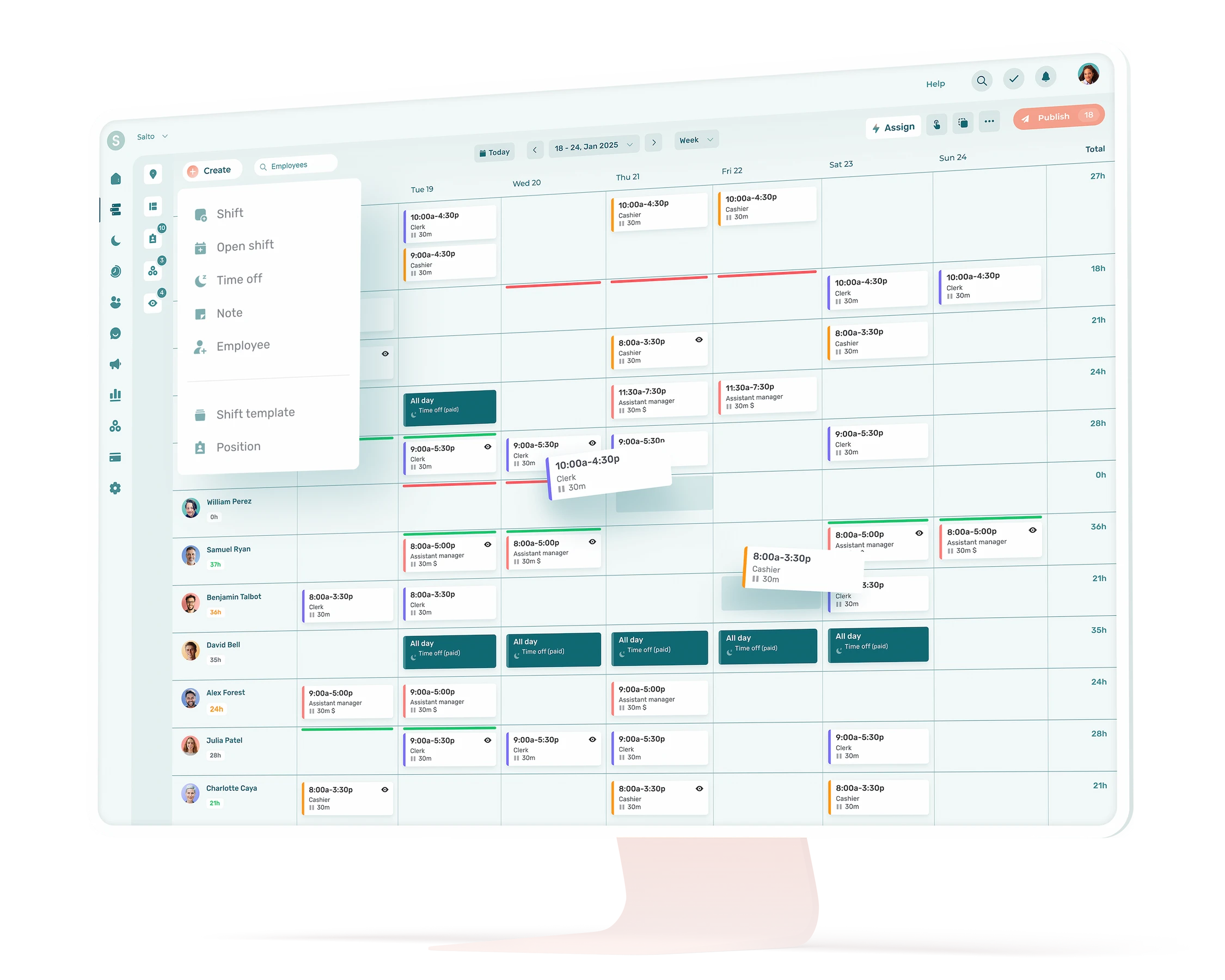
Remember the principle from the start: data that’s already gathered is context ready in advance. In practice, you don’t need a big project or an IT team. Pulling the essentials of your HR information into a single platform is enough, and that’s exactly what HR management software does with no effort on your part.
A telling example: snap a photo of your paper schedule or your Excel file, and the software automatically pulls out the employees, the roles, and the shifts in seconds. Your data goes from paper to digital with no manual entry, and every task you then hand to AI starts from a clean base.
You set up the context once. AI uses it on every task after that, with no need for you to redo it.
How to tell whether AI is saving you time
You don’t need a full quarter. A first use can be validated in a few days, as long as you measure. And this is where question three pays off: how long the task takes you today.
Before you start, time the task once, the way you do it now. That’s your benchmark. Without it, everything else is just a feeling.
Have AI generate a first draft, then adjust it, making the corrections it needs to be usable. Time that too.
Compare the two times and note what AI did well and what needed a touch-up. The test that matters: is the total time (generating plus reviewing) clearly less than your usual method, for quality that’s at least as good? If yes, you expand to a second use.
If it’s longer, don’t jump to conclusions. The quality of the result counts as much as the clock. The most rewarding tasks are sometimes the ones that take a bit of effort up front: explaining the context well the first time takes time, but you invest that time once and you get it back on every use after. It’s only when the result stays disappointing despite clear context that the task probably isn’t a fit for AI.
Without comparing before and after, there’s no way to know whether AI is saving you time or costing you some.
Watch out for one temptation: wanting to automate everything at once. Enthusiasm pushes you to launch into five tasks at the same time, and you end up with five tasks underway, none finished, and no real gain to show for it.
And what about your team?

AI is moving fast into workplaces: in Canada, 68% of workers say they’re ready to adopt it, but fewer than half (44%) believe their employer will truly prepare them for the shift (Randstad Canada, 2025). Behind that number is a question your employees ask themselves without always saying it out loud: this thing, are they going to help me get the hang of it, or leave me to fend for myself?
Most of your AI tasks only involve you: rephrasing a policy, cleaning up a memo. No need to make a thing of it. But when you produce something your team will use like an opening list, an onboarding plan, or a procedure, that’s where it’s worth bringing it up. And not just for the sake of it: your employees are the ones who’ll know whether the result holds up.
Instead of announcing “I’m using AI,” show it through use:
💬 “I reworked our opening list with AI. I tried to cover the tasks for each role, but test it out tomorrow morning and tell me what’s missing: something overlooked, an order to rethink, a priority in the wrong place.”
That gives the team a role instead of imposing a result on them, and it defuses the one fear that really counts: is this thing going to make my life harder, or help me?
Underneath all of it, the same truth holds: AI is strong on paperwork, weak on people. Reading the room with your team, handling a conflict, coaching someone in the moment: that stays yours. And it’s those human skills AI can’t replace that gain value as the rest gets automated.
AI gives you hours back, what you do with them is up to you
Done right, AI in HR doesn’t transform your job: it gives you back the hours that admin work was stealing. So the real question isn’t “is AI going to replace me,” it’s “what am I going to do with the evenings it hands back.” That part is yours to figure out. 😍
What is AI in HR?
It’s the use of AI tools to automate or assist with HR tasks: drafting documents, onboarding plans, administrative follow-ups, putting together training material. In a small business, AI in HR mostly serves to cut down repetitive work, not to make decisions about employees.
Which task should I start with for AI in HR?
The one that’s frequent, takes a lot of time, and doesn’t call for a decision, usually writing (job postings, communications) or onboarding plans. Time it first the way you do it now, so you can measure the real gain afterward.
Which HR tasks should never be handed to AI?
Any decision that directly affects a person: hiring, firing, performance reviews, disciplinary action. AI can prepare or organize the information, but the judgment and the responsibility stay human, which is also a legal requirement.
How do I know whether AI is really saving me time?
Time yourself. Do the task your usual way once, stopwatch in hand: say thirty minutes to write a job posting. Do it again with AI, review included: if you drop to ten minutes for a result that’s just as good, you have your answer. If not, either the task needs a bit of fine-tuning, or AI wasn’t the right tool for that one.
How do I introduce AI to my team without worrying them?
Most of your AI tasks only concern you: no need to make a thing of it. But when AI is used to produce something your team will use (an opening list, an onboarding plan), say so, and make it a team effort: “I put this together with AI, test it and tell me what’s off.” You give your employees a role instead of imposing a result, and you answer the real fear: is this going to help me or make my life harder?