

Key takeaways
- Expense management software automates the full cycle from receipt submission to manager approval and reimbursement. No more messy poles of receipts or email chains.
- The right features depend on your team structure. Businesses with field workers, hourly staff, or multiple locations have different needs than a typical office.
- Mobile access isn’t optional when your employees are on-site at a client location or out on a delivery run.
- Integration with your scheduling and payroll tools can save hours of reconciliation work every pay period.
- Ease of use drives adoption. The most powerful platform in the world won’t help if your team ignores it.
Still managing employee expenses by spreadsheet and email? The right expense management software can save your team hours every pay period. Here’s how to choose one that actually fits the way your business works.
According to SMB Group’s 2025 State of Financial Automation report, 93% of small and medium businesses see moderate to high value in financial automation. Yet plenty of them are still chasing paper receipts, approving reimbursements by text, and reconciling expenses manually every pay period.
If you’re running a business where employees work in shifts, on the road, or across multiple locations, that gap is especially costly; in time, in errors, and in visibility into where your money is actually going.
This guide breaks down exactly what to look for in an expense management app, and what actually matters for businesses like yours.
What Is Expense Management Software?
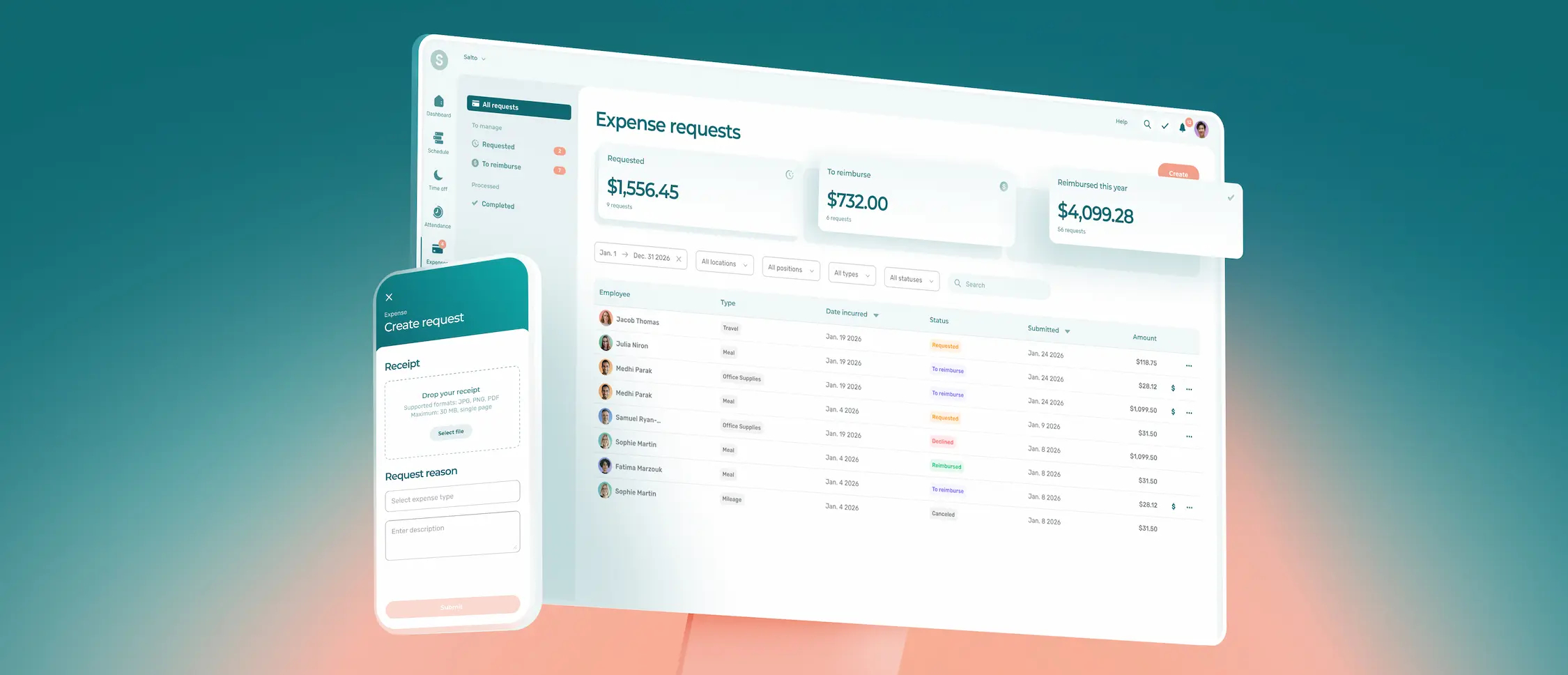
Expense management software is a tool that helps businesses track, approve, and reimburse employee expenses in a structured, digital workflow. Instead of chasing paper receipts or managing reimbursement requests by email, everything happens in one place: employees submit expenses, managers approve them, and reimbursements are processed automatically.
Most modern platforms cover the full cycle:
- Receipt capture (usually via mobile photo)
- Expense categorization and policy enforcement
- Multi-level approval workflows
- Reimbursement processing
- Sync with your accounting software
The result is less manual work, fewer errors, and clear visibility into where your money is going.
Why It Matters More for Businesses with Hourly and Field Teams


Here’s a reality most generic expense management guides overlook: managing expenses is fundamentally different when your employees work in shifts, at client sites, or on the road.
🧹 A cleaning crew supervisor buying supplies mid-shift doesn’t have time to log into a desktop app and fill out a five-step form.
🚌 A personal care worker reimbursed for transit expenses needs a simple way to submit and track their claims from their phone.
📍 A security company manager overseeing 30 guards across 10 sites needs to see all expenses by location, not just by individual.
These aren’t edge cases. They’re the daily reality for businesses in retail, healthcare, cleaning, security, logistics, and food service. And most expense management tools aren’t designed with this reality in mind.
That’s why the selection criteria below are built for teams like yours.
7 Features to Look for in an Expense Management App for Shift Workers


1. Mobile-first Design
If your employees aren’t at a desk, your expense management app has to work just as well on a phone as it does on a computer. Look for:
- Receipt capture by photo (ideally with automatic data extraction)
- The ability to submit, review, and approve expenses entirely from a mobile device
- Offline capability, or at minimum a fast, lightweight mobile experience
An employee finishing a shift at a client site shouldn’t need to wait until they get home to submit a $40 supply receipt.
2. Receipt Capture and Automatic Data Extraction
Manual data entry is where errors happen. The best expense tracking software uses OCR (optical character recognition) to pull the relevant information (date, amount, vendor) directly from a photo of the receipt. Your employees snap a photo, the app fills in the details, and they submit in seconds.
This matters especially for field-based businesses where receipts are often crumpled, wet, or from small local suppliers rather than big-name retailers.
3. Expense Categories that Match Your Operations
Generic expense categories like travel, meals, and office supplies don’t always map well to operational spending. Look for software that lets you customize categories to reflect your actual cost structure, things like:
- Fuel and mileage
- Uniforms and PPE
- Cleaning or sanitation supplies
- Client-site equipment purchases
- Parking and transit reimbursements
The more your categories mirror your operations, the easier it is to track costs by project, location, or team.
4. Mileage Tracking
For businesses with employees who drive to job sites (healthcare aides, field technicians, cleaning crews), mileage reimbursement is a recurring expense that adds up fast. Good expense management software handles this automatically, either through GPS-based trip tracking or manual entry with standard rate calculation (the CRA mileage rate in Canada, for instance).
This eliminates guesswork and protects you in the event of a payroll or tax audit.
5. Approval Workflows that Fit Your Management Structure
Not every expense needs the same approval path. A $15 parking fee shouldn’t require the same review process as a $500 equipment purchase. Look for software that lets you configure approval rules based on:
- Expense amount (auto-approve under a certain threshold, escalate above it)
- Expense category (certain types require manager sign-off regardless of amount)
- Department or location
Multi-level approvals are particularly useful for businesses with multiple sites or a layered management structure.
6. Integration with Scheduling and Payroll
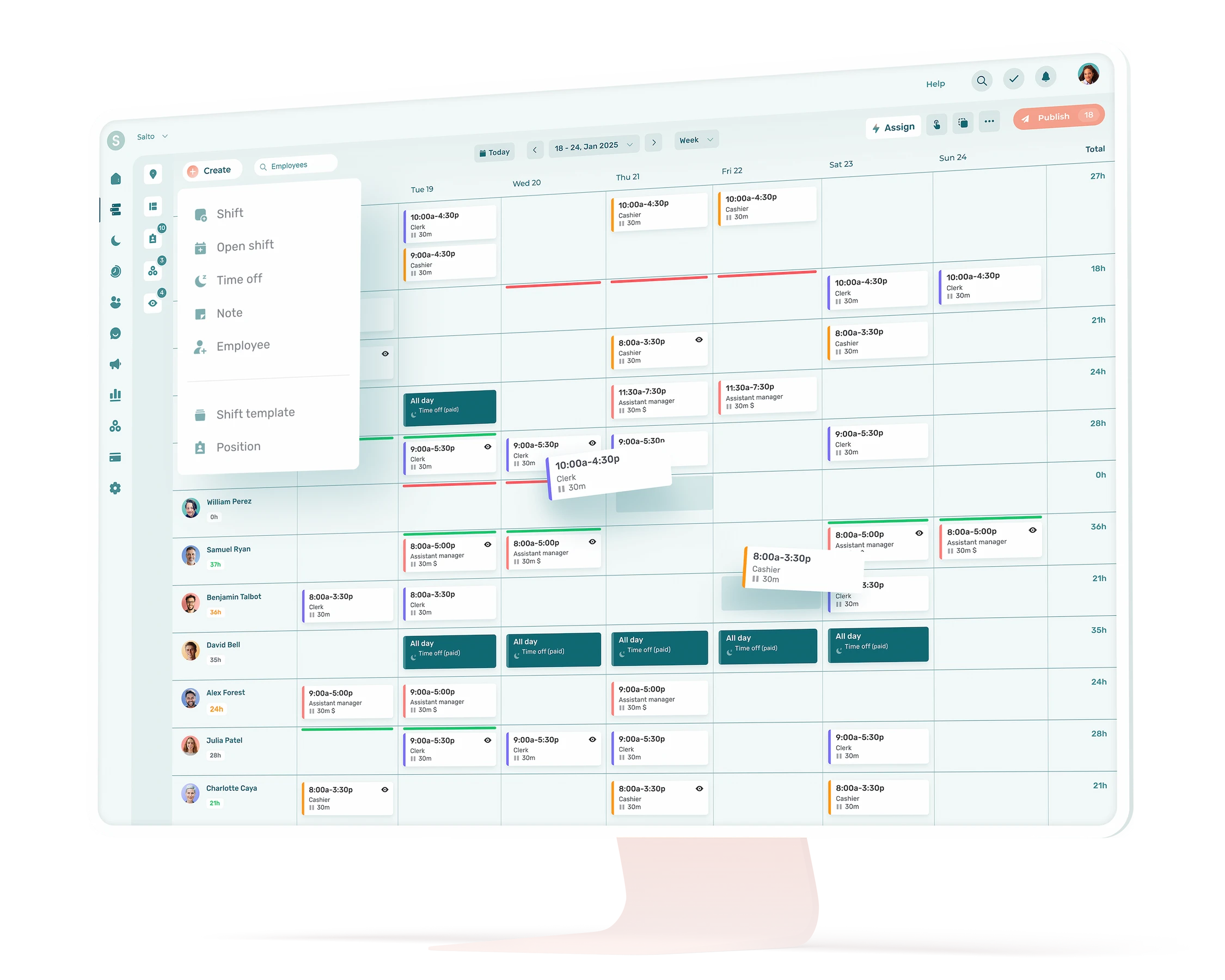
This is where expense management software can become a genuine time-saver rather than just another tool to manage. When your expense platform connects to your scheduling software, you get context: who was working, where, and when. When it connects to your payroll system, approved reimbursements flow directly into the next pay run, with no manual transfer, no re-entry, no errors.
For businesses managing hourly teams, this integration is a meaningful efficiency gain every single pay period.
7. Clear Reporting and Spending Visibility
You can’t control what you can’t see. A good expense management solution gives managers a real-time view of where money is going, by employee, by location, by category, by time period.
This isn’t just useful for budget management. It’s also how you spot patterns: a supplier being used inconsistently across sites, a team with unusually high supply costs, or reimbursements that are climbing month over month without explanation.
Common Use Cases by Industry
Cleaning services: Supervisors often purchase supplies on behalf of clients between scheduled deliveries. An expense app that lets them photograph receipts on-site and tag expenses by client or location makes reconciliation straightforward.
Security companies: Guards on overnight shifts may incur transit, parking, or meal expenses. A mobile-first app with simple submission and manager approval by push notification keeps the process moving without requiring office intervention.
Healthcare services: Personal support workers and home care aides are often reimbursed for mileage, transit, and parking. An app with automatic mileage tracking and clear audit trails simplifies both reimbursement and year-end tax documentation.
Retail with multiple locations: Store managers purchasing supplies locally need a quick way to submit and categorize expenses. Location-tagged expenses and category-level reporting give head office real visibility without micromanaging each site.
What to Skip (Or at Least Deprioritize)
Not every feature on a vendor’s spec sheet is relevant to your business. A few things that often sound impressive but matter less for shift-based teams:
- Corporate card management. Useful for larger businesses with dedicated cards for each employee, but often overkill for SMBs where employees pay out of pocket and get reimbursed.
- Multi-currency support. Unless you’re operating across borders, this feature is rarely worth the added cost or complexity.
- Complex ERP integrations. Enterprise integrations with SAP or Oracle are designed for companies with dedicated finance teams. If you’re using QuickBooks, Xero, or a payroll-first platform, look for direct, simple connections instead.
Focus on the features your team will actually use, and that they’ll use consistently.
How to Evaluate Your Options

Before committing to any expense management software, run it through this quick checklist:
For Your Employees
- Can they submit an expense from their phone in under two minutes?
- Is the receipt capture fast and reliable in real-world conditions (low light, crumpled receipts, bad Wi-Fi)?
- Do they get clear confirmation that their expense was received and approved?
For Managers
- Can you see all pending and approved expenses in one view?
- Are approval notifications easy to act on from a mobile device?
- Can you filter expenses by team, location, or category without exporting to a spreadsheet?
For Your Business
- Does it integrate with your current payroll or scheduling tool?
- Is pricing per user, or based on usage? (Per-user pricing can get expensive quickly with larger hourly teams.)
- What does onboarding and support look like?
The best way to evaluate is to run a pilot with a small group before rolling it out to your whole team. Pick your most active expense submitters, put the tool in their hands, and ask them directly: would you use this on every shift?
The Case for Expense Management Built Into your Workforce Tools
There’s a growing case for managing expenses inside the same platform where you already handle scheduling, timesheets, and team communication, rather than adding a standalone tool.
When expense management lives alongside scheduling data, it’s easier to validate that expenses were incurred during an actual shift, at an actual site, by the right person. When it connects directly to timesheets, approved reimbursements flow cleanly into payroll. And when your team only has one app to use instead of three, adoption is almost always higher.
For businesses managing shift-based or field-based teams, the operational overlap between workforce management and expense management is significant. Choosing tools that recognize this connection, rather than treating them as entirely separate workflows, tends to save the most time in the long run.
What is expense management software?
Expense management software is a digital tool that helps businesses track, approve, and reimburse employee expenses. It replaces manual processes like paper receipts and email approvals with automated workflows, from receipt capture through to reimbursement, giving managers real-time visibility into company spending.
What's the difference between expense management software and an expense tracking app?
An expense tracking app typically focuses on recording and organizing expenses, often for individual use. Expense management software is designed for teams and businesses: it includes approval workflows, reimbursement processing, reporting, and integrations with payroll or accounting systems.
Do small businesses really need expense management software?
Yes, especially if you have employees who incur expenses on behalf of the business. Manual expense tracking through spreadsheets and email is time-consuming, error-prone, and hard to audit. Even a basic expense management solution pays for itself quickly in time saved and errors avoided.
How does expense management software handle mileage reimbursement?
Most expense management apps include a mileage tracking feature, either through GPS-based trip logging or manual entry. The app calculates the reimbursement based on a standard rate (like the CRA rate in Canada) and includes it in the employee’s expense report automatically.
Is expense management software worth it for businesses with field teams?
Absolutely. Field-based businesses (cleaning services, healthcare support, security, logistics) often have high volumes of small, recurring expenses like fuel, supplies, parking, and transit. Without a structured system, these costs are hard to track, easy to lose, and time-consuming to reimburse. A mobile-first expense management app designed for field teams pays dividends quickly.
What should I look for in expense management software for a cleaning or security company?
Prioritize mobile-first design, fast receipt capture, category customization (supplies, mileage, PPE), and the ability to tag expenses by client or location. Manager approval by mobile notification is also important for businesses where supervisors are rarely at a desk.
Can expense management software integrate with payroll?
Yes. Most modern expense management platforms integrate with common payroll and accounting tools like QuickBooks, Xero, or ADP. The best integrations allow approved reimbursements to flow directly into the next payroll run, eliminating manual re-entry.
What does expense automation mean?
Expense automation refers to replacing manual steps in the expense process (like data entry, categorization, and approval routing) with automated rules. For example, a receipt photo is automatically parsed for amount and vendor, categorized based on your rules, and routed to the right manager for approval, all without manual intervention.