Key takeaways
- Expense management is a new module in Agendrix. Employees can submit expense requests directly from the mobile app.
- Agendrix reads the receipt and fills in the form automatically. Employees confirm the details, select an expense type, and submit in one tap.
- Managers review and approve from a centralized list. Approved amounts export to payroll alongside hours and premiums.
- Expense types are fully customizable. Agendrix suggests the most common types to start, and you configure exactly what fits your team.
Until now, reimbursing an employee for a meal, travel for work, or a supply run meant working around Agendrix: a paper form, a text message, or a document that wasn’t quite built for the job. That changes today.
Expense Tracking for Shift-Based Teams: A Small Problem That Compounds Fast
When an employee incurs a work-related cost, the clock is already working against you. They’re between shifts, they don’t have time to fill out a form, so they text you a receipt photo and move on. You mean to log it.
Payroll comes around, and now you’re digging through your messages, a spreadsheet that’s two weeks behind, and a vague memory of who submitted what. You can’t find all the details you should have handy in case of an audit. For shift-based teams, it’s not one missing receipt: it’s a pattern that repeats every pay period.
Expense Management, Right Where You Already Work
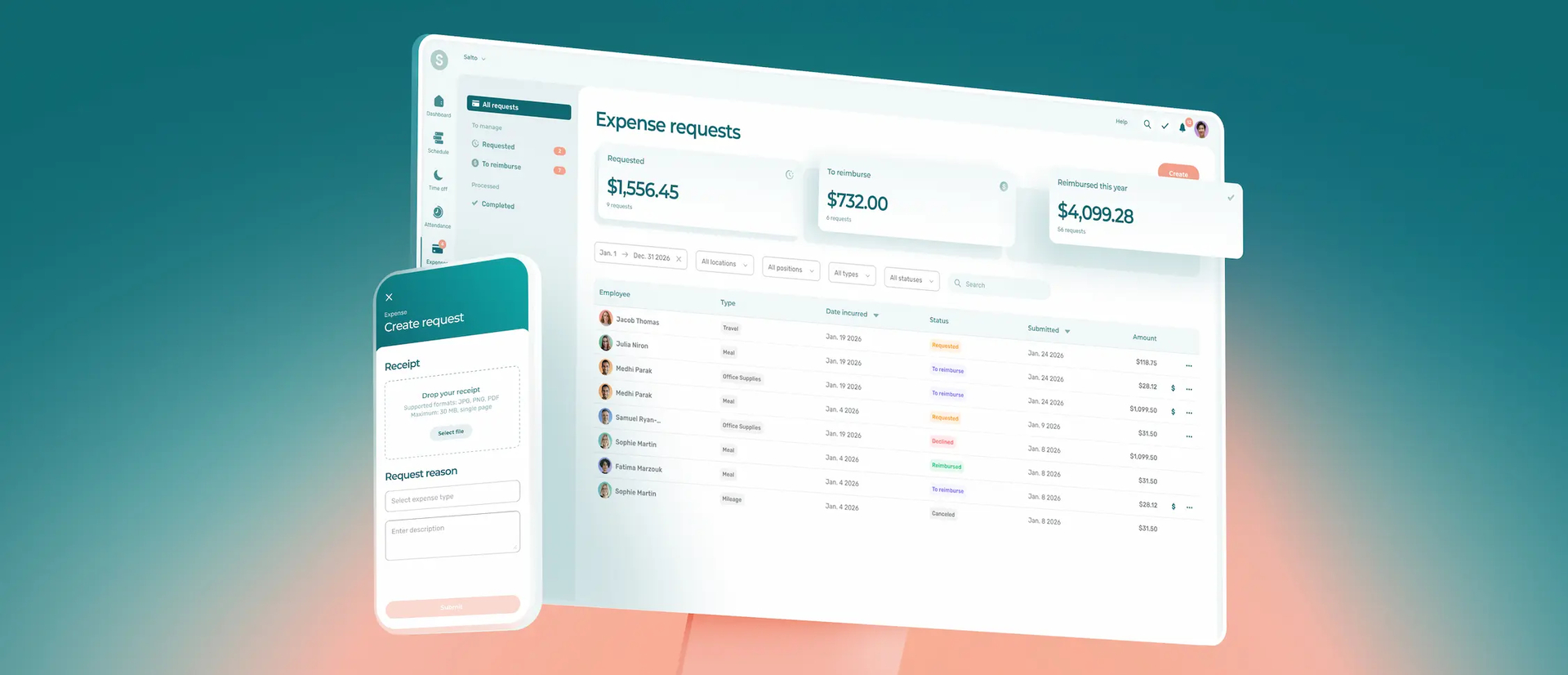
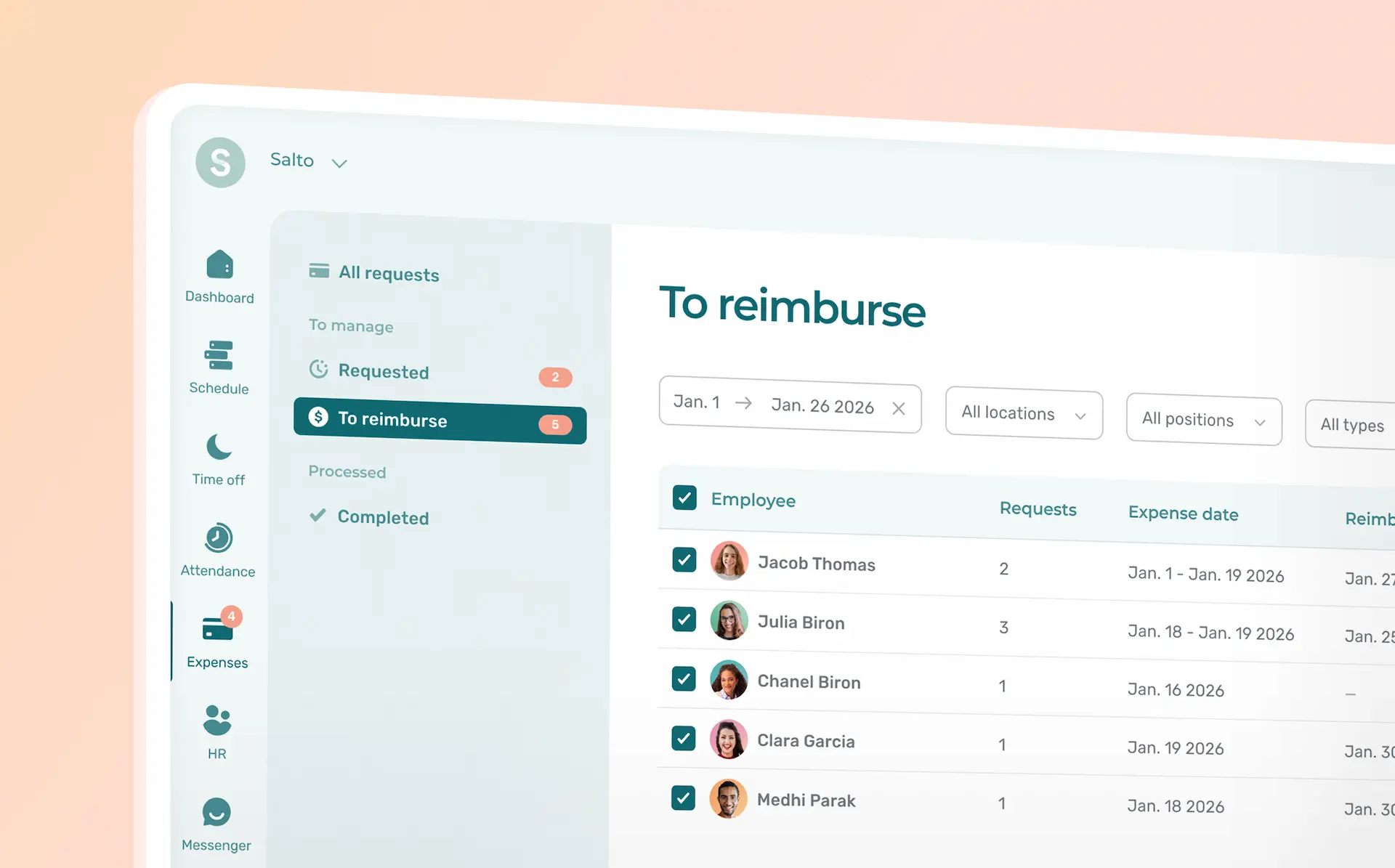
Expense management is a new add-on module available to all Agendrix customers. Team members submit expense requests directly in the app they already use for their schedules, timesheets and team communication. Agendrix does the heavy lifting for them by reading the receipt and filling in the request automatically. Managers review, approve, and export reimbursements to payroll without switching tools.
The module is accessible from the left-hand menu in your Agendrix account.
For Your Staff
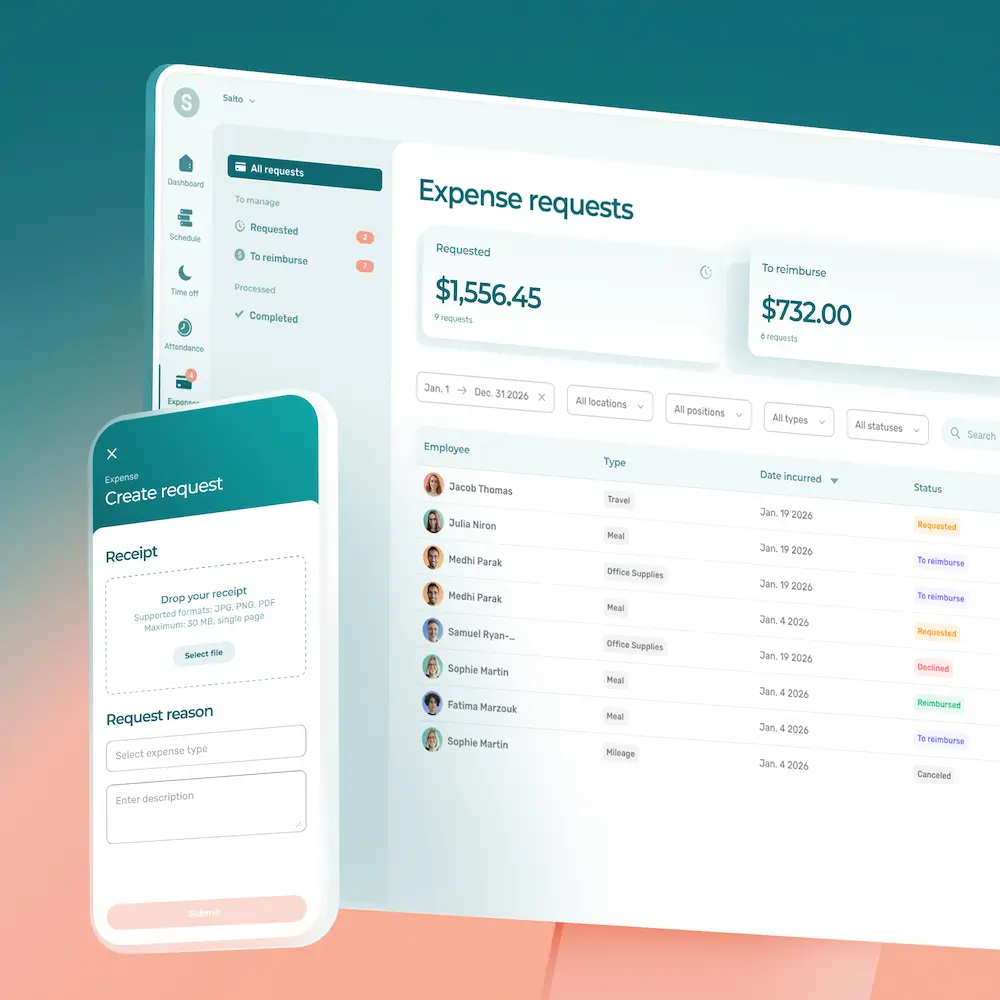
- Scan a receipt, skip the form. Team members tap on the plus icon (+) in the Agendrix mobile app, photograph their receipt, and the form fills in automatically with the amount, date, and merchant name.
- Add context and submit. They confirm the pre-filled details, select an expense type (mileage, meal, supplies, and more), add an optional note, and submit in one tap.
- Track the status. Once submitted, they can follow the status of their request: submitted, approved, paid, or processed. No need to follow up manually.
For Managers
- One list for all requests. Every pending expense across your team appears in a single view, sorted by date. Open any request to review the receipt and details before acting on it.
- Approve or decline with one click. The team member is notified automatically, whichever way you decide.
- Mark as reimbursed. Once the reimbursement is processed, mark the request as paid to close the loop for both parties.
- Export to payroll as needed. Approved expenses can be included in your payroll preparation export alongside hours and premiums, through existing payroll integration.
- Save for reference and audits. Paid requests are archived and remain accessible for end-of-year reporting or audits, all in an app that meets industry standards for data security and privacy.
Fully Customizable to How Your Team Works
Agendrix suggests the most common expense types to get you started (business meals, travel, mileage, supplies, and more). From there, you configure exactly what fits your operation: activate or create only the types your team actually uses, add sub-types within a category, and adjust as your needs change. Everything stays centralized in one place, so there’s no hunting through inboxes, spreadsheets, or paper files when payroll comes around.


What This Means for Your Team
- Less back-and-forth: no more chasing receipts or following up on reimbursements by text.
- More transparency: team members see exactly where their request stands at every step.
- Fewer gaps at payroll: approved amounts flow directly into your payroll export, no re-entry required.
- No new tool to learn: everything happens in the app your team already uses every day.
Ready to Simplify Expense Tracking?
Expense management is now live as an add-on to any Agendrix plan. You’ll find it in the left-hand menu of your account. For step-by-step instructions, read our help center article.
Want to see how it fits into your team’s workflow? Book a call with our team.