

Key takeaways
- Self scheduling lets employees choose their shifts within clear parameters, while keeping operational control in the hands of the manager.
- When properly structured, it can reduce turnover in SMBs, improve work-life balance and simplify schedule management.
- Without clear rules (minimum hours, skills, rotation), it can create inequities and coverage gaps.
- Employee scheduling software like Agendrix structures the entire process with built-in rules, real-time visibility and final validation.
Self scheduling lets teams build their own schedule within a defined framework. But to truly support business performance, you need to know how to implement it the right way.
For many SMBs, the biggest challenge is no longer just hiring. It’s keeping a stable, high-performing and engaged team in place.
When an employee leaves, it’s not just a name to replace on the schedule. It’s time spent recruiting, training and onboarding. It’s significant costs. It’s a drop in productivity that can last weeks. It’s more pressure on remaining employees and, often, inconsistent service quality.
And the price tag is not cheap. According to Work Institute, the cost of turnover can represent between 33% and 200% of an employee’s annual salary.
Meanwhile, expectations are shifting. Autonomy and flexibility are no longer seen as exceptional perks. They’re considered standard working conditions.
Managers are facing a simple reality: they need to offer their teams more flexibility without losing control of operations. The question is no longer whether to be flexible. It’s how to structure that autonomy so it actually works.
And that’s exactly where self scheduling comes in.
What Is Self Scheduling, Exactly?

Self scheduling is a scheduling model where employees choose their own shifts within limits set by the employer.
👉 In a conventional scheduling model, the manager builds the schedule and assigns shifts. Employees can then request adjustments, swap a shift or flag an unavailability. The structure remains centralized.
👉 In a self scheduling model, the logic changes. Employees’ roles aren’t passive. They help build the schedule. They select shifts based on their availability and established rules. The manager keeps an oversight and validation role, but they’re no longer the only one carrying the scheduling load.
It’s not just about being more flexible. It’s about sharing responsibility for the schedule.
Industries Where Self Scheduling Is Common
Self scheduling is common in workplaces with variable schedules:
- Food service (peak hours, mixed full-time/part-time teams)
- Retail (fluctuating foot traffic)
- Healthcare (24/7 coverage and complex rotations)
- Logistics and services
What Really Changes When Employees Build Their Own Schedule
Self scheduling changes the day-to-day management dynamic.
Decisions Are No Longer Made Behind Closed Doors
In a centralized model, the manager assigns shifts, adjusts the schedule based on constraints and handles change requests. Decisions can seem opaque, even when they’re well-founded.
With self scheduling, constraints become visible to everyone. If no one picks the Sunday evening shift, or if too many employees sign up for Saturday afternoon, the imbalance shows up immediately in the schedule.
The manager is no longer the only one dealing with shift-related frustrations. The team sees actual needs and more easily understands why certain shifts have to be distributed differently.
Choices Become Shared Responsibility
Building your own schedule means making real choices: accepting a less popular shift, stepping up during a busy period or temporarily reducing your hours.
These decisions make each person’s impact more visible.
It doesn’t guarantee engagement. But it creates a collaborative dynamic where individual choices directly affect coverage and the rest of the team’s workload.
The Manager’s Role Evolves
The manager doesn’t disappear from the process. But they stop being the person who manually places every shift.
They set the rules, open up shifts for selection and monitor balance. Employees choose their shifts and take ownership of their commitments.
The result: less time spent adjusting schedules and fielding last-minute requests. More time making sure coverage holds up, the team runs smoothly and operations stay on track.
The Benefits of Self Scheduling

When implemented well, self scheduling can lighten day-to-day management and improve team stability.
For Employees
Better Control Over Their Schedule
Choosing their own shifts reduces surprises and last-minute schedule changes. Employees know what to expect and can plan ahead with more confidence.
For example, a student can avoid shifts during exam periods, while a parent can prioritize daytime shifts.
A More Realistic Work-Life Balance
Parents, students or employees juggling multiple responsibilities can set their availability ahead of time, instead of multiplying change requests after the fact.
A Stronger Sense of Involvement
Taking part in building the schedule shifts the dynamic. The schedule becomes a commitment made to the team.
For Managers
Fewer Last-Minute Adjustments
Fewer urgent requests after the schedule is published. Fewer shifts to shuffle at the last minute. With a structured framework, many adjustments are sorted out before the schedule is even finalized.
For example, if shifts require specific skills from the selection stage, the manager avoids having to urgently replace an employee who isn’t trained for cash or closing duties.
Better Visibility Into What’s Happening on the Ground
The choices employees make reveal their real availability and preferences. This information helps anticipate imbalances rather than trying to fix them after the fact.
For example, if no one picks Friday evening shifts over several cycles, it could point to an overload, a lack of resources or an unfair task distribution.
A More Strategic Role
When managers are no longer absorbed by schedule management, they can focus on more impactful priorities: team performance, profitability and service quality.
For the Organization
A Potential Retention Lever
When turnover is costly, offering a framework for autonomy can make a real difference. An employee who has some control over their schedule is less likely to leave due to a lack of flexibility.
More Agile Coverage
In industries where sales, reservations or foot traffic vary significantly, self scheduling allows for faster coverage adjustments during peak periods, as long as the rules are clear.
A Stronger Culture of Accountability
When everyone contributes to scheduling, collective responsibility becomes tangible. Fairness and engagement are no longer theoretical. They’re visible in how shifts are distributed.

The Drawbacks of Self Scheduling
Self scheduling isn’t a one-size-fits-all solution. Poorly structured, it can shift problems rather than solve them.
A Race for the Most Popular Shifts
When schedules open at the same time for everyone, a common pattern can emerge: everyone logs in at once to grab the most popular shifts.
Employees who can’t access the system at the right time, because they’re already working or can’t log in quickly, end up with whatever’s left. Over time, this can create a sense of unfairness.
That’s why it’s important to create a rotation system and clear rules, to prevent self scheduling from favoring the fastest employees over fairness. Some organizations limit this risk by opening schedules in waves, requiring mandatory rotation for less popular shifts or setting quotas for weekends and evenings.
Coverage Imbalances
Some shifts are naturally more appealing than others. Without clear guidelines, less popular time slots can go uncovered or always fall on the same employees.
To avoid this, the organization needs to set minimum coverage requirements and mandatory skills per shift. For example, requiring a team lead on evening shifts or a cash-trained employee at opening ensures the schedule isn’t just filled, but actually functional.
Added Pressure on Certain Employees
Not every employee wants to actively manage their schedule. For some, having to choose, compare and plan can become a source of stress rather than a benefit.
Before rolling out self scheduling across the board, take your team’s pulse. A short anonymous survey can surface hesitations or discomfort that don’t always come up in meetings, and help you adjust accordingly.
A Real Operational Risk
Without final validation or clear parameters like minimum hours, required skills or mandatory coverage, the organization can end up with significant gaps.
A filled schedule doesn’t guarantee a functional one. That’s why the manager keeps a central role: they act as the conductor, making sure skills are properly distributed and coverage truly holds up.
A Model That Requires a Solid Structure
Self scheduling works best when expectations are clear and communication is healthy. In a team where tensions already exist, it can amplify friction rather than resolve it.
Self scheduling doesn’t replace good management. It puts it to the test.
How to Structure Self Scheduling So It Works


Self scheduling works when it’s designed as a process, not simply as a permission. Here are the steps to set it up in a structured way.
1. Set Simple, Clear Rules
Before opening schedules to the team, a few basic questions need to be answered:
- Which periods are open to self scheduling?
- What are the deadlines for selecting shifts?
- Is there a final validation step before publishing?
- What are the consequences for not honoring commitments?
These rules need to be known by everyone. Autonomy only works when expectations are clear.
2. Build in Concrete Operational Guidelines
General rules aren’t enough. Constraints tied to day-to-day realities need to be built in:
- Minimum and maximum hours per employee
- Required skills for certain shifts
- Minimum coverage requirements
- Rotation systems for popular shifts
For example, in food service, a shift may require a team lead on site. In retail, an opening shift may need a cash-trained employee.
These guidelines prevent imbalances and reduce after-the-fact adjustments.
3. Plan a Clear Conflict Resolution Process
Even with a solid framework, tricky situations can come up:
- Too many requests for the same shift
- Unpopular shifts left vacant
- Commitments not being honored
It’s best to define in advance:
- A rotation system
- Objective criteria in case of excess demand
- Final validation by the manager
The more transparent the process, the less frustration it generates.
4. Communicate and Adjust Continuously
Self scheduling isn’t a set-it-and-forget-it system.
After the first implementation cycles, take the time to:
- Collect feedback from the team
- Check whether certain elements are causing friction (schedule opened too early, selection window too short, weekend shifts perceived as unfairly distributed)
- Adjust parameters as needed
An adaptable framework is often more effective than a rigid one.
5. Start Gradually
There’s no need to overhaul the entire schedule overnight.
To test team buy-in, some managers choose to:
- Start with a single day of the week
- Test self scheduling on a specific type of shift
- Run a pilot during a targeted period, such as Easter weekend, a vacation week, a statutory holiday or the holiday season
Choosing a busier period, planned in advance, lets you observe how the team responds in a real-world context without committing the entire schedule right away.
This approach lets you gauge the team’s reaction and fine-tune the framework before a full rollout.
Implementing Self Scheduling With Employee Scheduling Software
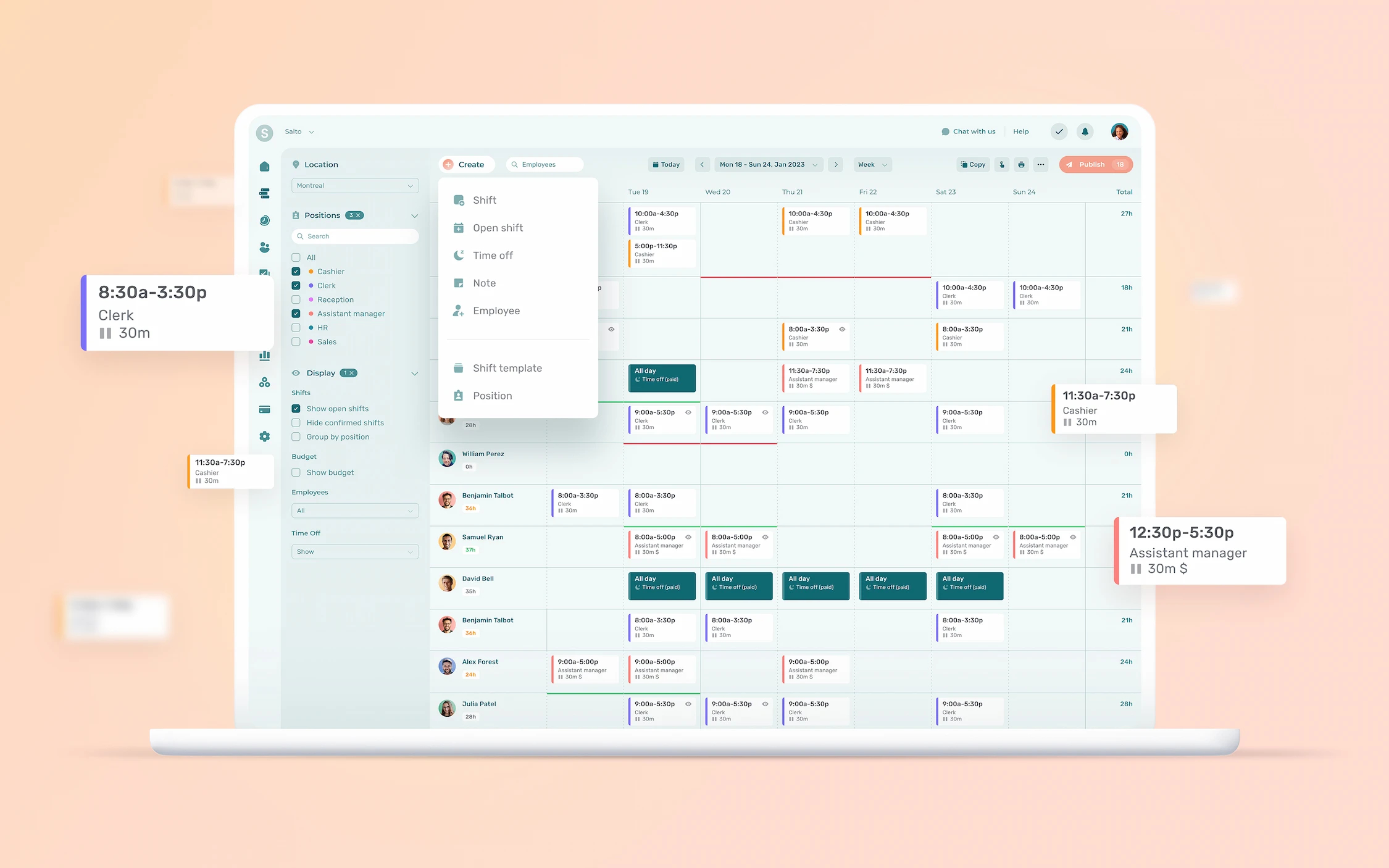
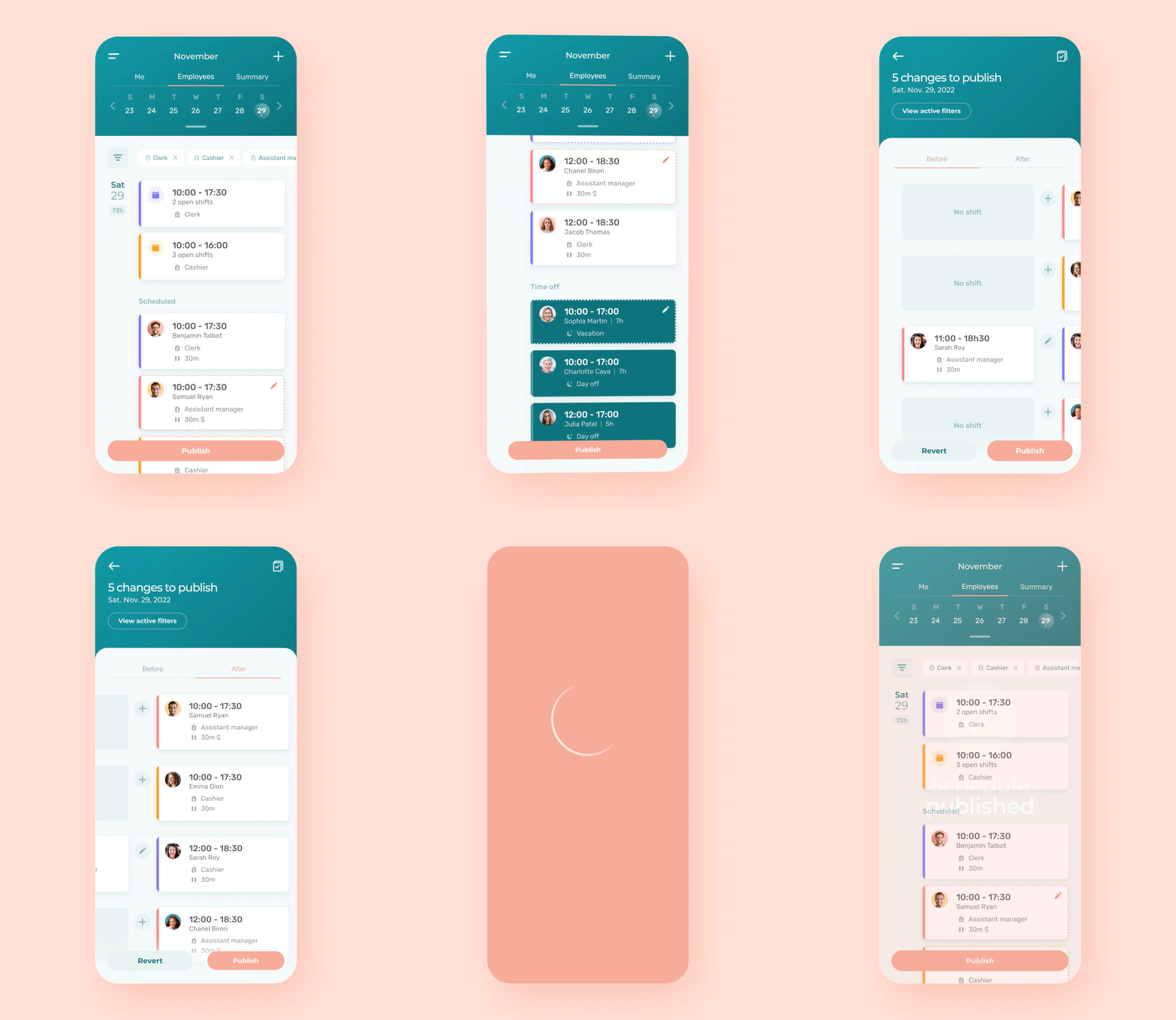
Managing a schedule in Excel is already complex. Running a self scheduling process without software is practically unmanageable.
A shared spreadsheet can’t handle simultaneous selections, role-based rules or final validation.
Here’s how to set it up using a tool designed for self scheduling.
1. Set Up the Framework Directly in the System
Before opening shifts for selection, the manager can define parameters in the app:
- Roles and skills required for certain shifts
- Periods open to self scheduling
- Deadlines for making selections
- Availability-related constraints
Building these rules into the system means you don’t have to repeat them every cycle. The framework becomes part of how the schedule normally works.
2. Make Shifts Visible to the Team
Once parameters are in place, shifts can be made available in the app.
Employees can see:
- Open shifts
- Shifts that have already been selected
- Remaining needs, like a Saturday closing shift that still needs two trained employees
This transparency reduces misunderstandings and cuts down on repetitive back-and-forth about coverage.
3. Track and Adjust Over Time
A centralized system also keeps a history of schedules and selections. This helps:
- Spot recurring imbalances
- Adjust rules if needed
- Strengthen the perception of fairness
Self scheduling then becomes a supervised, continuously adjusted process, not an unstructured open selection.
Why a Dedicated Tool Quickly Becomes Essential
Self scheduling involves:
- Real-time updates
- Consistent rule enforcement
- Shared visibility
- Structured validation
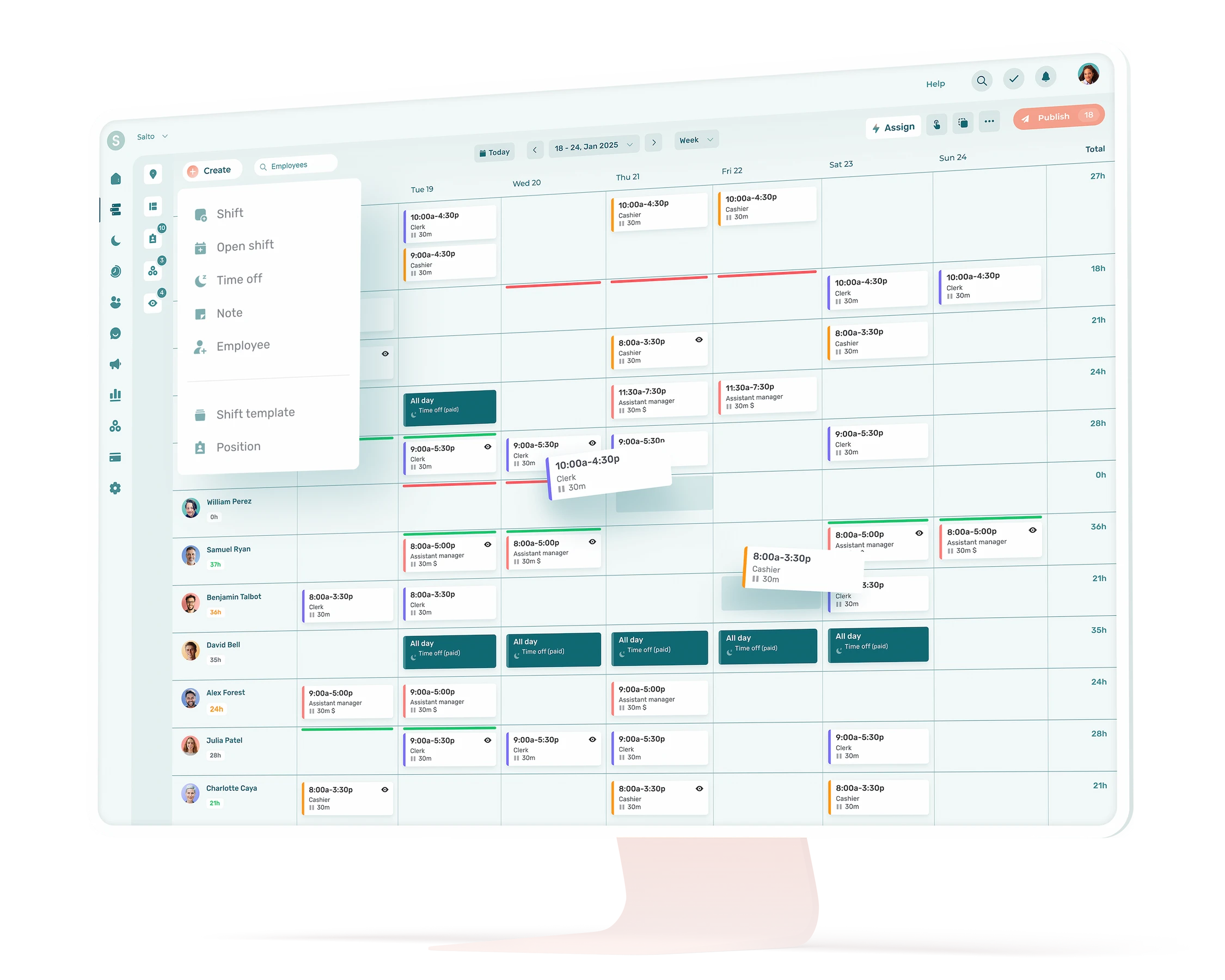
Without the right tool, the manager ends up spending more time correcting than planning. With a solution like Agendrix, rules are built in and selections are monitored in real time.
Conclusion
Self scheduling doesn’t transform a team overnight. It transforms the way responsibilities are shared.
For SMBs looking to adopt it, the simplest approach is to start small: launch a pilot project, clarify the rules and test the model over a limited period.
When implemented well, self scheduling becomes a management tool. When poorly prepared, it becomes a source of friction.
What is self scheduling?
Self scheduling is a work organization model where employees choose their own shifts according to clear guidelines set by the employer. The organization defines operational needs and constraints (required skills, minimum coverage), and employees select shifts based on their availability. The manager oversees and validates the final schedule.
Unlike a traditional model where the schedule is entirely imposed, self scheduling relies on shared responsibility and a clear framework.
How does self scheduling work?
The employer defines coverage needs, operational constraints and rules (required skills, open periods). Employees then indicate their availability and select shifts within those parameters. The manager validates the final schedule and adjusts as needed.
In most SMBs, employee scheduling software simplifies the process by centralizing selections and applying rules consistently.
What are the benefits of self scheduling?
For employees, self scheduling offers better control over their schedule and makes it easier to balance work and personal life. By helping build the schedule, they feel more involved in how work is organized.
For managers, it can reduce last-minute adjustments and limit shift-related conflicts. Scheduling becomes more transparent and less focused on micromanagement. At the organizational level, it can improve team stability by offering a structured framework for autonomy.
In short, when implemented well, it fosters a more accountable and transparent scheduling culture.
What are the drawbacks of self scheduling?
Self scheduling can lead to imbalances in shift selection, especially if popular time slots are quickly claimed by the same employees. Unclear rules can also create a sense of inequity within the team.
For some employees, actively managing their schedule adds mental load rather than reducing it. Without final validation or precise parameters, operational gaps can appear. Self scheduling requires rigorous oversight and, in most cases, the right tool to keep complexity from piling up.
Does self scheduling work for every team?
No. It generally works best when roles are well defined, operational needs are clear and communication is strong. Teams that already value accountability tend to adapt more easily.
In an unstable environment or when expectations are unclear, self scheduling can intensify tensions rather than ease them. It requires a clear methodology and attentive management, especially during the first cycles.
What’s the difference between self scheduling and flexible schedules?
In a flexible schedule model, the employer typically builds the schedule and then gives employees some leeway, such as adjusting a start time or swapping a shift.
Self scheduling goes further. Employees actively take part in creating the schedule from the start. The organization sets the needs and rules, but shifts are selected by the team within that framework.
How do you implement self scheduling?
Start by defining your operational needs, rules and constraints (skills, minimum coverage), then communicate them clearly to the team. From there, employee scheduling software makes the process much easier by centralizing selections, applying rules consistently and providing real-time visibility.